25/40
ModEva Pac User Manual
April
2016
V2.3
→ Bend Numerical
Setting inStructionS:
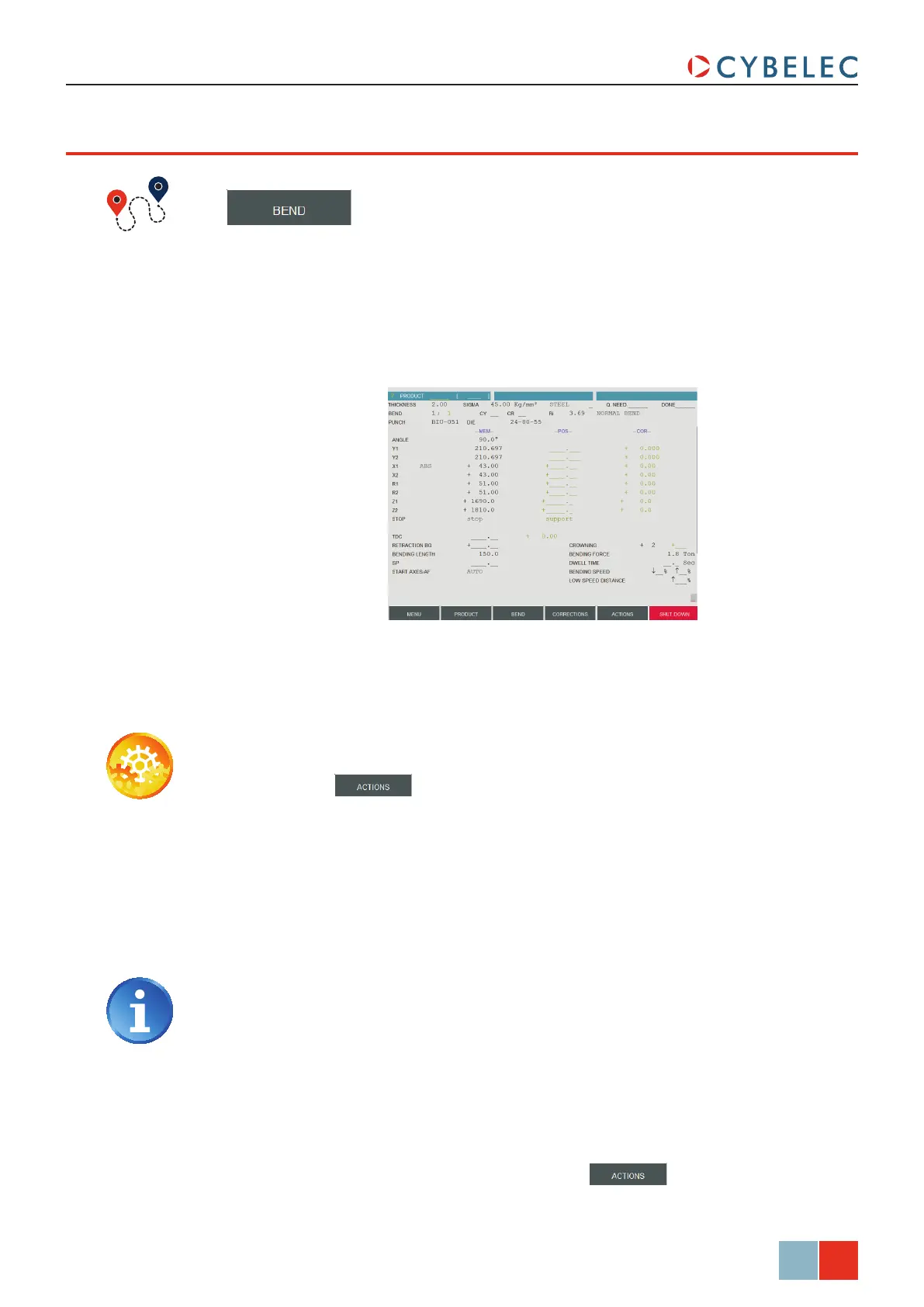
1. Touch the button and select neW Product in the list.
2. On the top of the screen, select the material, enter its thickness and Sigma, and
select the tools to be used for the part by touching their respective fields.
3. Program the required
angLe (here 90.0°). The Y depth will be calculated according to
the tools and the material already programmed. It is also possible to directly enter
the Y1 / Y2 values without programming the angle.
4. Program the real position of the back gauge X1 (here 43.00). X2 can be individually
modified if different from X1.
This type of programming is often used for simple products or by operators having
worked on conventional press brakes without numerical controls.
This page is very user-friendly, for the operator has on one single screen all the
information and fields necessary for the programming of his product.
bend nuMerical paGe (direcT proGraMMinG)
The bending order is chosen by the operator, since he programs directly each bend.
In this example, we will program the part described in Creating a Part Program (see
page 16).
The programming of the real position of the back gauge requires of the operator
to subtract (approximately) the steel thickness from the external dimension of
the product.
5. If necessary, program the specific data for the current sequence (see Position of axes
and other functions, page 26)
6. The two bends of section 1 (see Creating a Part Program, page 16) being identical,
enter 2 in the cy field (CY stands for cycle, meaning this sequence is repeated twice
in the program).
7. To create the subsequent sequence, press the
button and select coPy
Bend in the list. It can be seen that all the data has been copied into the second
sequence.



 To Next Page