13/40
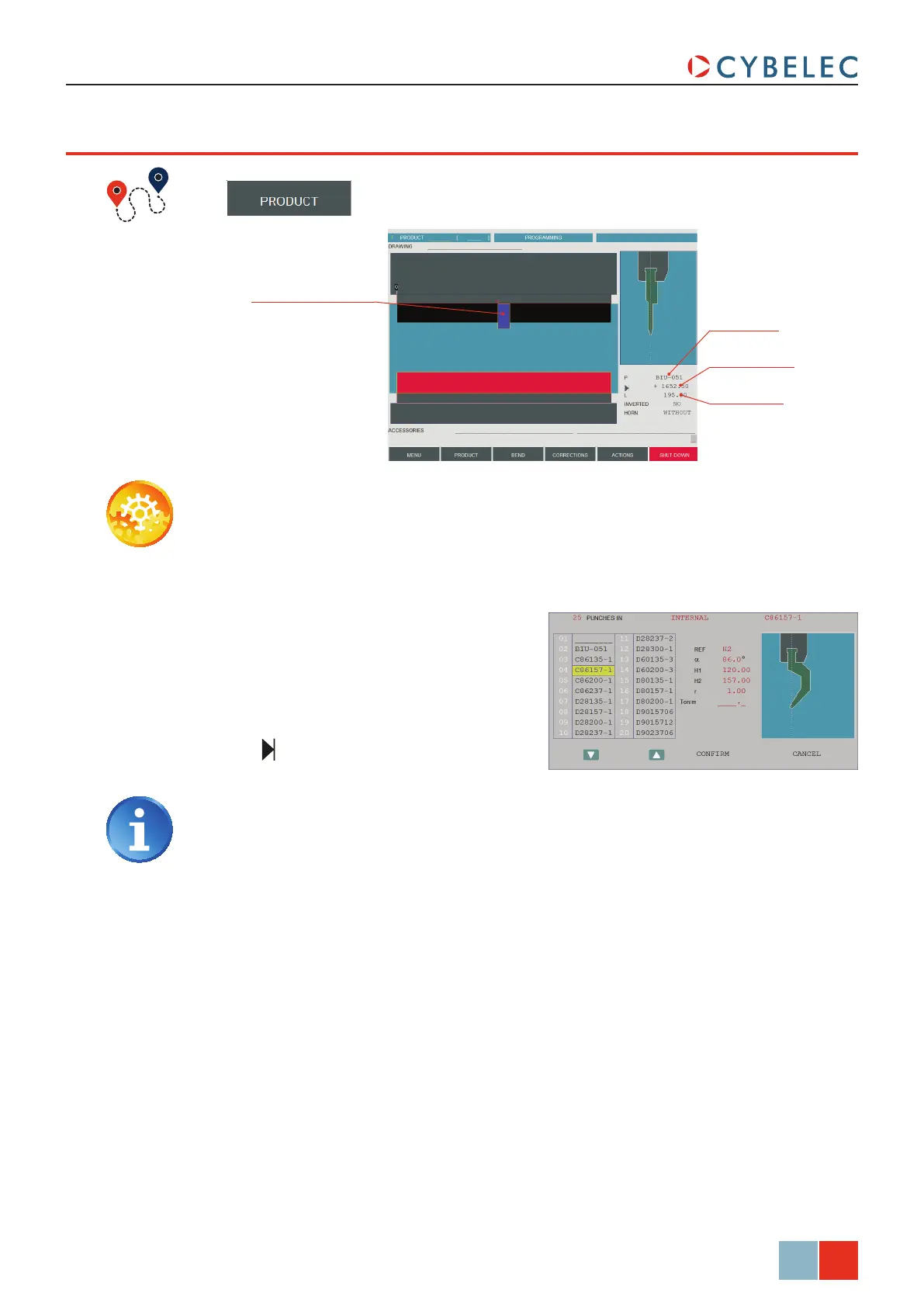
Punch position
Punch length
Punch placed in the
middle of the machine
Punch name
ModEva Pac User Manual
April
2016
V2.3
poSiTioninG a punch
→ Tools position
Setting inStructionS:
1. Touch the beam (it will turn blue) to
select the punch. The letter P is
displayed next to the punch name’s
selection field.
2. Touch the P field. The window to the
right is displayed.
3. Touch the desired punch. Touch it a
second time to select it, or simply
touch
conFirM.
4. Enter the tool’s desired position in the
field.
Introducing a value equal to the half
of the beam’s width minus the half of
the tool length will place the tool in the
center of the machine (in our example:
3500/2 – 195/2 = 1652.5 mm).
5. Modify the L field by introducing
the value (here 195.00) which
corresponds to the required tool
length. In the front view the selected
tool appears in dark blue.



 To Next Page