26/40
ModEva Pac User Manual
April
2016
V2.3
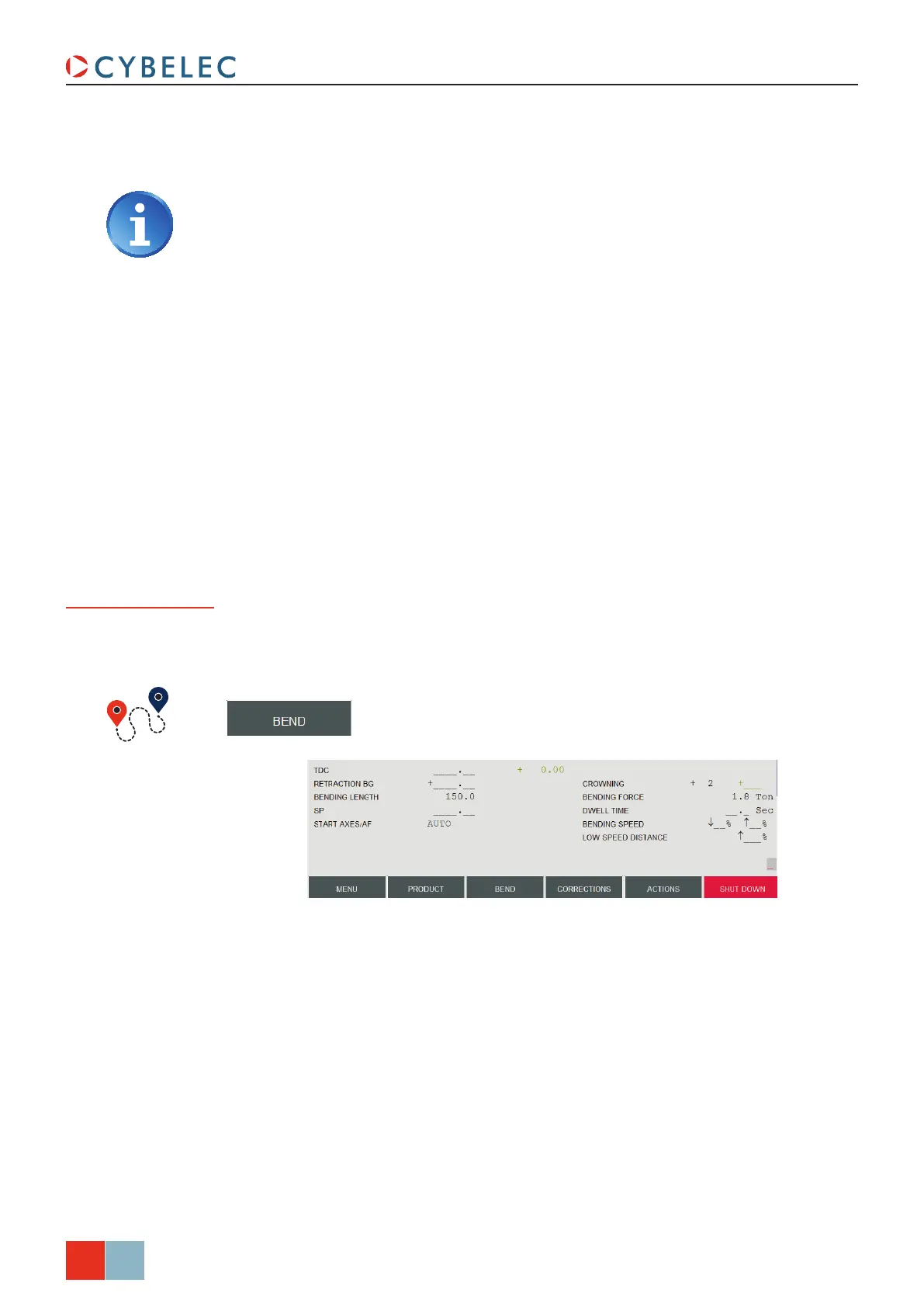
The bottom section of the Bend Numerical page contains all the extra parameters for a
bend. Some, like the bending force, are calculated automatically. But all these values can
be modified by the operator.
Position of
axes and other
functions
8. Proceed in the same manner as for section 1 to define lengths and angles values.
There is another way to program on this page, which has however some
limitations depending on the product and the chosen bending order. It consists
of entering the external flange dimension in the X field of the back gauge, and
then programming a constant negative correction (see Bending, Tests and
Corrections, page 27) corresponding to (approximately, according to your
experience with the tools and the material) the material thickness.
→ Bend Numerical
According to his needs, the operator can modify the following items:
• tdc, for Top Dead Center. If not programmed, the beam will rise to the maximum
TDC.
•
retraction Bg, for the back gauge retraction.
•
Bending LengtH, defines the length of the part being bent, this parameter must already
have been defined during the part programming phase.
• SP, for Switch Point. The point where the beam switches from High Speed to Bending
Speed.
•
Start aXeS/aF, setting this parameter to eXternaL gives manual control over the back
gauge movement. This means the operator must personally give the start to the back
gauge movement, using for example the foot switch or the start button.
•
croWning, if available, is automatically calculated.
•
dWeLL tiMe, defines the amount of time during which the pressure is maintained.



 To Next Page