© 2014 Cygnus Automotive Limited
23
In this case, the display is always in 24-hour format.
Adjusting the Time
• Press and hold down the “SELECT” button.
• Use the “MODE” button to adjust the time backward by up to 3
minutes.
• User the “TOTAL” button to adjust the time forwards by up to 3
minutes.
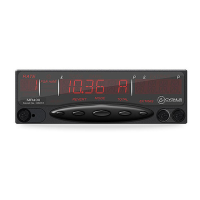
Figure15: Adjusting the Time
Hold “SELECT”
down while
adjusting the time
setting.
Press “MODE” to
adjust the time back
1 minute (up to limit
Press “TOTAL” to
adjust the time
forwards 1 minute
(up to limit of 3
minutes).
Number of minutes by which
the time has been adjusted.
This will be periodically reset
automatically.
Seconds are shown in
the Rate window


 To Next Page