44D-Link D-ViewCam User Manual
Section 3 - Conguration
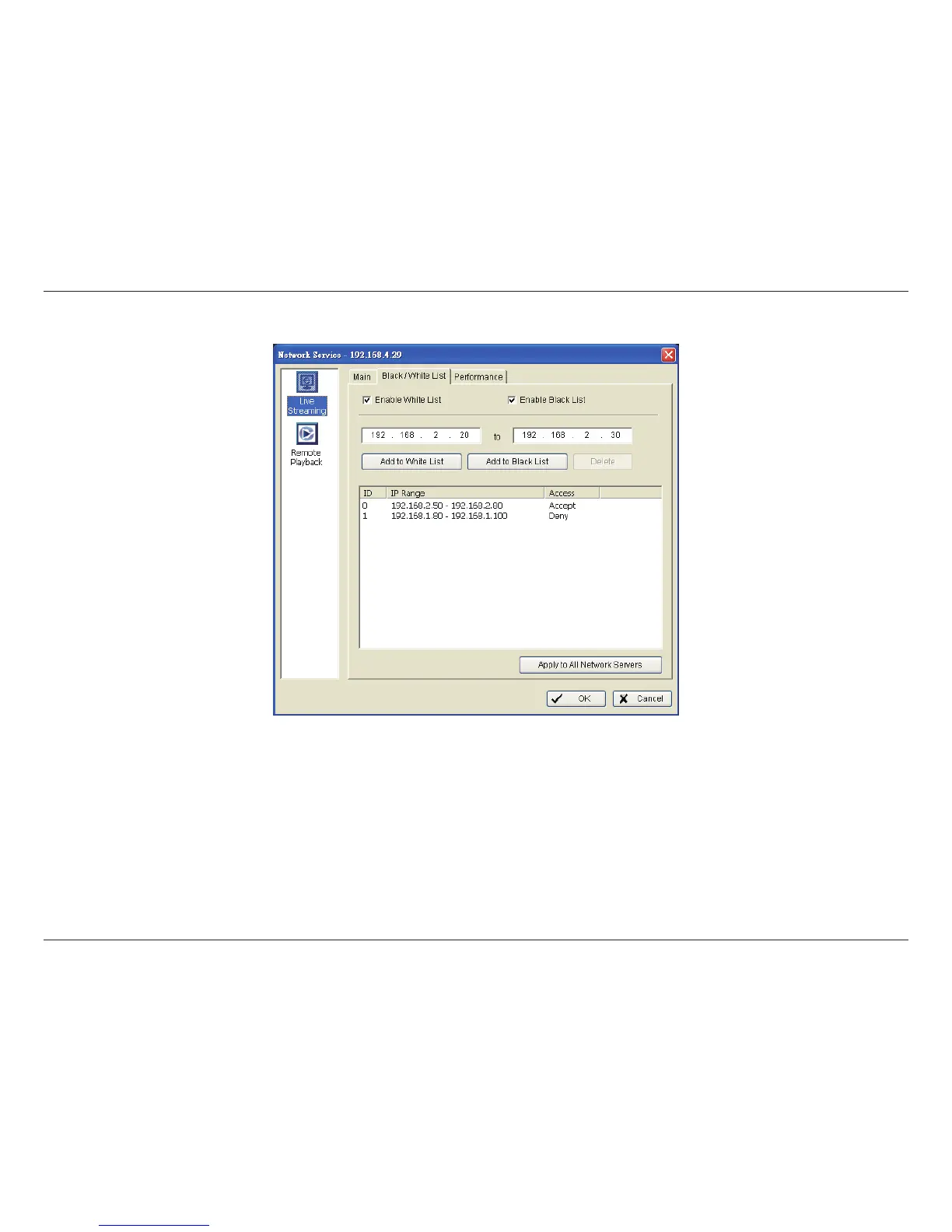
White List: Check the “Enable White List” box to activate the white list lter. Only IPs from the white list is allowed to log in.
Black List: Check the “Enable Black List” box to activate the black list lter. IPs from the black list will be blocked.
IP Address: Enter an IP address into the IP address eld on the left. To add an IP address range to the system, enter 2 sets of IP
address to indicate a series of IP(s).
Add/Delete: Add the IP(s) onto the list or remove it from the list.
Apply to All Network Servers: Apply the settings to both live streaming server and remote playback server.
Black / White List


 To Next Page