31D-Link DSL-245GE User Manual
Section 4 - Conguration
Internet - ADSL (continued)
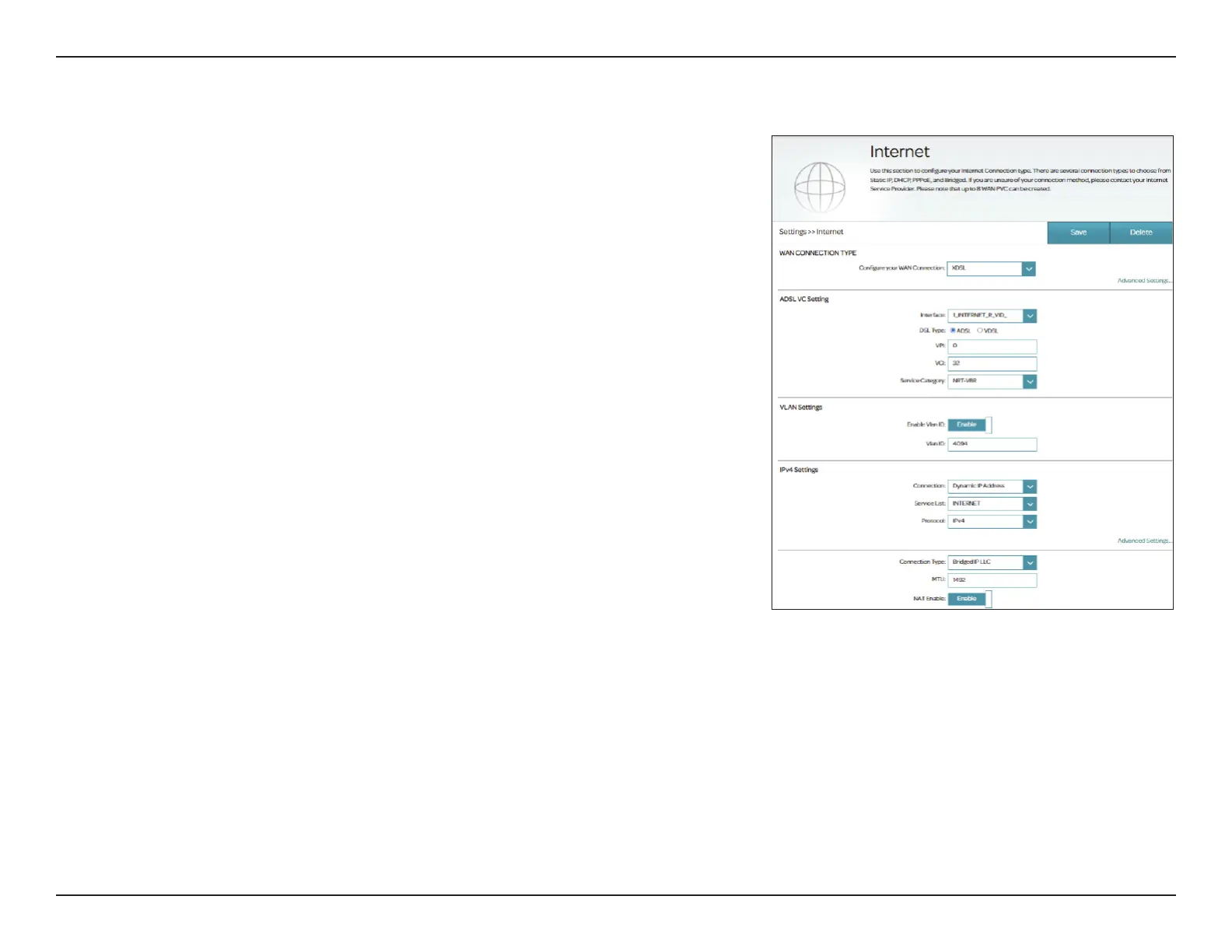
If you selected CBR, NRT-VBR, or RT-VBR, congure the following additional
options:
Peak Cell Rate
(PCR):
Enter the Peak Cell Rate in cells per second (0-5500).
If you selected NRT-VBR or RT-VBR, the additional following options are
available:
Sustainable Cell
Rate (SCR):
Enter the Sustainable Cell Rate in cells per second (0~5500).
Maximum Burst
Size (MBS):
Enter the Maximum Burst Size in MB per second (0~5500).
VLAN Settings
Enable Vlan ID Enable or disable VLAN settings.
Vlan ID Enter the VLAN ID. Enter a value from 1 - 4094.
To set your IPv4/IPv6 connection parameters of WAN connection, refer to
Connection Types on page 34.



 To Next Page