46D-Link DSL-245GE User Manual
Section 4 - Conguration
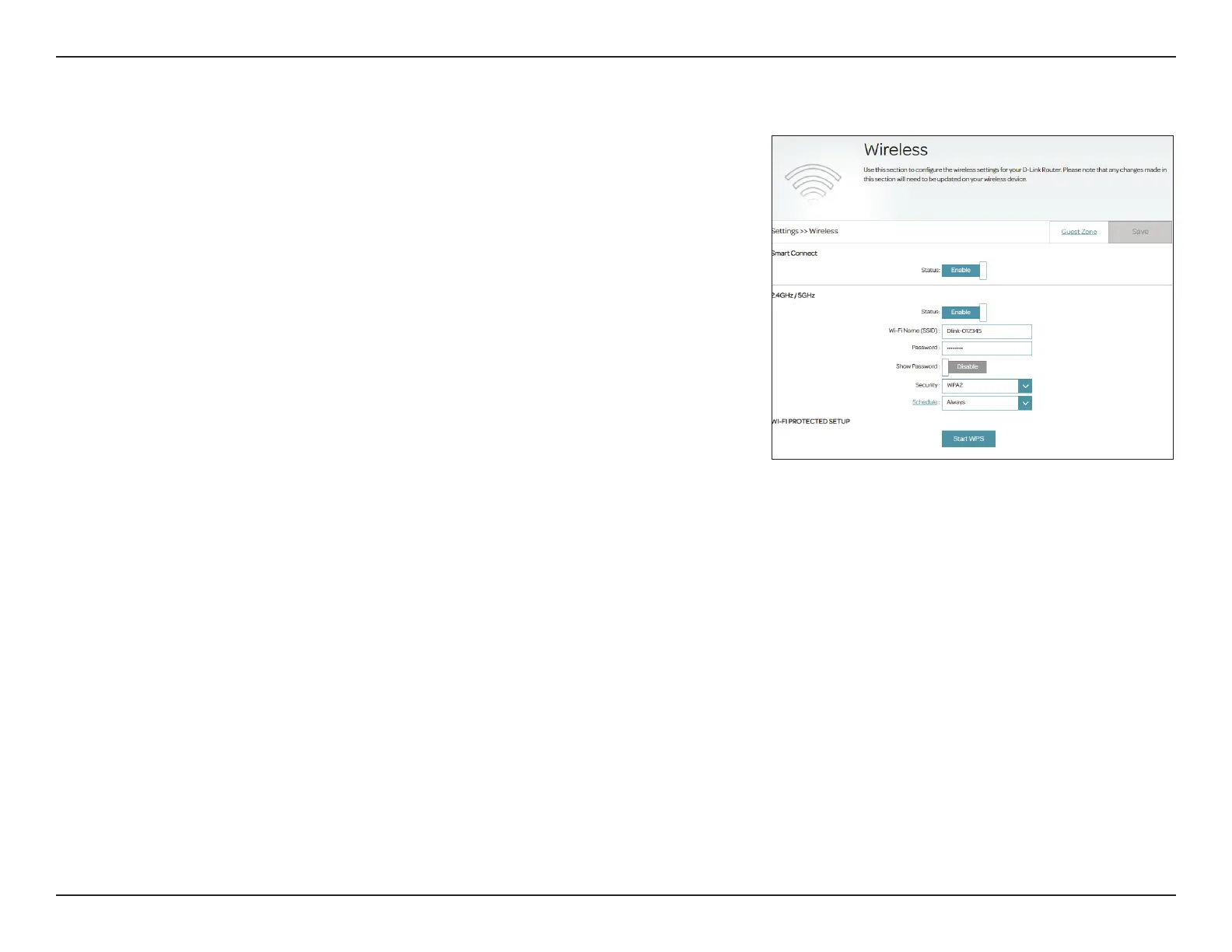
You can congure your wireless LAN (WLAN) on this page. To access this page,
go to Settings > Wireless.
Smart Connect
The Smart Connect feature presents a single wireless network. When
connecting clients to an extended network, they will be automatically
added to the best band, either 2.4 GHz or 5 GHz. The default is enabled.
You can choose to disable the Smart Connect feature and individually
congure 2.4 GHz and 5 GHz networks as below:
2.4 GHz
Status: Enable or disable the 2.4 GHz wireless network. The default is enabled.
Wi-Fi Name (SSID): Create a name for your wireless network.
Password: Create a password to use for wireless security. The password rule
should conform with the below security selected. Refer to the
following wireless security sections.
Show Password: Enable or disable display of the above password.
5 GHz
Status: Enable or disable the 5 GHz wireless network. The default is enabled.
Wi-Fi Name (SSID): Create a name for your wireless network.
Password: Create a password to use for wireless security. The password rule
should conform with the below security selected. Refer to the
following wireless security sections.
Show Password: Enable or disable display of the above password.
Wireless



 To Next Page