DXS-3350SR Gigabit Layer 3 Switch
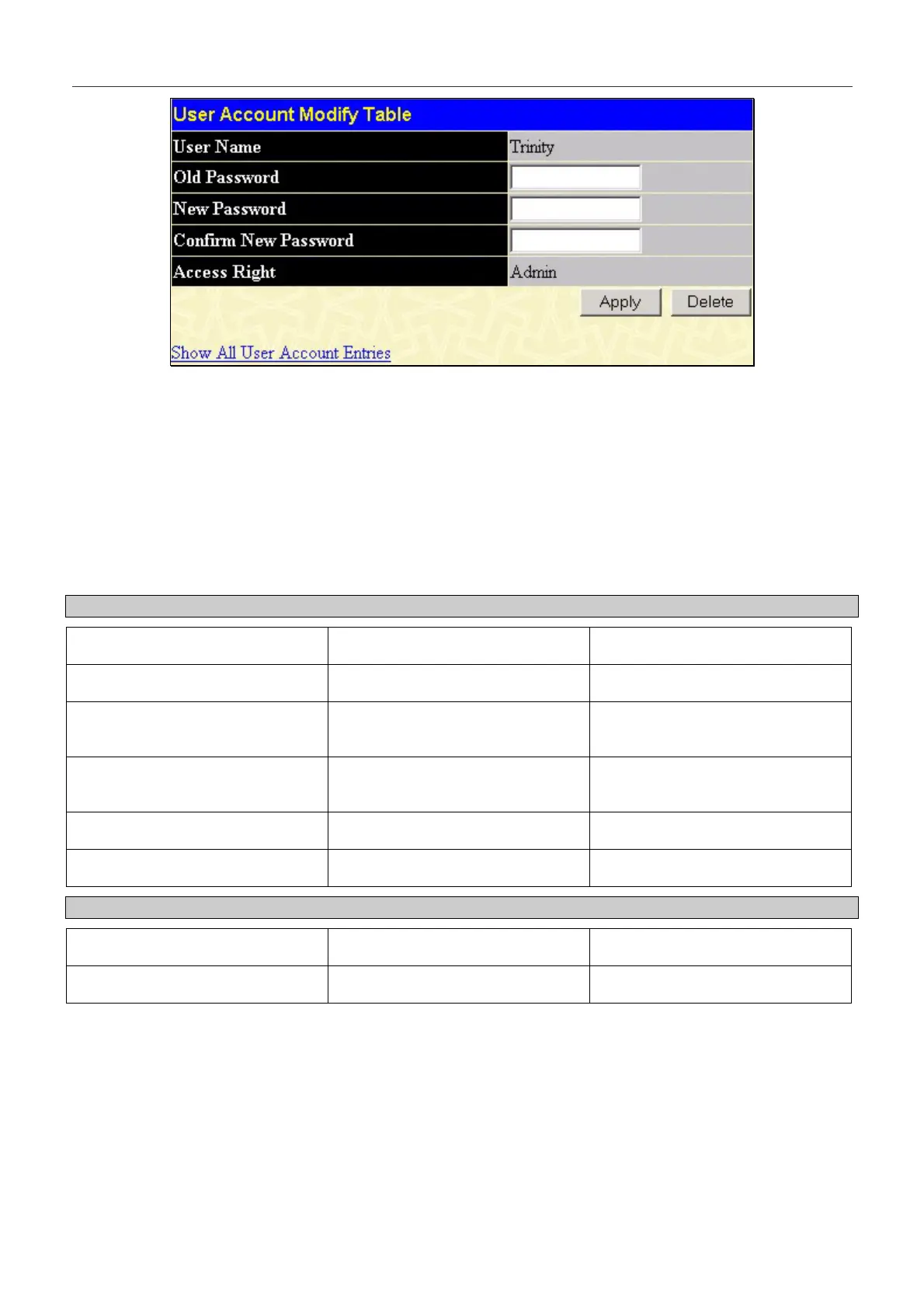
Figure 7- 4. Modify User Accounts
Modify or delete an existing user account in the User Account Modify Table. To delete the user account, click on the
Delete button. To change the password, type in the New Password and retype it in the Confirm New Password entry field.
The level of privilege (Admin or User) can be viewed in the Access Right field.
Admin and User Privileges
There are two levels of user privileges, Admin and User. Some menu selections available to users with Admin privileges
may not be available to those with User privileges.
The following table summarizes the Admin and User privileges:
Management Admin User
Configuration Yes Read Only
Network Monitoring Yes Read Only
Community Strings and Trap
Stations
Yes Read Only
Update Firmware and
Configuration Files
Yes No
System Utilities Yes No
Factory Reset Yes No
User Account Management
Add/Update/Delete User Accounts Yes No
View User Accounts Yes No
Table 7- 1. Admin and User Privileges
After establishing a User Account with Admin-level privileges, be sure to save the changes by opening the Maintenance
folder, opening the Save Changes window and clicking the Save Configuration button.
182


 To Next Page