DXS-3350SR Gigabit Layer 3 Switch
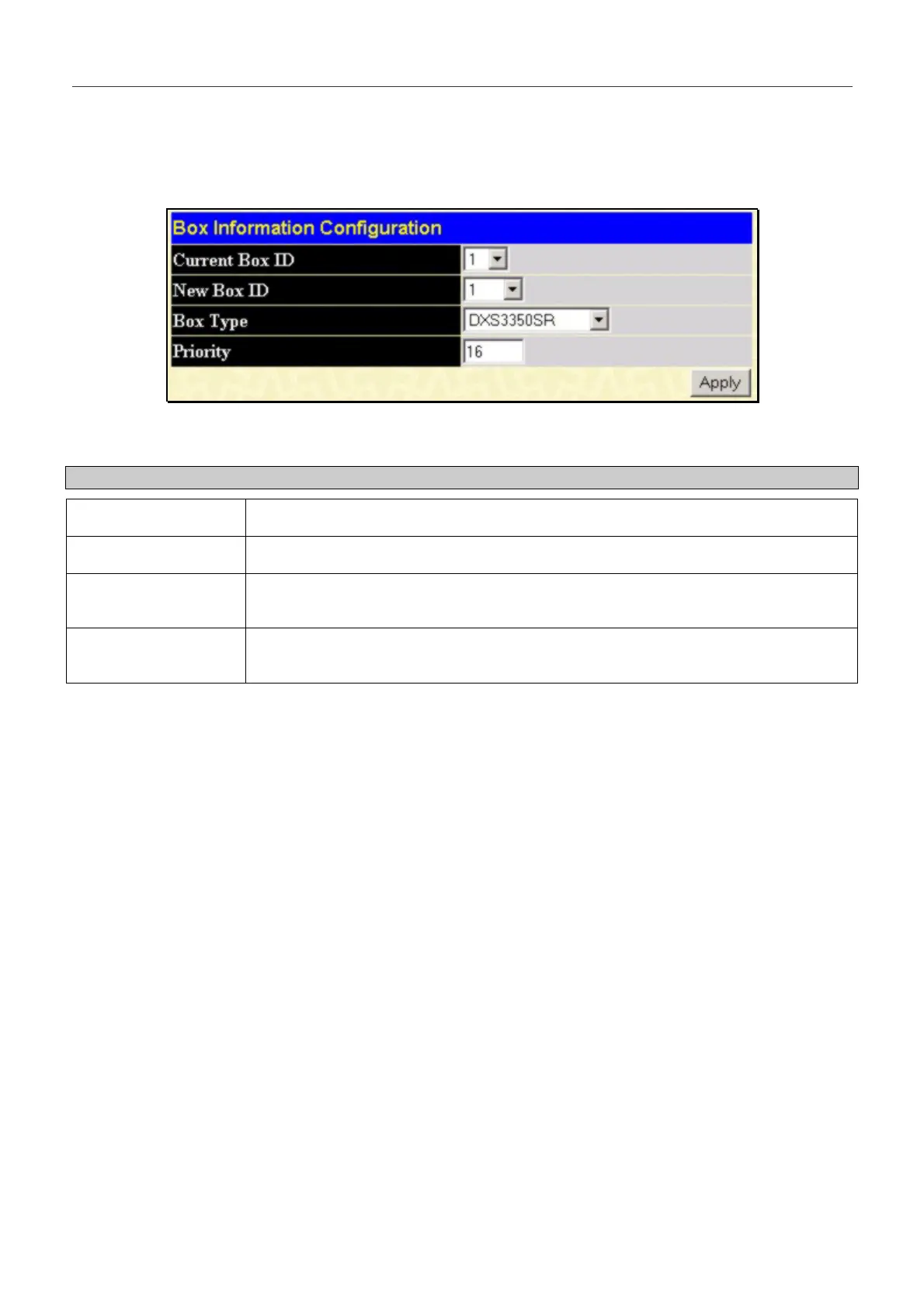
Box InformationConfiguration
The Box Information Configuration screen can be found in the Configuration folder under the heading Box
Information. This window is used to configure the Master Switch of a Switch stack. The Master Switch is the Switch that
will be used to configure the software applications regarding the Switch stack.
Figure 6- 4. Box Information Configuration
Parameter Description
Current Box ID The current Box ID of the Master Switch in the stack.
New Box ID The new box ID of the Master Switch in the stack.
Box Type The user may choose the model name of the Master Switch in a stack to be the main
configuring Switch of that stack.
Priority Displays the priority ID of the Switch. The lower the number, the higher the priority.
The box (Switch) with the lowest priority number in the stack is the Master Switch.
Information configured in this screen may be found in the Monitoring folder under Stack Information.
47


 To Next Page