DXS-3350SR Gigabit Layer 3 Switch
First Time Connecting to the Switch
The Switch supports user-based security that can allow you to prevent unauthorized users from accessing the Switch or
changing its settings. This section tells how to log onto the Switch.
NOTE: The passwords used to access the Switch are case-sensitive;
therefore, "S" is not the same as "s."
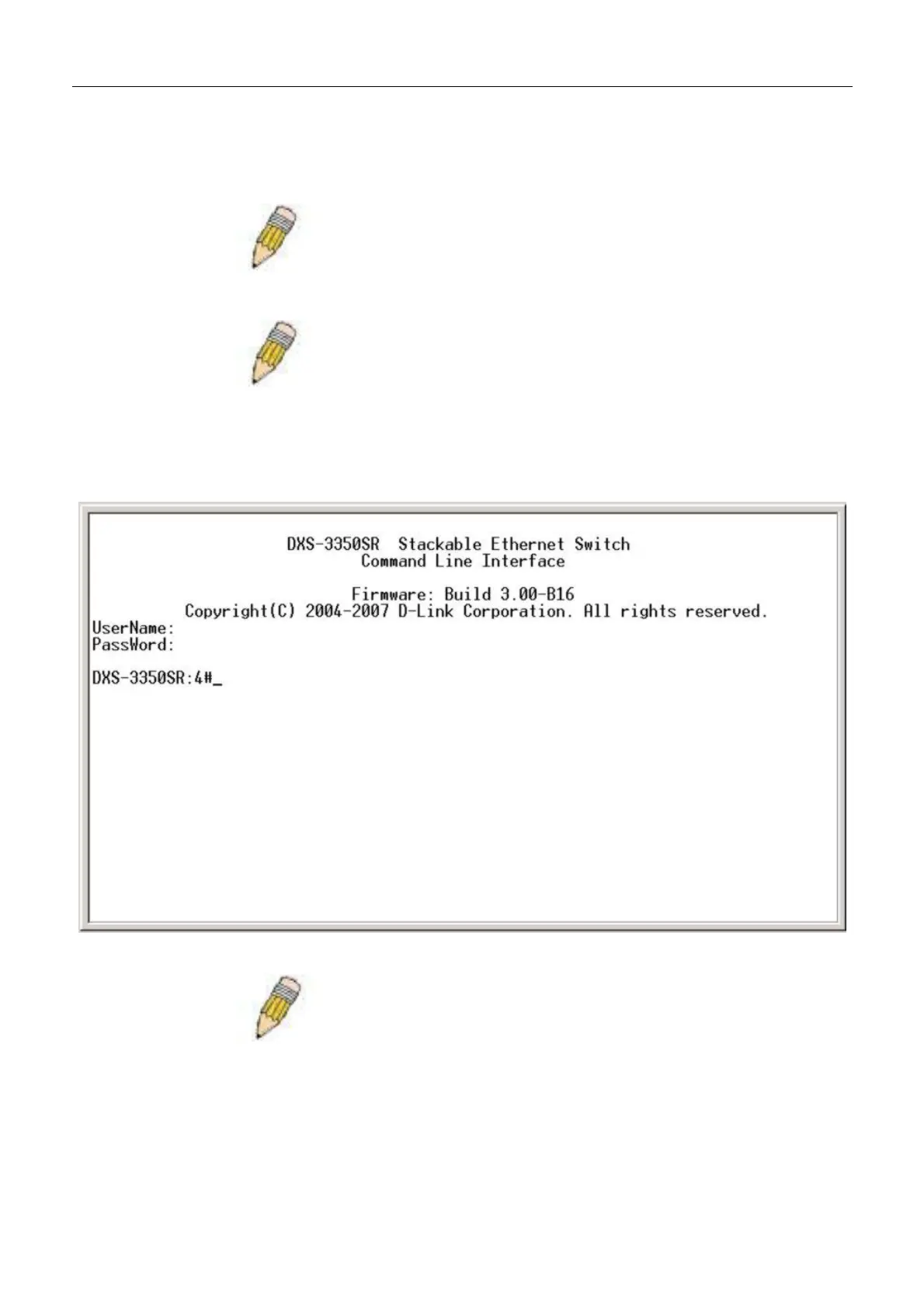
When you first connect to the Switch, you will be presented with the first login screen (pictured above).
NOTE: Press Ctrl+R to refresh the screen. This command can be used at
any time to force the console program in the Switch to refresh the console
screen.
Press Enter in both the Username and Password fields. You will be given access to the command prompt DXS-3350SR:4#
shown below:
There is no initial username or password. Leave the Username and Password fields blank.
Figure 4- 2. Command prompt after login
NOTE: The first user automatically gets Administrator level privileges. It is
recommended to create at least one Admin-level user account for the
Switch.
32


 To Next Page