DXS-3350SR Gigabit Layer 3 Switch
MAC Notification
MAC Notification is used to monitor MAC addresses learned and entered into the forwarding database.
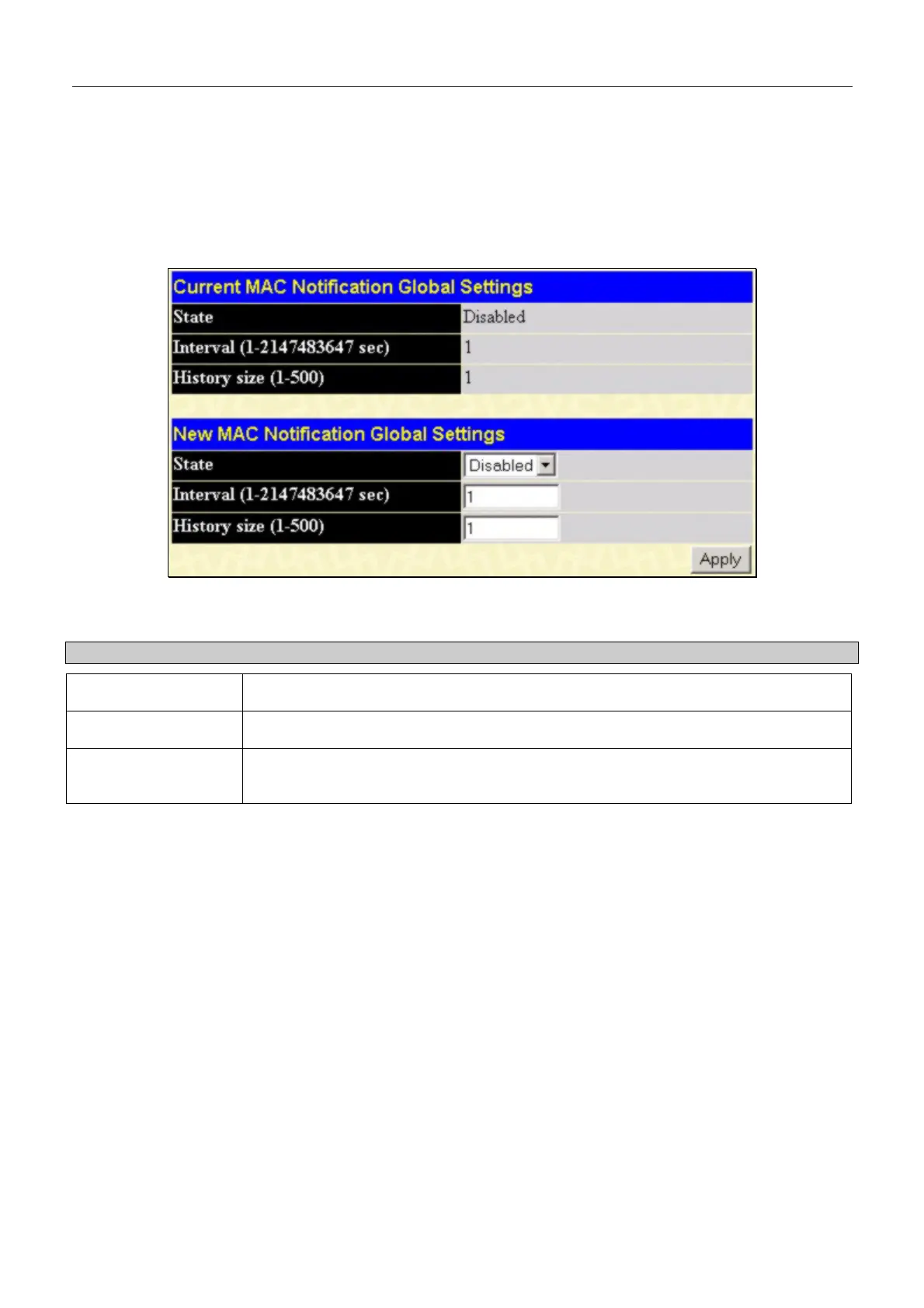
MAC Notification Global Settings
To globally set MAC notification on the Switch, open the following screen by opening the MAC Notification folder and
clicking the MAC Notification Global Settings link:
Figure 6- 12. MAC Notification Global Setting window.
The following parameters may be modified:
Parameter Description
State
Enable or disable MAC notification globally on the Switch
Interval (sec)
The time in seconds between notifications.
History size
The maximum number of entries listed in the history log used for notification. Up to
500 entries can be specified.
56


 To Next Page