DXS-3350SR Gigabit Layer 3 Switch
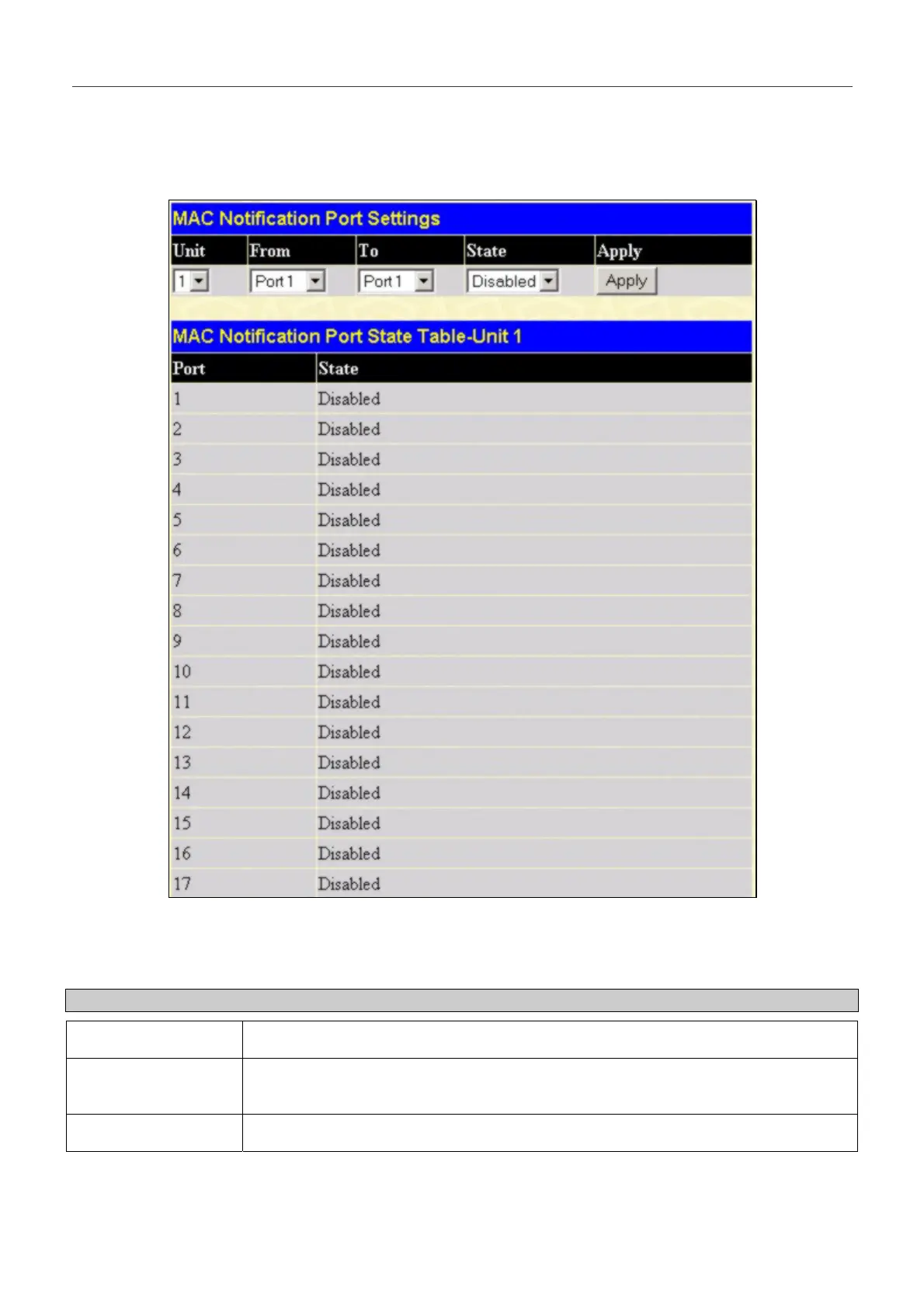
MAC Notification Port Settings
To change MAC notification settings for a port or group of ports on the Switch, click Port Settings in the MAC
Notification folder, which will display the following screen:
Figure 6- 13. MAC Notification Port Settings and Port State Table
The following parameters may be set:
Parameter Description
Unit
Select the unit in the stack you want to configure.
From…To
Select a port or group of ports to enable for MAC notification using the pull down
menus.
State
Enable MAC Notification for the ports selected using the pull down menu.
Click Apply to implement changes made.
57


 To Next Page