DXS-3350SR Gigabit Layer 3 Switch
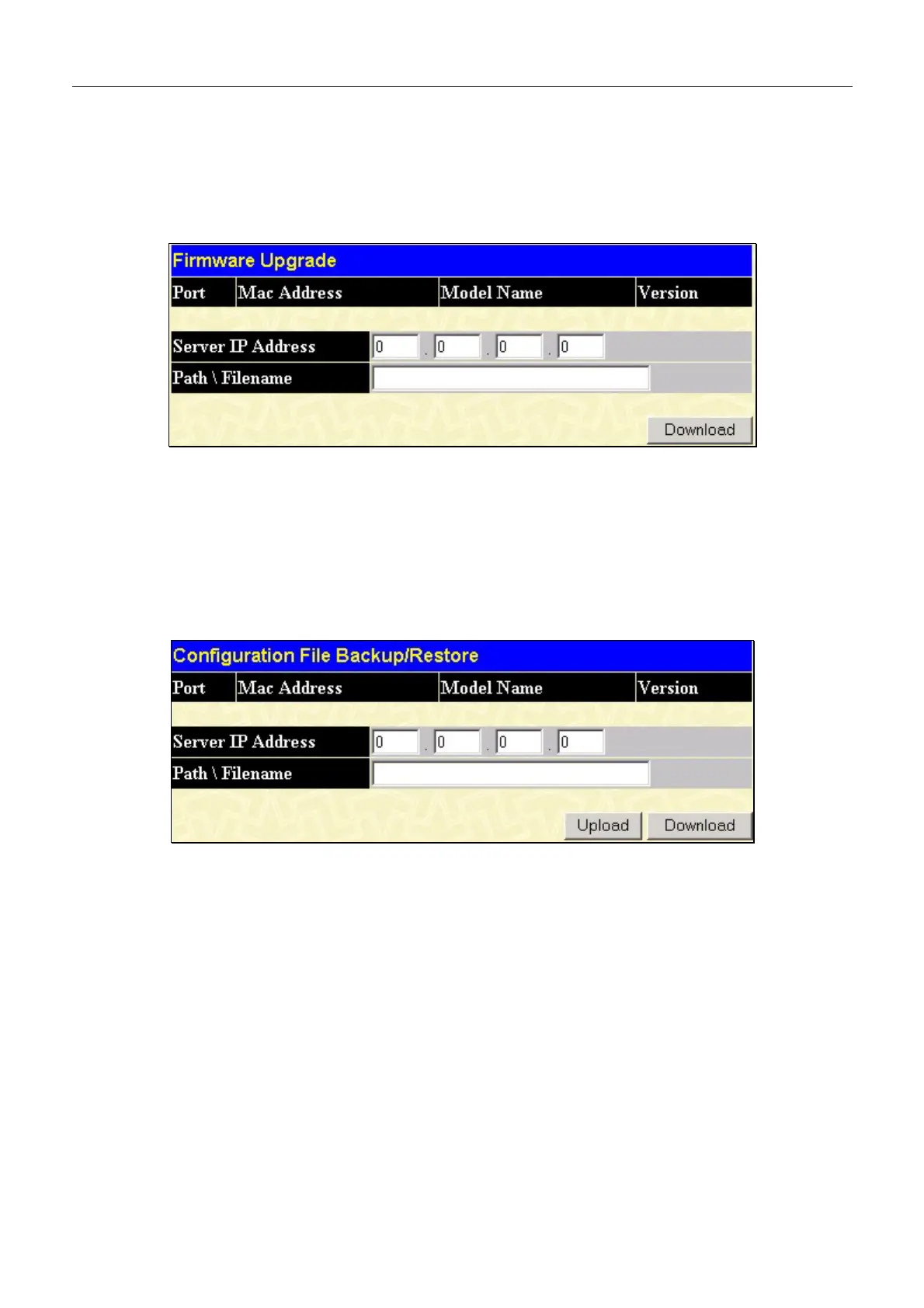
Firmware Upgrade (SIM)
This screen is used to upgrade firmware from the Commander Switch to the Member Switch. Member Switches will be
listed in the table and will be specified by Port (port on the CS where the MS resides), MAC Address, Model Name and
Version. To specify a certain Switch for firmware download, click its corresponding check box under the Port heading. To
update the firmware, enter the Server IP Address where the firmware resides and enter the Path/Filename of the firmware.
Click Download to initiate the file transfer.
Figure 10- 1 . Firmware Upgrade window 9
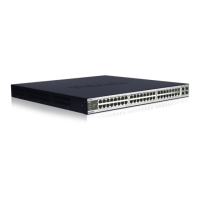
Configuration File Backup/Restore (SIM)
This screen is used to upgrade configuration files from the Commander Switch to the Member Switch. Member Switches
will be listed in the table and will be specified by Port (port on the CS where the MS resides), MAC Address, Model
Name and Version. To specify a certain Switch for upgrading configuration files, click its corresponding radio button under
the Port heading. To update the configuration file, enter the Server IP Address where the firmware resides and enter the
Path/Filename of the firmware. Click Download to initiate the file transfer.
Figure 10- 2 . Configuration File Backup/Restore window 0
262


 To Next Page