DXS-3350SR Gigabit Layer 3 Switch
Port Description
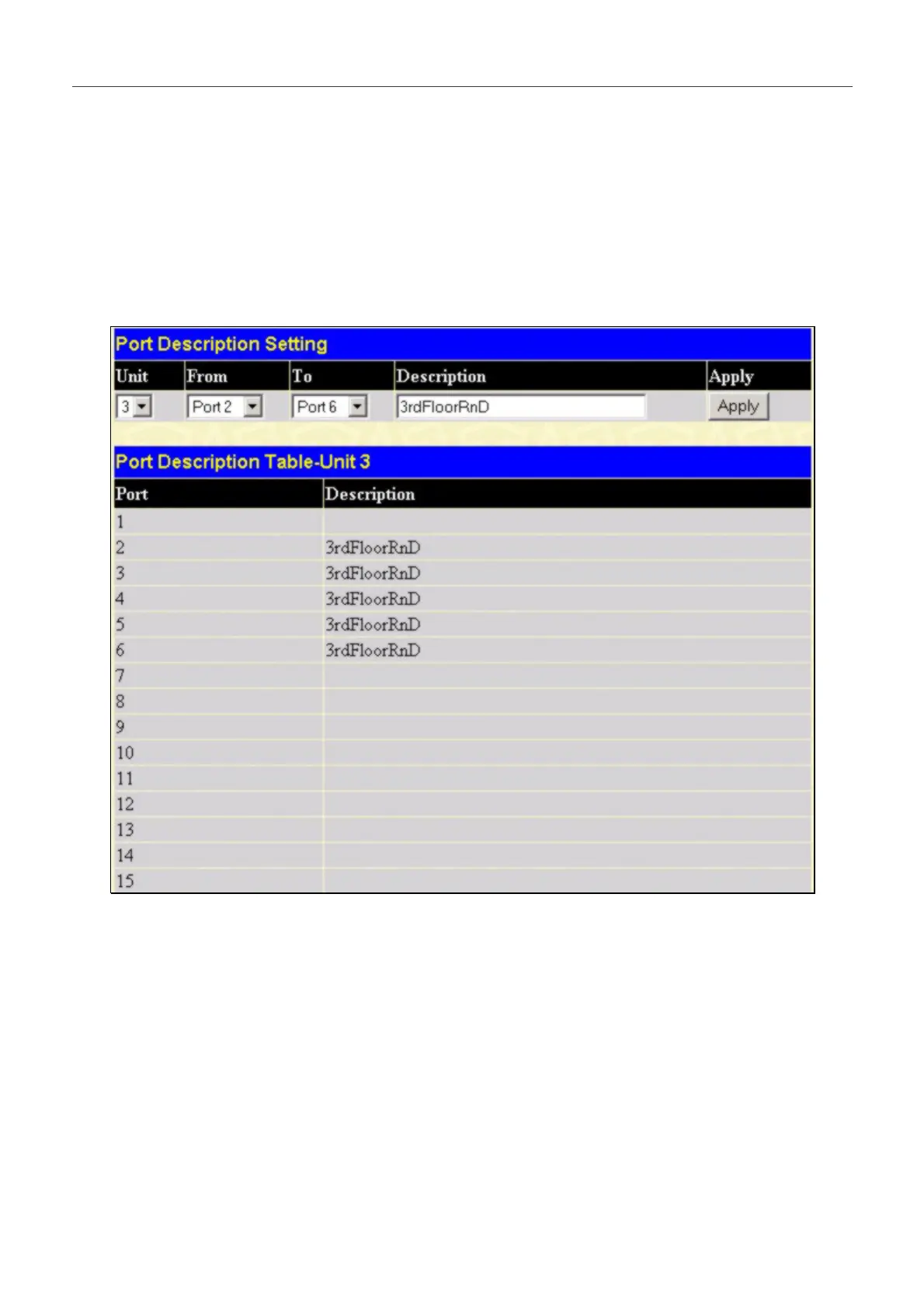
The DXS-3350SR supports a port description feature where the user may name various ports on the Switch. To assign
names to various ports:
1. Click the Port Description on the Configuration menu.
2. Select the Unit in the stack you want to configure.
3. Use the From and To pull down menu to choose a port or range of ports to describe, and then enter a description
of the port(s).
4. Click Apply to set the descriptions in the Port Description Table.
Figure 6- 6. Port Description Setting and Port Description Table
.
50


 To Next Page