DXS-3350SR Gigabit Layer 3 Switch
Port Lock Entries
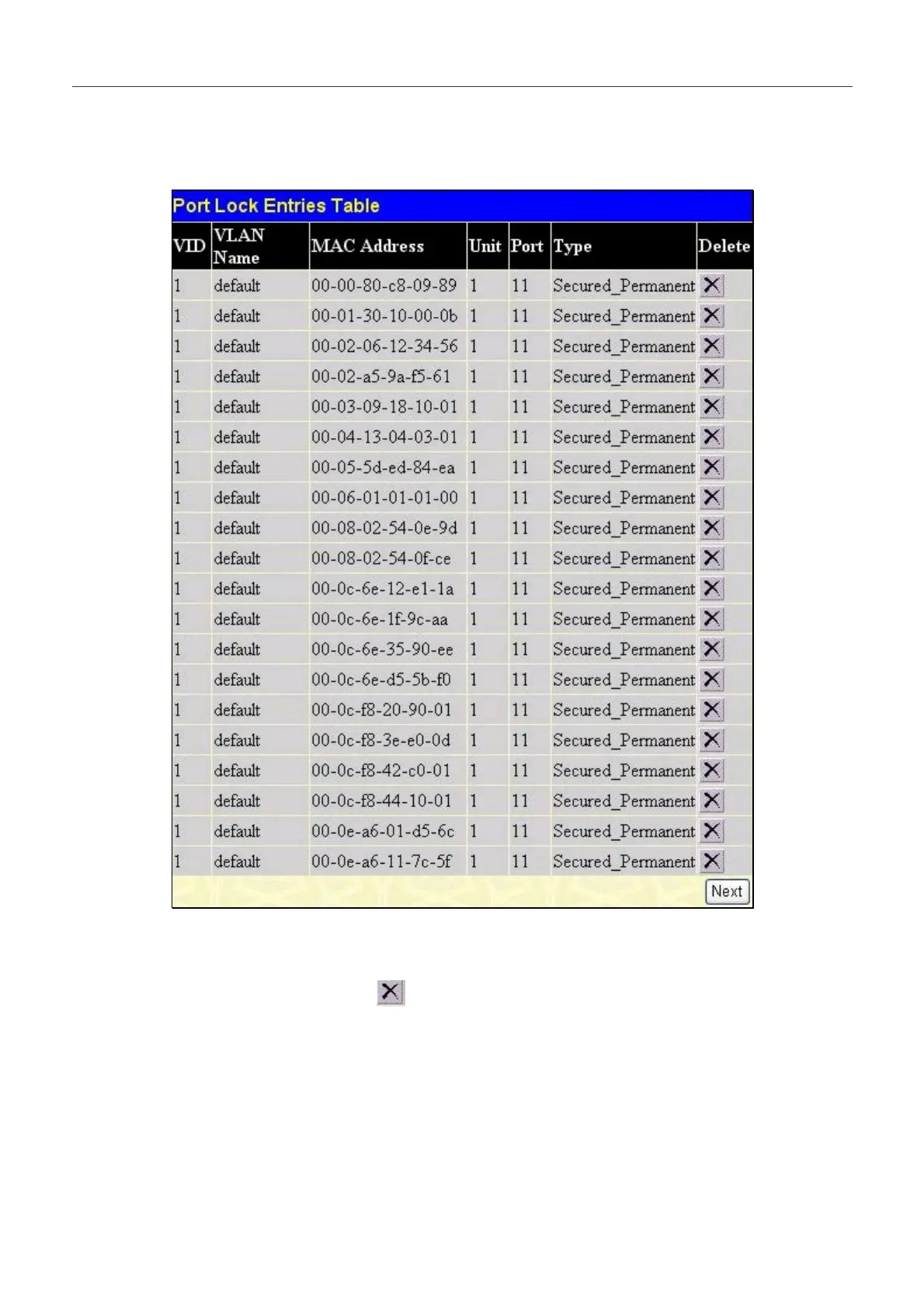
The Port Lock Entries Table window is used to remove an entry from the port security entries learned by the Switch and
entered into the forwarding database. To view the following window, click Configuration > Port Lock Entries.
Figure 6- 40. Port Lock Entries Table
This function is only operable if the Mode in the Port Security window is selected as Permanent, or in other words, only
addresses that are permanently learned by the Switch can be deleted. Once the entry has been defined by entering the correct
information into the window above, click the
under the Delete heading of the corresponding MAC address to be
deleted. Click the Next button to view the next page of entries listed in this table.
86


 To Next Page