DXS-3350SR Gigabit Layer 3 Switch
Stacking and the DXS-3350SR
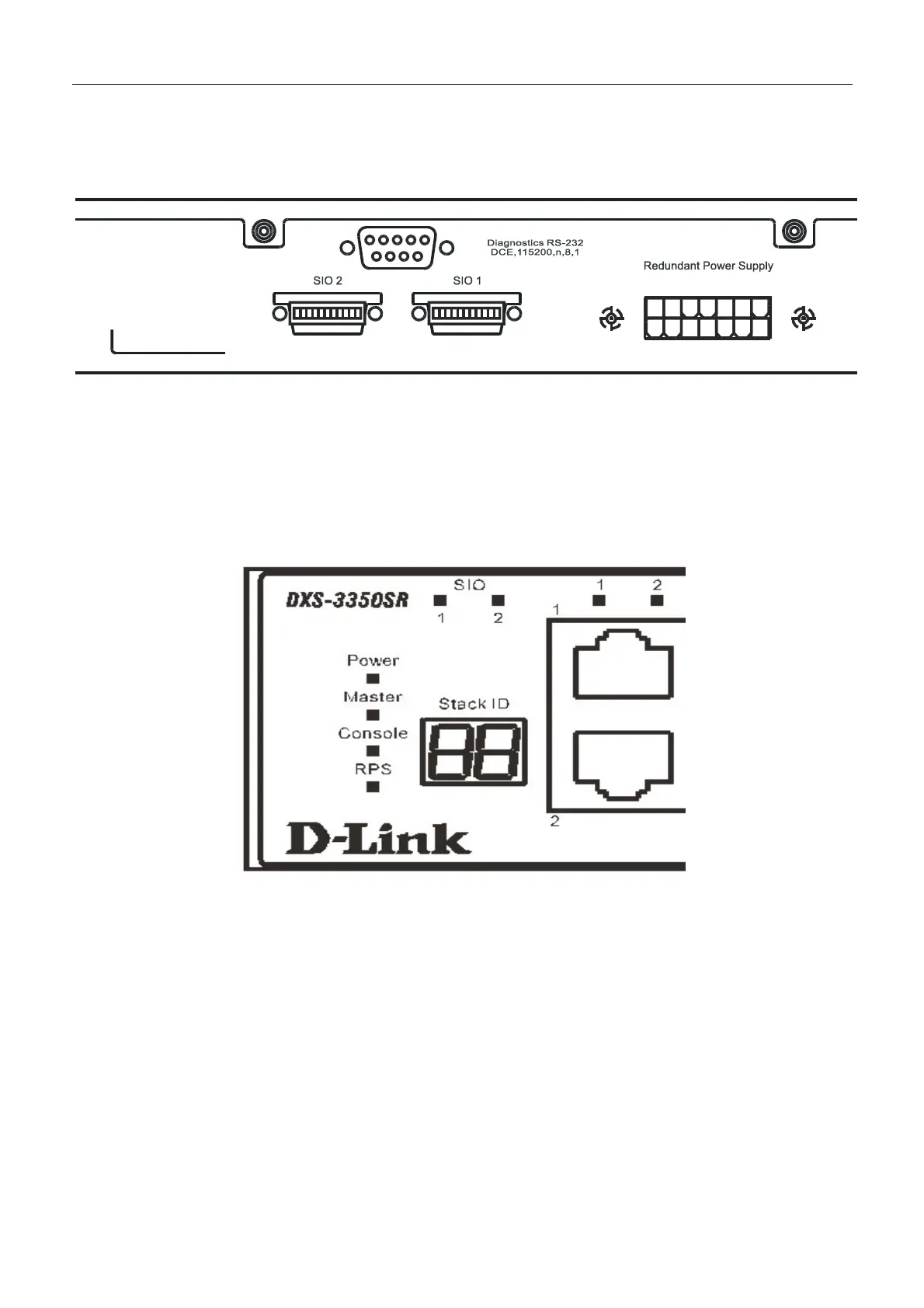
The DXS-3350SR is equipped with 2 10-gigabit stacking ports at the rear of the Switch, as seen in the following figure.
These stacking ports may be used to stack the DXS-3350SR to a master Switch to be used in a Switch stack.
Figure 3- 5. SIO 1 and SIO 2 Stacking ports at the rear of the DXS-3350SR
These two stacking ports, named SIO 1 and SIO 2 can be used with other stacking Switches for a scalable stacking solution.
A maximum of up to 384 GbE ports is possible using a Ring stack toplogy. In a Star topology for the stack, up to 312 GbE
ports is possible. These two stacking ports have corresponding LEDs at the front of the Switch, labeled SIO 1 and SIO 2 and
will light solid green whenever the port is in use. The seven-segment LED Stack ID to the left of the SIO LEDs on the front
of the Switch will display the Stack ID number of the Switch in a Switch stack.
Figure 3- 6. Stacking LEDs at the front of the DXS-3350SR
The Switch can be stacked in a star or ring topology, as previously mentioned. For a star architecture, only one of the 2
Gigabit stacking ports will be in use. This port will be connected to the master Switch of the Switch stack and will act as a
slave Switch of the stack. The administrator may use either of the two available stacking ports to achieve this arcitecture.
See the diagram below for an example of stacking in a star architecture.
23


 To Next Page