DXS-3350SR Gigabit Layer 3 Switch
Layer 3 Feature Monitoring
This folder in the Monitoring section will display information concerning settings configured in Layer 3 IP Networking of
the Configuration folder. These settings and parameters have been previously described in Section 4 of this manual, under
Layer 3 IP Networking.
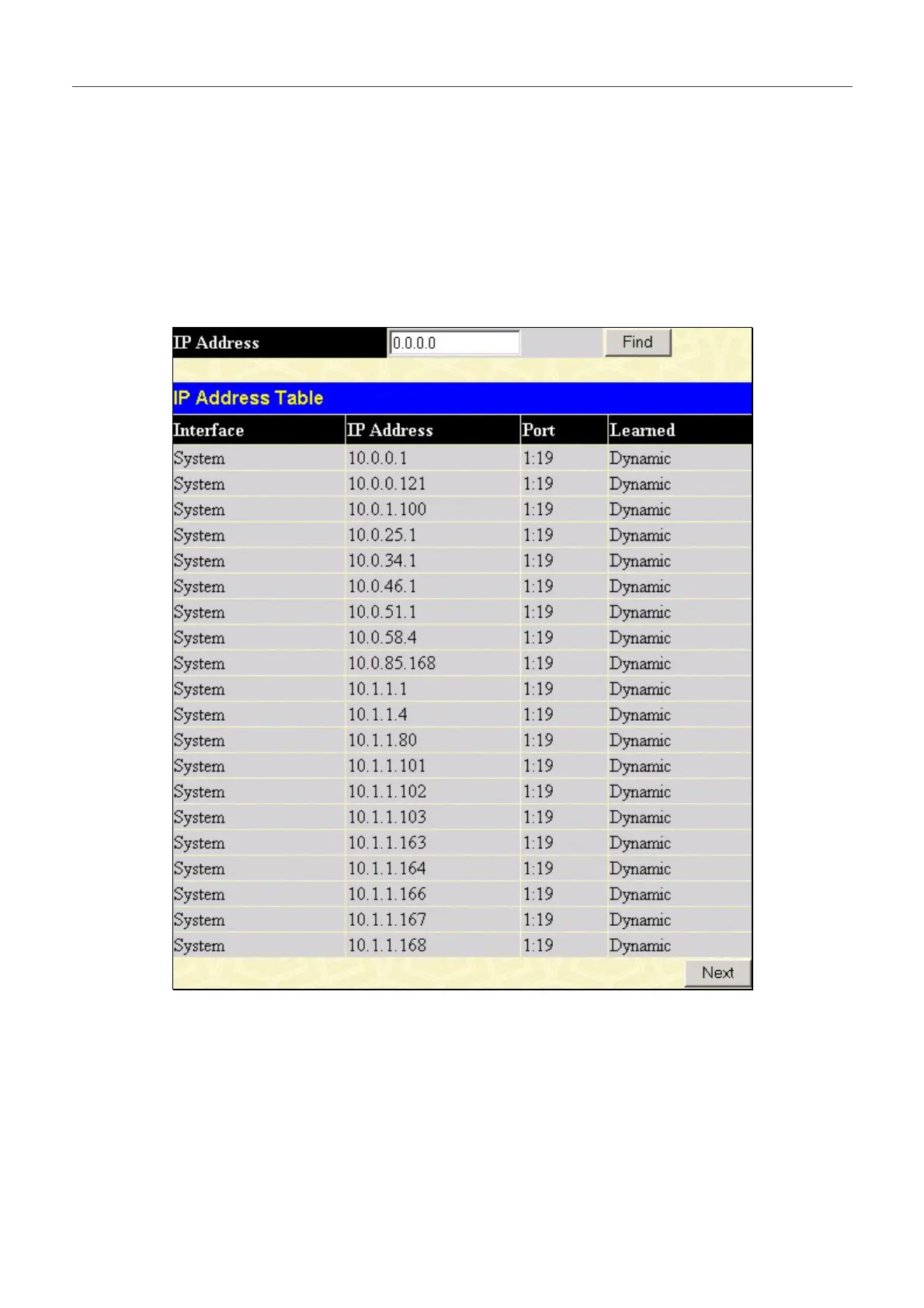
Browse IP Address
The Browse IP Address window may be found in the Monitoring menu in the Layer 3 Feature folder. The Browse IP
Address window is a read only screen where the user may view IP addresses discovered by the Switch. To search a specific
IP address, enter it into the field labeled IP Address at the top of the screen and click Find to begin your search.
Figure 8- 2 . Browse IP Address window. 5
235


 To Next Page