DXS-3350SR Gigabit Layer 3 Switch
NOTE: To set the Local Enable Password, see the next section, entitled
Local Enable Password.
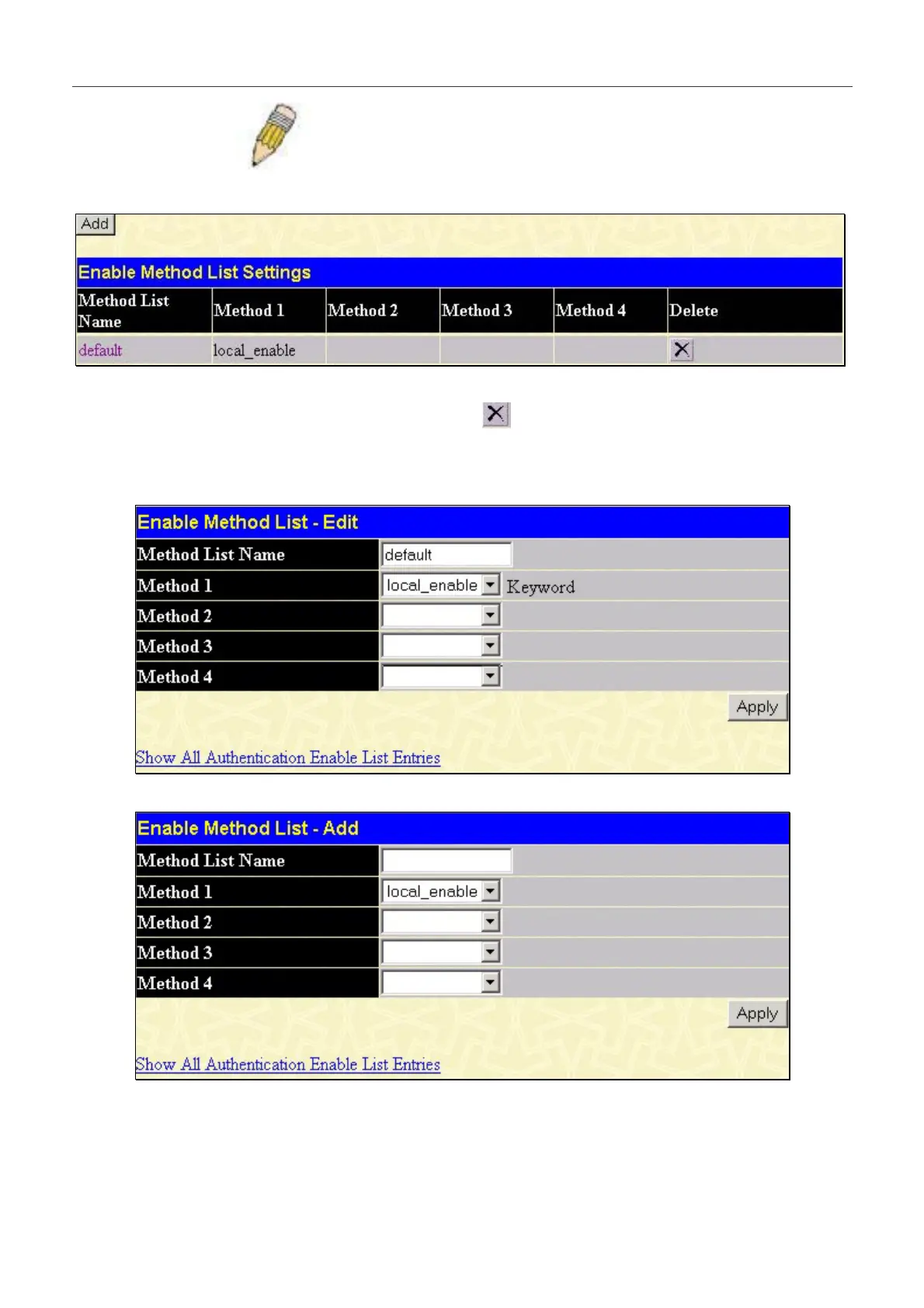
To view the following table, click Security Management > Access Authentication Control > Enable Method Lists:
Figure 7- 14. Enable Method List Settings window.
To delete an Enable Method List defined by the user, click the
under the Delete heading corresponding to the entry
desired to be deleted. To modify an Enable Method List, click on its hyperlinked Method List Name. To configure a
Method List, click the Add button.
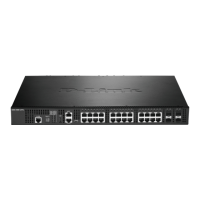
Both actions will result in the same screen to configure:
Figure 7- 15. Enable Method List - Edit window
Figure 7- 16. Enable Method List - Add window
191


 To Next Page