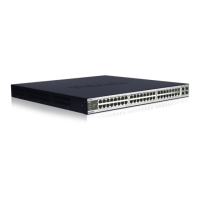
DXS-3350SR Gigabit Layer 3 Switch
Stacking In a Ring Topology
For example:
All of the stacked Switches are identical.
You want to stack as many DXS-3350SR Switches as possible. The DXS-3350SR Switches do not have a 10G uplink, so
their individual Token Cost is 4.
To calculate the maximum number of DXS-3350SR Switches in the ring stack, use the following formula:
Token Cost * Number of Switches ≤ 32
4 * Number of Switches ≤ 32
Number of Switches ≤ 32/4
Number of Switches ≤ 8
For this example, a maximum of eight DXS-3350SR Switches (where none of these Switches have a 10G uplink) can be
ring stacked.
To determine how many DXS-3350SR Switches (each with a 10G uplink port) could be stacked in a ring stack, you need to
redo the calculation above using a Token Cost of 6 for each DXS-3350SR Switch.
To calculate the maximum number of DXS-3350SR Switches (with a 10G uplink port) in the ring stack, use the following
formula:
Token Cost * Number of Switches ≤ 32
6 * Number of Switches ≤ 32
Number of Switches ≤ 32/6
Number of Switches ≤ 5
In this case, a maximum of five DXS-3350SR Switches (where all of these Switches have a 10G uplink) can be ring
stacked.
Adding a different Switch type to an existing stack
In this example, there are three different Switch types, each with different token costs. There is one DGS-3324SR (Token
Cost = 2), two DXS-3350SR (Token Cost = 4), and three DXS-3326GSR (Token Cost = 2). In this case the total Token
Cost would be:
(1 * 2) + (2 * 4) + (3 * 2) = 16
If you then wanted to add the maximum number of DGS-3324SR Switches (Token Cost = 2) to this stack:
(2 + 2 * 4 + 3 * 2 ) + Number of Switches * 2 ≤ 32
16 + Number of Switches * 2 ≤ 32
Number of Switches * 2 ≤ 32 – 16 = 16
Number of Switches ≤ 16/2 = 8
27


 To Next Page