3ñ19
SUNVISORS
The sunvisors are padded and can be
swung up and down and to the side for
protection of driver and passenger ag-ainst
glare.
1. Front
swing down
2. Side
turn
3. Vanity mirror
The vanity mirror is located on the back
of the passenger side sunvisor.
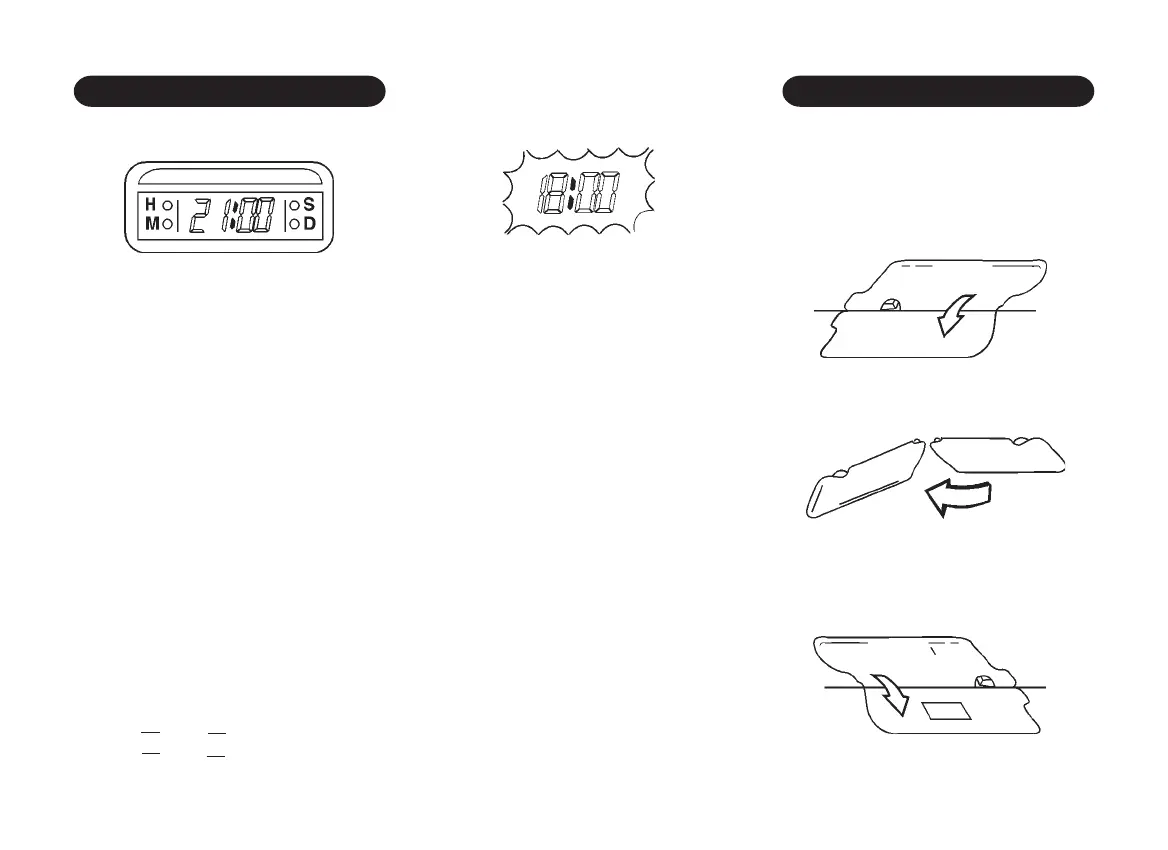
DIGITAL CLOCK
Digital Clock Adjusting Button
1. H ñ Hour Adjusting Button.
(Ignition II position)
Press H button to adjust hour digits.
Hold the button to adjust rapidly
2. M ñ Minute Adjusting Button.
(Ignition II position)
Press M button to adjust minute digits.
Hold the button to adjust rapidly
3. S ñ Setting Button
(Ignition II position)
To reset the time by the time signal,
press the S button.
For example, if this button is pressed
while the time is between 8:00 and 8:29
the display is set to 8:00. If this button
is pressed while the time is between
8:30 and 8:59, the display is set to
9:00.
8:00 8:29 > 8:00
8:30 8:59 > 9:00
4. DISP ó Display Button
(Ignition Off position)
While pressing D button, the time
appears in the display.



 To Next Page