6ñ7
REMOVING AND ATTACHING
Before operating your stereo, you should know:
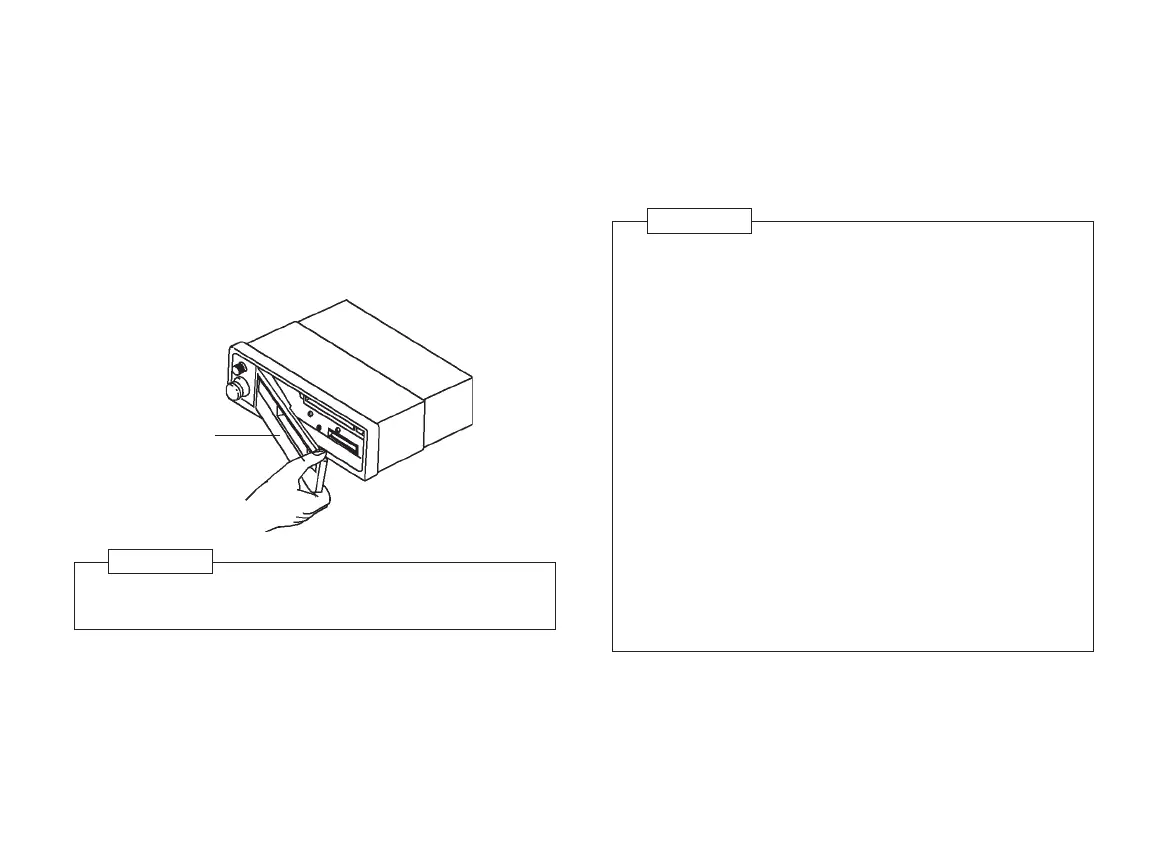
Removing panel
1. Press the release button (15) to unlock front panel.
2. Grasp the right side of the panel and pull toward to arrow
direction carefully.
Attaching panel
1. Hold the panel along top and bottom edges.
2. Insert detachable panel straight into main unit(DO NOT TILT).
ï If any of the controls fail to operate, remove and reinstall
the detachable panel.
ï DO NOT touch the gold colored contacts on the
detachable panel and on the main unit since this may
result in poor electrical contact. If the contacts should
become dirty, wipe them with a clean, dry cloth.
ï DO NOT allow such volatile agents as benzine, or
inserticides to come into contact with the surface of the
front panel.
ï DO NOT drop the detachable panel and do not give it
strong impact.
ï NEVER TRY TO DISASSEMBLE the front panel.
ï When leaving the vehicle, always place the detachable
panel inside the provided carrying case and take it with
you. The warning LED will be flashed when the
detachable front panel is removed.
ï Always remove the cassette tape before releasing the
detachable front panel.
CAUTION
Front panel
3. Keep the front panel into the provided plastic carrying case
for protection.
Take care not to put pressure on the display or drop the front
panel.
CAUTION
Untitled-46 10/31/2006, 12:54 PM7



 To Next Page