6ñ10
1) Sel
the
rize
2) Pre
1.5
diti
pr
o
Sel
the
Presetting
stations
Recalling the
preset stations
Desired operation
4. Stereo/mono button (5
If FM stereo broadcasting is
seconds or more to get the in
To return to stereo mode, pr
The indicator "MO" will dis
received, the indicator " "
5. Preset buttons (17)
6 stations can be preset on e
a
TAPE OPERATION
1. Cassette tape slot door (7)
Insert a cassette into this slot door with the exposed tape facing
to the right. Then tape play will begin.
2. Tape mode select button (9)
If a cassette is already inserted, press this button to play the tape.
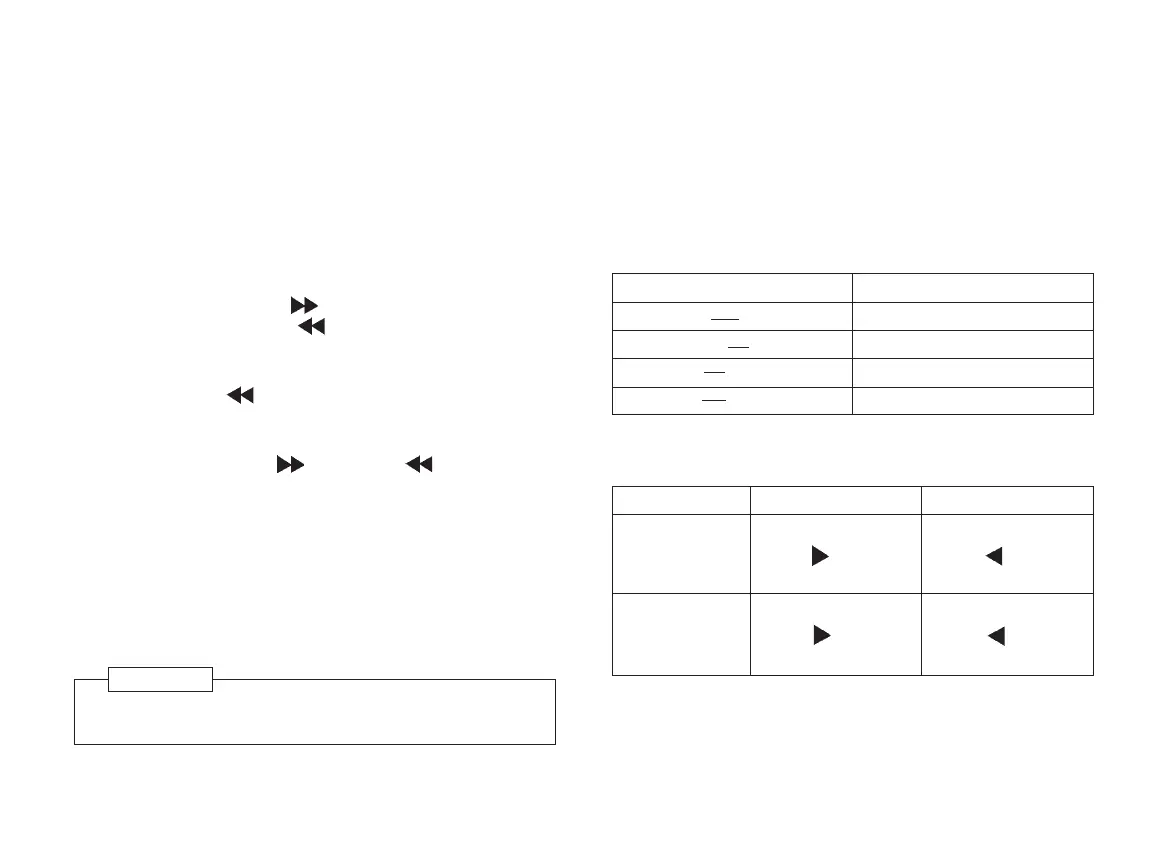
3. Fast forward
Press the FAST FORWARD button (14) to rapidly advance the
tape. Press the REWIND button to release the fast forward
button.
4. Rewind
Press the REWIND button (13) to rapidly rewind the tape.
Press the FAST FORWARD button to release to rewind button.
5. Program buttons (13+14)
P
ress the FAST FORWARD and REWIND buttons
simultaneously to reverse the cassette direction and to play either
side of the type. The direction when the tape is traveling is
indicated by the arrows on the display. The right side arrow
indicates normal tape direction.
6. Tape eject
Press the EJECT button (6) completely to remove the cassette.
Then the mode changes to the preceding one.
RADIO OPERATION
1. Radio mode select button (8)
Press this button to turn on the radio.
2. Band select button (8)
Press this button to select the desired band.
Always remove the cassette tape before releasing the
detachable front panel.
NOTE
3. Tuning up or down buttons (4)
Pressing one of the buttons, tune in a frequency.
Band shift Pressing time
FM1 < > FM2 Less than 1.5 seconds
FM1, 2 > MW 1.5 seconds or more
MW
>
FM1, 2 Less than 1.5 seconds
MW
>
LW 1.5 seconds or more
* Auto(seek) tuning ñ The unit will seek in the direction of the
button pressed, and stop on the first strong station.
To tune up
Press "tuning up
button( )" for less
than 0.7 seconds.
Press "tuning up
button( )" for 0.7
seconds or more
To tune down
Press "tuning down
button( )" for less
than 0.7 seconds.
Press "tuning down
button( )" for 0.7
seconds or more
Auto(seek)
tuning
Manual tuning
Untitled-46 10/31/2006, 12:54 PM10



 To Next Page