3-12
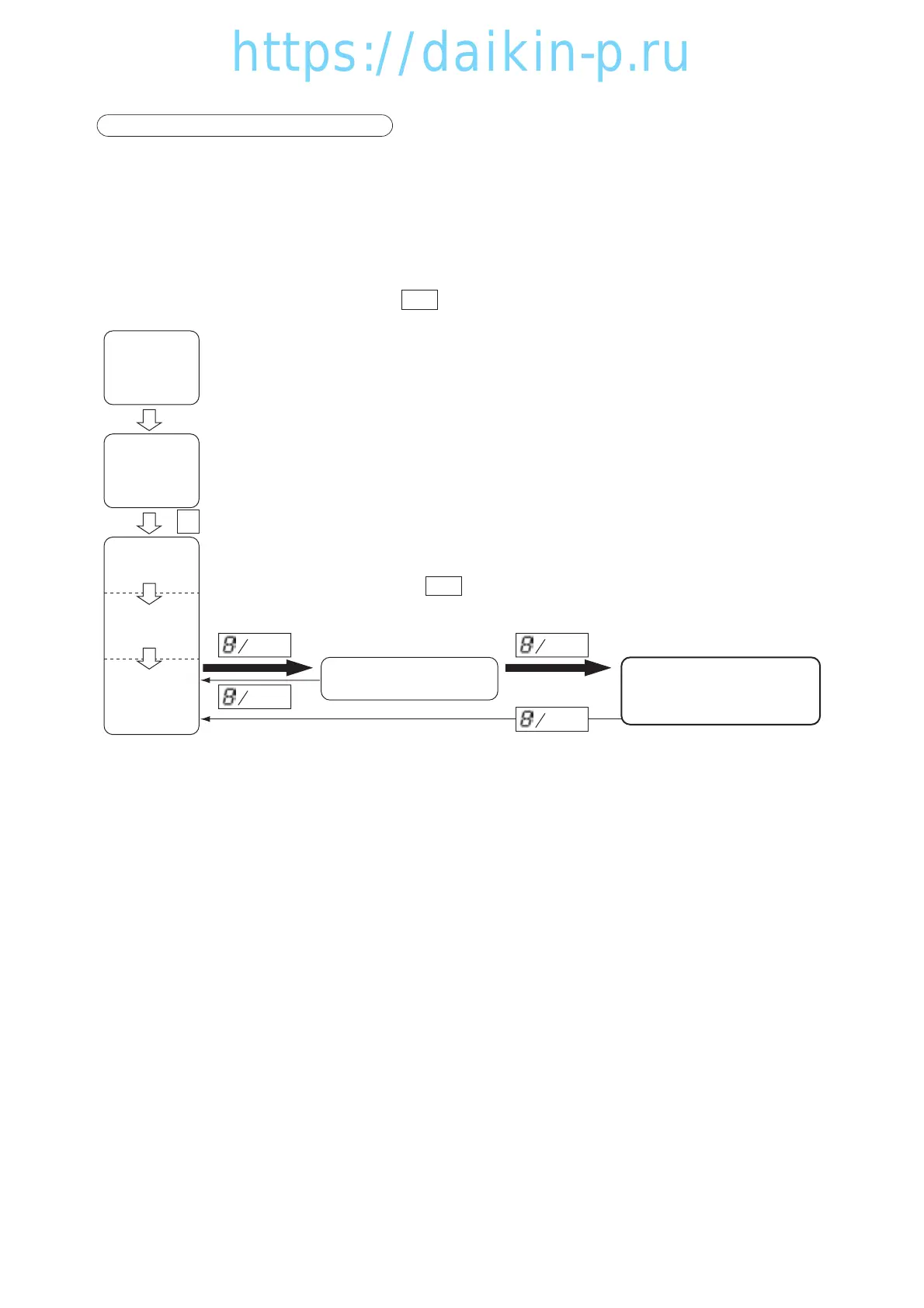
5. LED display LIGHT-OFF MODE
The controller LED display is turned off with this mode.
※ Activation of the panel (LED) lighting off mode.
To activate the panel (LED) lighting off mode, set the LED lighting off function "dISP" in "11. Basic
setting mode" to ON. Refer to page 3-21.
<Operation procedure>
Push the key twice during current indication mode to switch to the
panel (LED) lighting off mode.
(When pushing the key once, the mode changes to chart indication
mode.)
When the panel (LED) lighting off mode activates, the LED lighting is
turned off and the LCD reads "dISPOFF".
※ Cancellation of panel (LED) lighting off mode.
When the key is pushed again, it returns to current indication
mode and LED turns ON.
0/
CHART
0/
CHART
I/O ON
CHART
CHART
CHART
CHART
Power off
Unit off
All Lighting
(for 3 sec.)
Preparation
(for 18 sec.)
Current
indication
※1
Circuit Breaker ON
Chart Indication
(Refer to page3-53)
LED Display Light OFF.
03LXE10E100以降(1-12)E.qx08.8.275:18PMページ3-12



 To Next Page