3-16
7. TEMPERATURE RECORD SCROLL MODE
The records of the control sensor are displayed successively (one record per second) starting from the
latest data. (A maximum of 7 days)
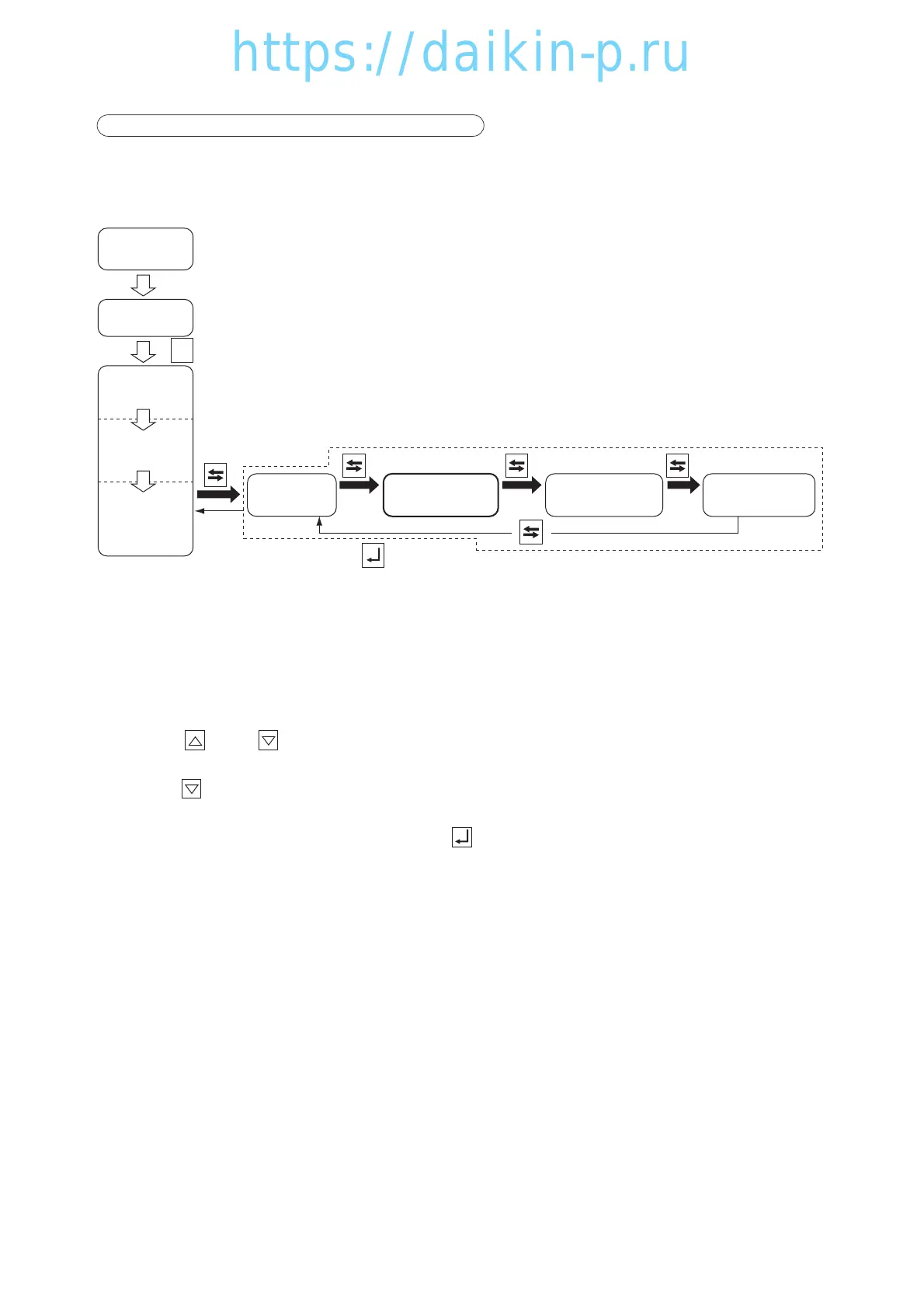
<Mode selection procedure>
<Operation procedure>
The LED indicates the control temperature, and the LCD displays the data/time and the data record
temperature in turn. (In the frozen mode, the return air temperature is the controlled temperature, and in
the chilled mode, the supply air temperature is the control temperature.)
Press the key or key to pause the successive display of records. After the pause, the successive
(scrolling) display will be resumed if no key operation is done for 10 seconds.
Keep the key pressed for 3 seconds to view the data again from the beginning.
To restore the current indication mode, press the key.
If key operation is not performed within 5 minutes, the current indication mode is resumed.
I/O ON
Power off
Unit off
All Lighting
(for 3 sec.)
Preparation
(for 18 sec.)
Current
indication
※1
Circuit Breaker ON
※6 Sensor
Indication
※7
Temperature
Record Scroll
※8 Alarm
Record Scroll
※9 PTI record
scrolling
To current indication with or if not
controlled for 5 minutes
03LXE10E100以降(13-26)E.qx08.8.285:51PMページ3-16



 To Next Page