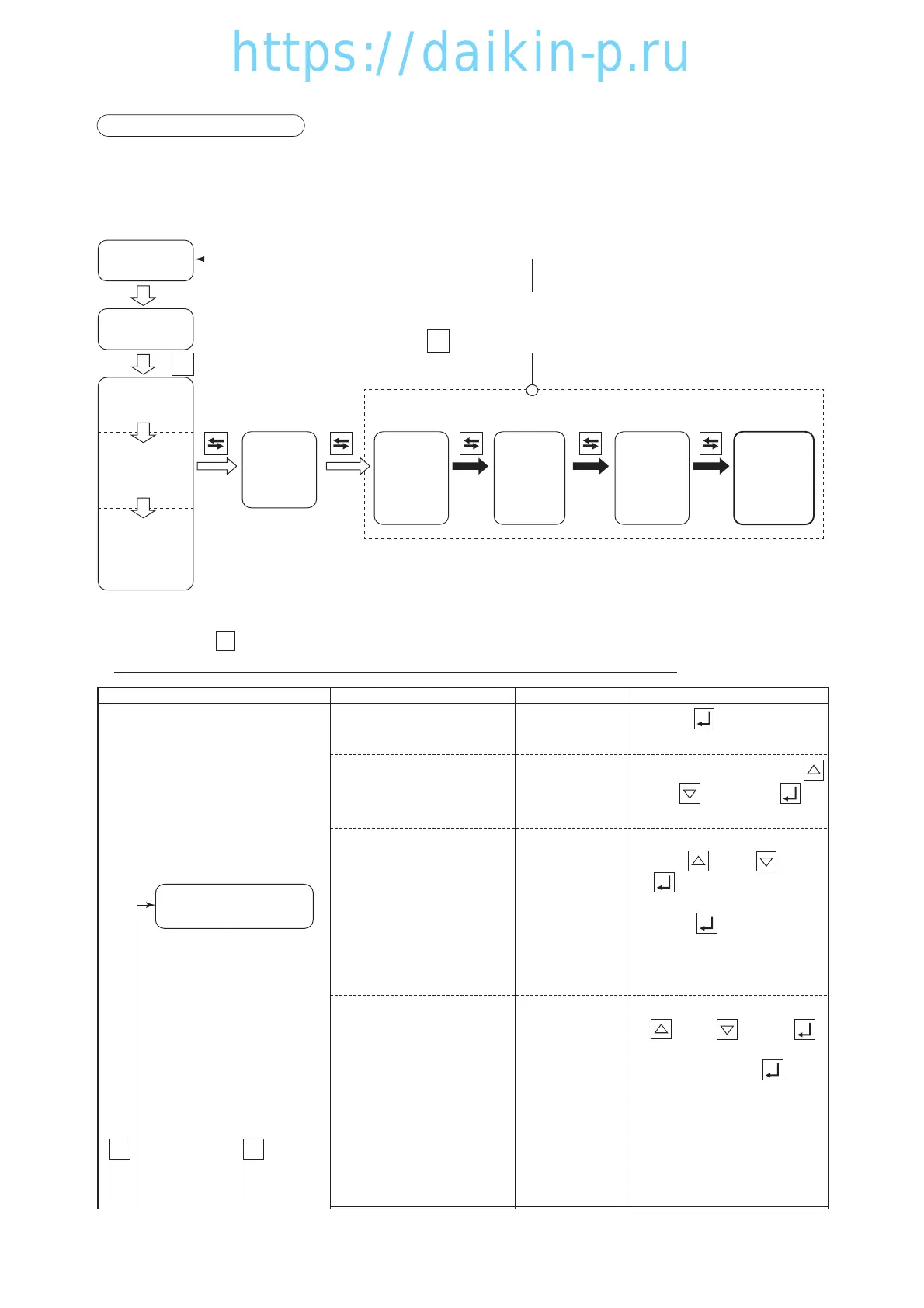
13. INPUT DATA MODE
Each of the following item data can be input.
Container I.D. (No.) input and controller and controller time
LED screen LCD screen Setting methodIndications or setting items
I.d.- C: To the screen in which the
shipping company name is input
I.d.- n
: To the screen in which the
number is input
<Input of shipping company
name>
I.d.-C
<Input of numbers>
I.d.-n
SET I.d
Make selection by pressing the
key and key. Press the key
to go to each input screen.
Press the key to go to the
lower screen.
XXXX
(4 alphabetical
characters)
XXXX
(4 alphabetical
characters)
The characters
being selected
blink. First, the
leftmost character
starts to blink.
XXXXXXX
(7 numbers)
The characters
being selected
blink. First, the
leftmost character
starts to blink
Change the blinking character
using the key and key. If
the key is pressed, the
blinking character moves to the
right. If the key is pressed
while the rightmost character is lit,
the input is determined and the
number input screen appears.
Change the blinking number using
the key and key. If the
key is pressed, the blinking number
moves to the right. If the key is
pressed while the rightmost number
is lit, the input is determined.
Note: If the number is incorrect, the input
is not determined and the screen
in which the shipping company
name is input appears.
SS
Input the container
I.D. (No.)
For the determination of setting, turn OFF the power breaker to confirm the setting.



 To Next Page