Tally Dascom 1330
1
1 Unpacking Guide
1.1 Unpacking the Printer
1. Place your packaged printer on a solid base.
2. Make sure that the “Up” symbols point in the correct direction.
3. Open the packaging, lift the printer out of the cardboard box and remove the remaining
packaging material.
4. Check the printer for any visible transport damage and missing items. If you find any
transport damage or if any accessories are missing, please contact your dealer. The
following items should be included:
o Printer
o Paper Feed Knob
o Sheet Feeder
o Power Cord
o Ribbon Cartridge
o CD-ROM
o Installation Guide
o USB cable
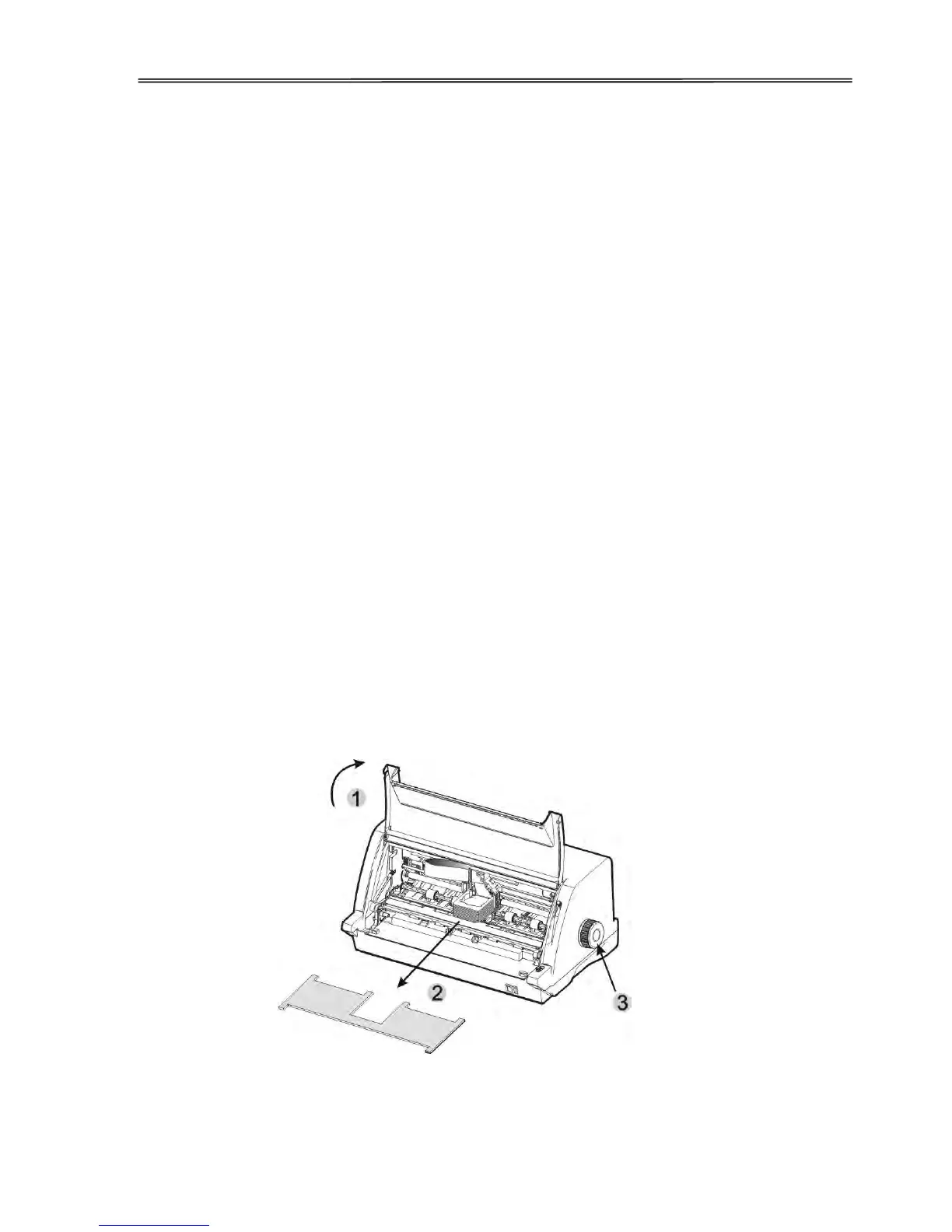
Remove the packaging materials from the printer as follows:
1. Open the Front Flap of the printer.
2. Remove the shipping cardboard protecting the Print Head.
3. Install the Paper Feed Knob.



 To Next Page