Tally Dascom 1330
23
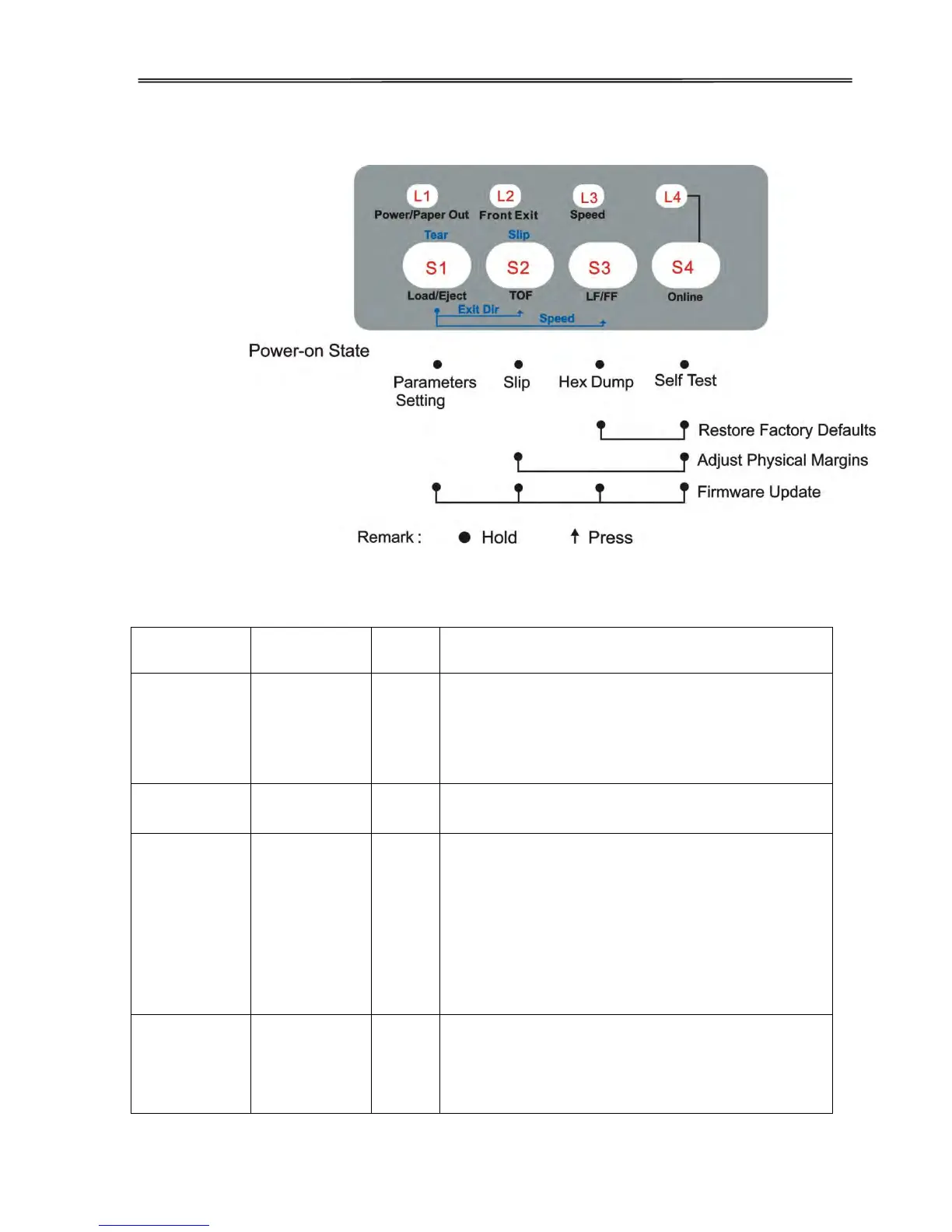
4.6 Power-On State
While powering up the printer, hold the key(s) listed in the below chart.
Users can customize specific setting(s) to meet
application requirements. New settings are
effective permanently until the next change or
Restore Factory Defaults. See Chapter 5 for
details.
Configures the Slip layout profile such as top
and left margins. Refer Section 4.7 for details.
The printer beeps once and the【Speed】LED
blinks to indicate Hex Dump mode, in which the
printer prints data from the host line by line in
hexadecimal representation then 16 ASCII
codes leading by a line number.
When the printer printing data, press【Online】
key to pause printing. Turn the power off and the
printer exits the Hex Dump mode.
Prints the version numbers, settings and self-test
pattern.
Recommend to load 10-inch fanfold before the
operation.



 To Next Page