Tally Dascom 1330
18
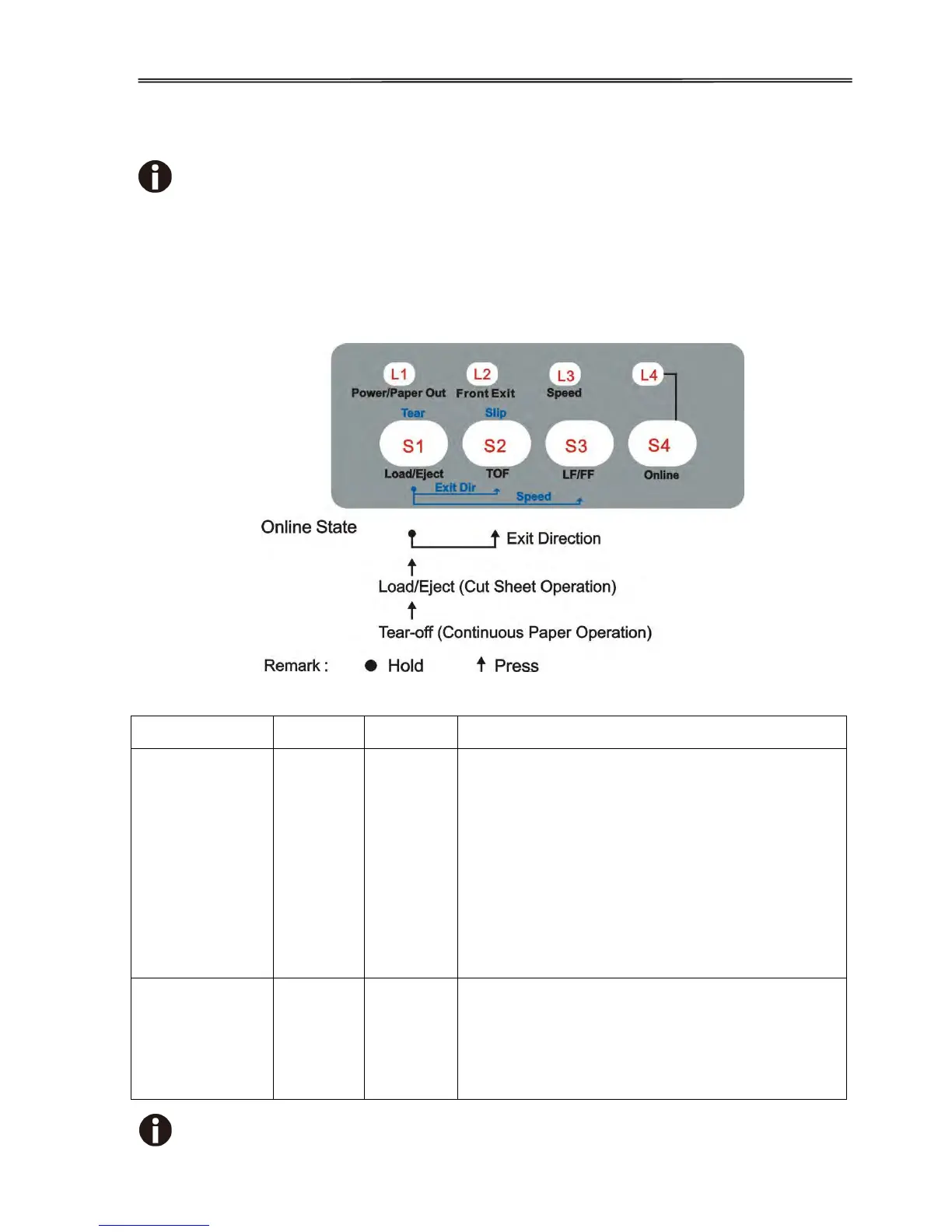
4.3 Online State
Sections 4.3 to 4.7 describe the panel operations in details with the following
legends:
[A] = press and hold key A
{B} = press and then release key B
[A] + {B} = press key B while holding A
[A] {B} = hold then release key A; next a press on key B
Cut sheet mode:
Clears the cut sheet from the Platen in the
direction specified by the Exit Direction
setting in Section 5.3.
Tractor mode:
Feeds the form to its tear-off position.
A new print job or pressing this key again to
move the fanfold to the next TOF position.
Note: Please refer to the Tear setting in
Section 5.3 for Auto and Manual Tear-off.
Eject Direction
(cut sheet only)
By pressing the【TOF】key while holding the
【Load/Eject】key can toggle the eject direction
for cut sheets.
The【Front Exit】lights up to indicate cut sheets
ejected to the front.
NOTE: Section 4.5 lists out additional operations while the printer is online



 To Next Page