Tally Dascom 1330
12
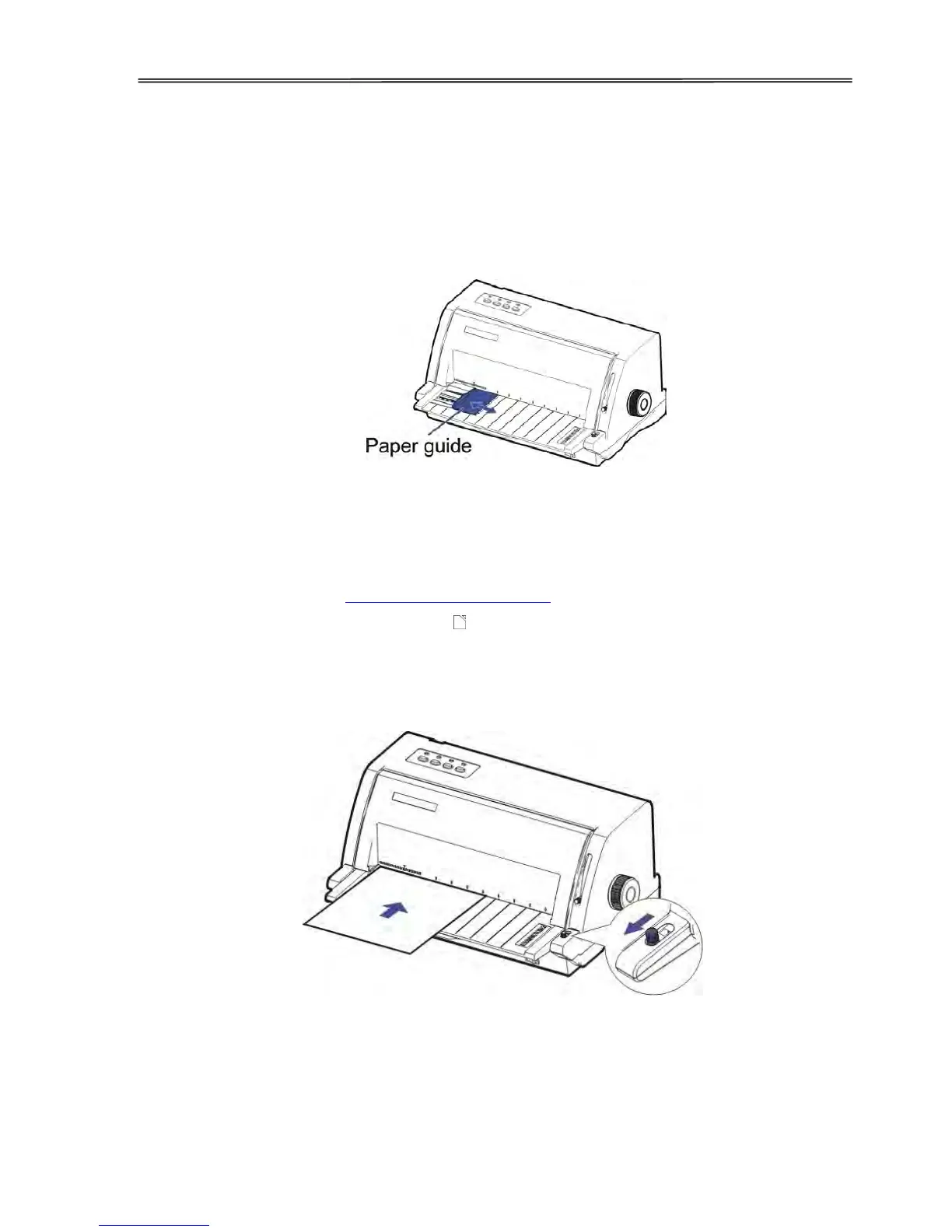
3.2 Handling Cut Sheet
The front friction path supports the printing on single- or multi-ply cut sheets loaded manually.
Use the rear tractors for continuous forms.
1. Select the eject direction to the front or to the rear through the Printer Setting/Menu.
2. Slide the Paper Guide to set an appropriate left margin
Loading Cut Sheet
1. Turn off the power.
2. Slide the Paper Guide to set the desired left margin.
3. Turn on the power.【The Power/Paper out LED】blinks to indicate out of paper status.
4. Slide the Paper Feed Lever to the position.
5. Manually insert a piece of cut sheet into the slot above the Sheet Feeder. The printer
then loads the paper to its TOF position (the first print position) and lights up the Online
LED, indicating the ready state.



 To Next Page