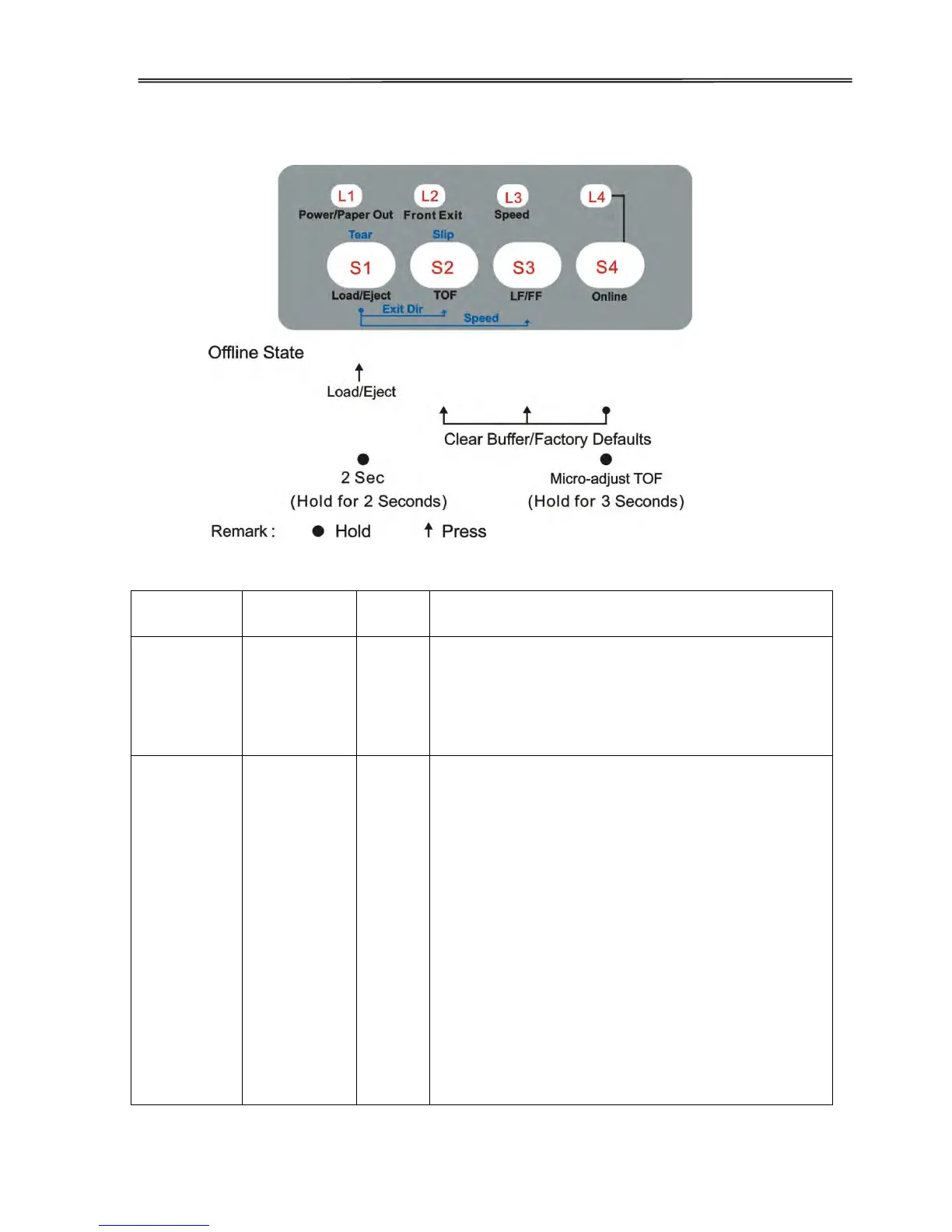
Eject: Clears the paper completely out of the
platen. In tractor mode, the continuous form
still remains in the tractors.
Unprocessed data remaining in the printer buffer
may corrupt the subsequent print result. The
procedures to clear the printer buffer:
Clear all print jobs to the printer from the host
computer.
Press the 【Online】 key to set the printer
offline. The printing stops but unprocessed
data still remain in the print buffer.
Simultaneously press the 【LF】 and【TOF】
keys while keep holding the【Online】key. A
second later, the printer beeps once to indicate
clearing the print buffer.
If hold the process for a few more seconds, the
printer beeps 3 times to indicate the printer is
initialized to its power up settings.



 To Next Page