Tally Dascom 1330
13
3.3 Handling Continuous Forms (Fanfold)
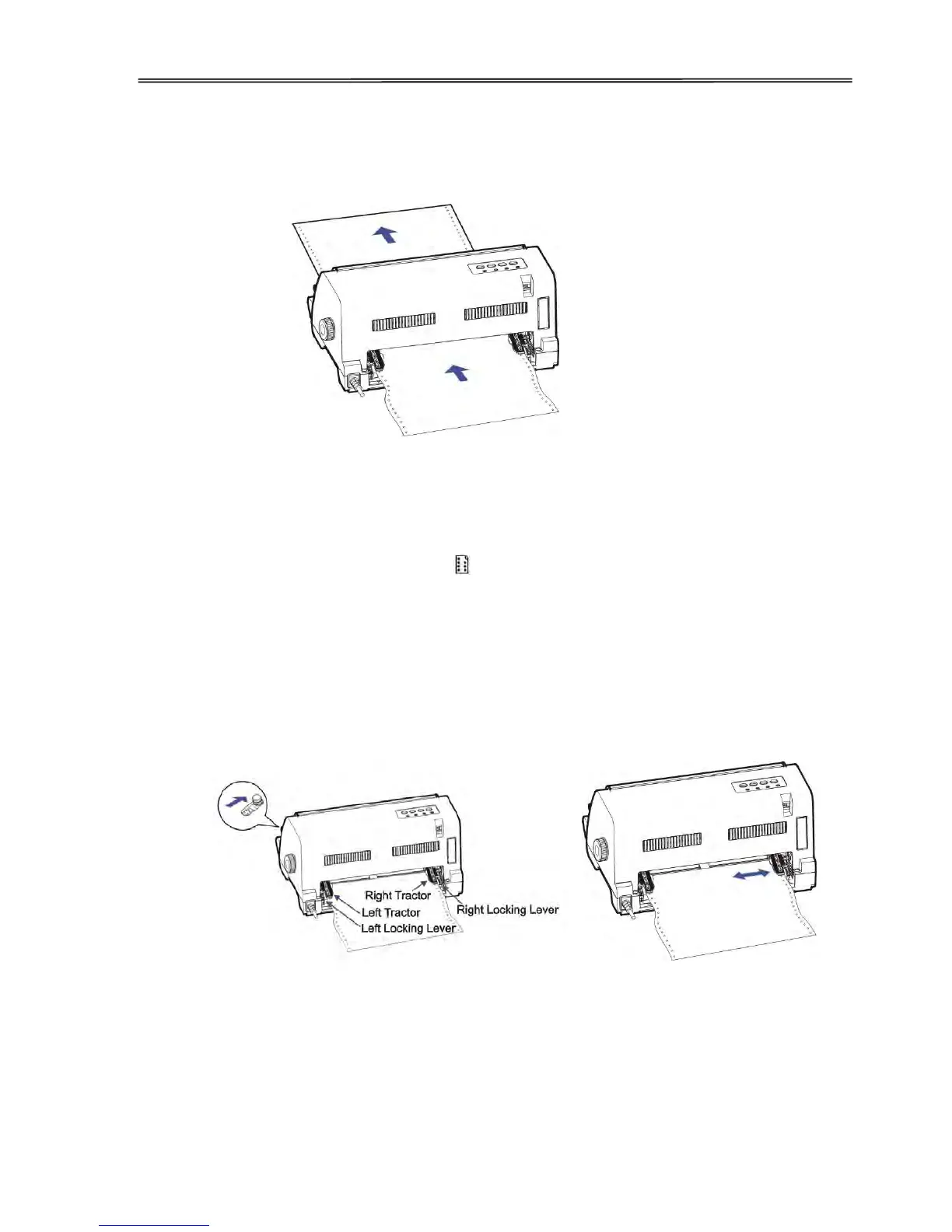
The printer can handle continuous form of width up to 10 inches, loaded by the rear Tractors
as shown in the diagram.
Loading Continuous Form
1. Turn off the power.
2. Keep a stack of fanfold at a height below the Tractors.
3. Slide the Paper Feed Lever to the position.
4. To set the desired left margin and form width, disengage the Tractor Locks to allow free
movement of the Tractors.
5. When the left margin is set, tighten the Left Lock (viewed from rear). Raise the Tractor
Doors and fit the first 3 paper holes onto the Left Tractor Pins. Close the Left Tractor
Door. In the same way, install the paper on the right tractor. Ensure the paper is flat and
smooth before tightening the Right Tractor Lock.
6. Double check if the paper holes properly fit in the Tractor Pins. Improper installation may
cause paper jam and damage the printer.
7. Turn on the power. The【Power/Paper out】LED blinks to indicate out of paper status.
8. Press the【Load/Eject】key to load the paper to its TOF position. The【Online】LED
lights up to indicate the ready state.



 To Next Page