Tally Dascom 1330
7
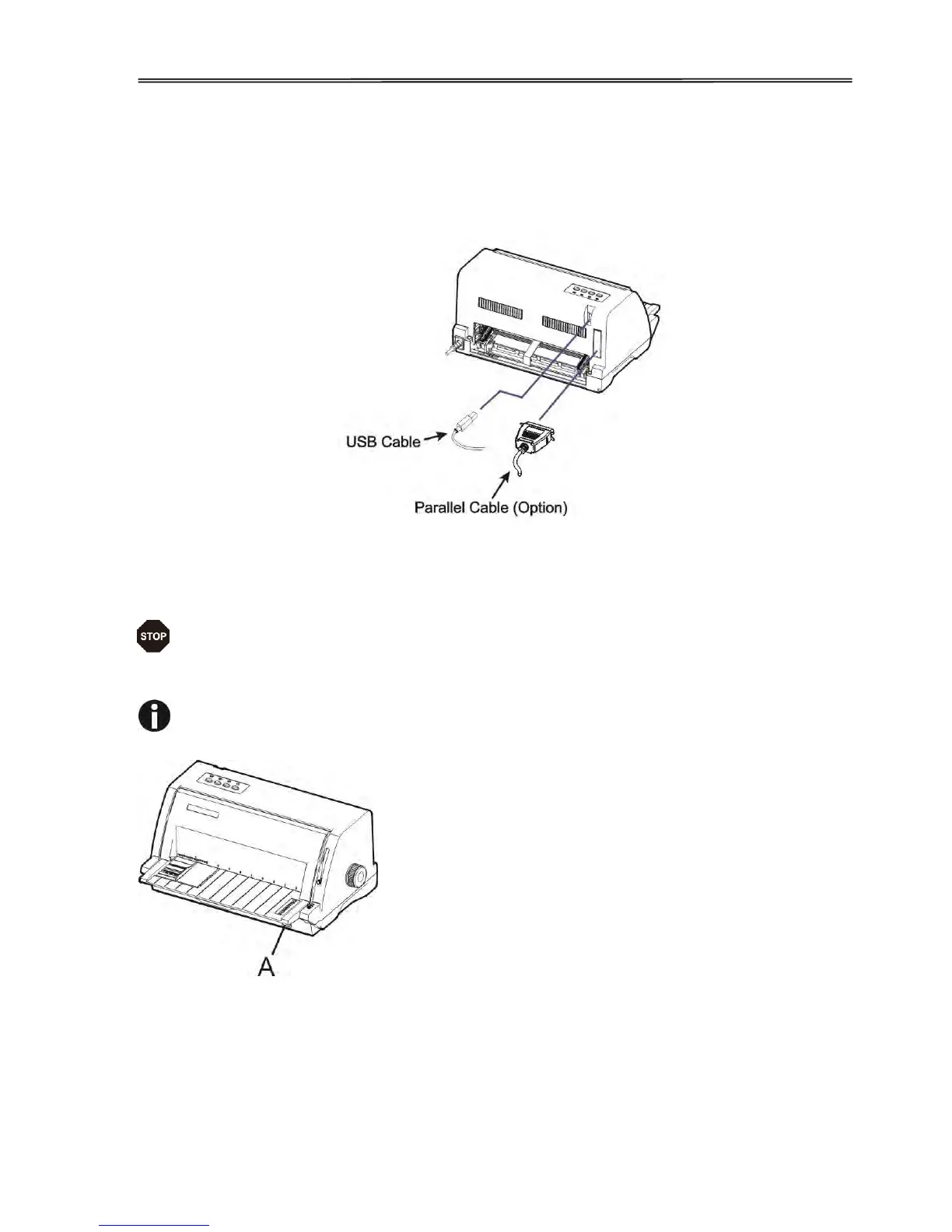
2.3 Connecting the Interface Cable
The 36-pin Centronics parallel and USB ports locate at the rear of the printer. IMPORTANT:
Switch off the printer and the computer before connecting or disconnecting the interface cable
to prevent electrical damage to the interface ports.
2.4 Connecting the Mains Power
Make sure that the device has been set according to your country’s power supply
voltage. To do this, check the rating plate at the back of the printer. Contact your
dealer if the setting is incorrect.
Never switch on the printer if the voltage setting is incorrect; this may result in
electrical damage to the printer.
Make sure that the power
switch “A”, located to the
right side of the printer, is in
the “O” (Off) position.



 To Next Page