Tally Dascom 1330
16
4 Control Panel Operation
General functions for the keys are clearly designated on the Panel label. Some other special
settings need pressing multiple keys simultaneously or holding some keys when powering on
the printer. This Chapter will describe the functions of the keys and display on the Panel.
4.1 Keys and LEDs
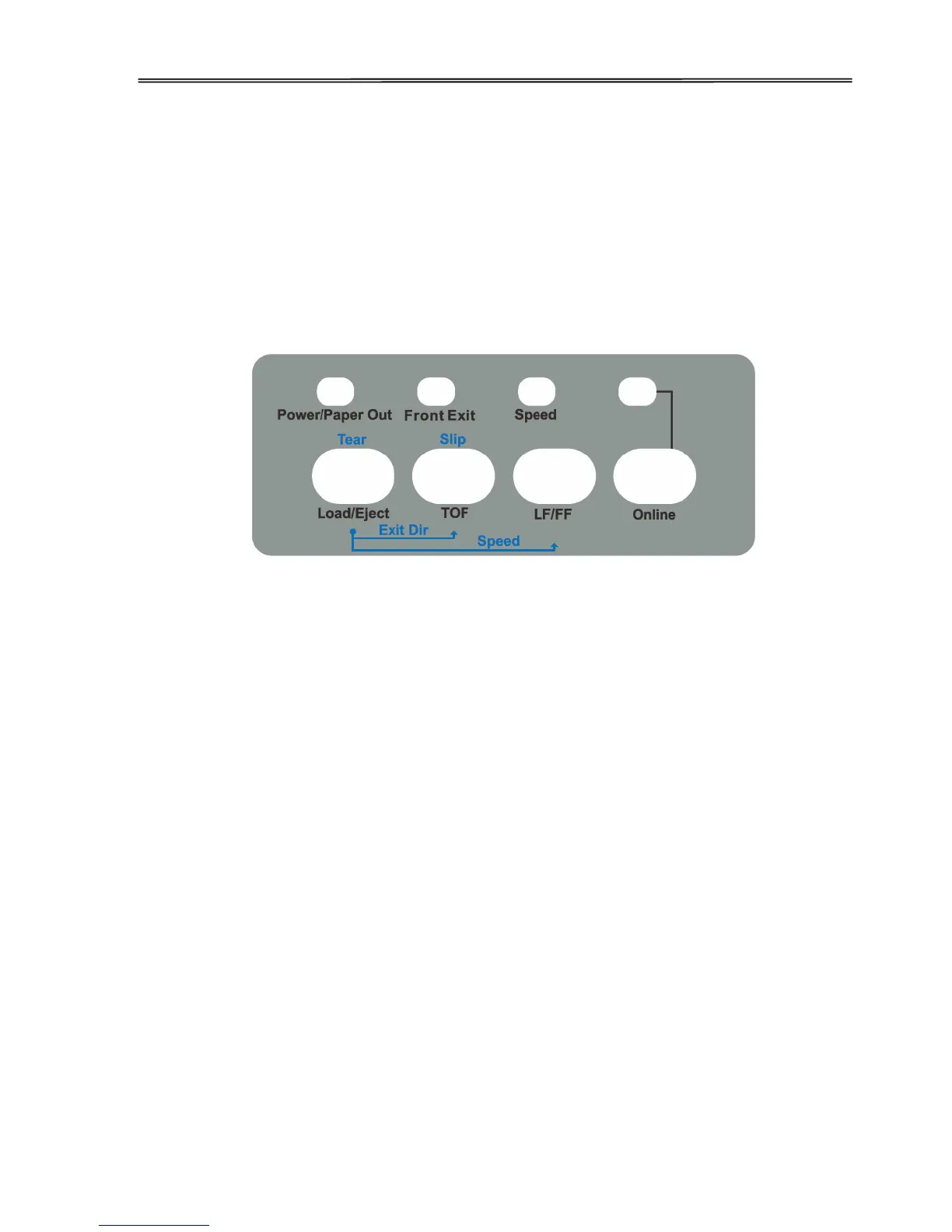
There are 4 keys on the Control Panel, from left to right:【Load/Eject】, 【TOF】, 【LF/FF】,
and【Online】 keys. Meanwhile, there are 4 LEDs, from left to right:【Power/Paper out】,
【Front Exit】,【Speed】, and【Online 】LEDs. The Control Panel is shown as below:
Below describes the function of each key/indicator:
Indicators
1.【Power/Paper out】On when the printer is powered on; Off when the printer is switched
off; Blinking when out of paper.
2.【Front Exit】On to indicate cut sheet exit at the front after printing; Off to indicate cut
sheet exit at the rear.
3.【Speed】On, Off, or Blinking when the test print quality is NLQ, LQ or Draft
respectively.
4.【Online】On when the printer is active to receive and print data from the host; Off
when it is offline.
Keys
1. 【Load/Eject】
This key either loads a paper from the active source or clears the paper out of the
Platen.
1) Cut sheet: Only when Single Auto Loading is disabled in Paper Setup (see
section 5.3), you have to press this key to load a cut sheet. By default, a cut sheet
comes out from the front.



 To Next Page