Tally Dascom 1330
21
4.5 Common Settings
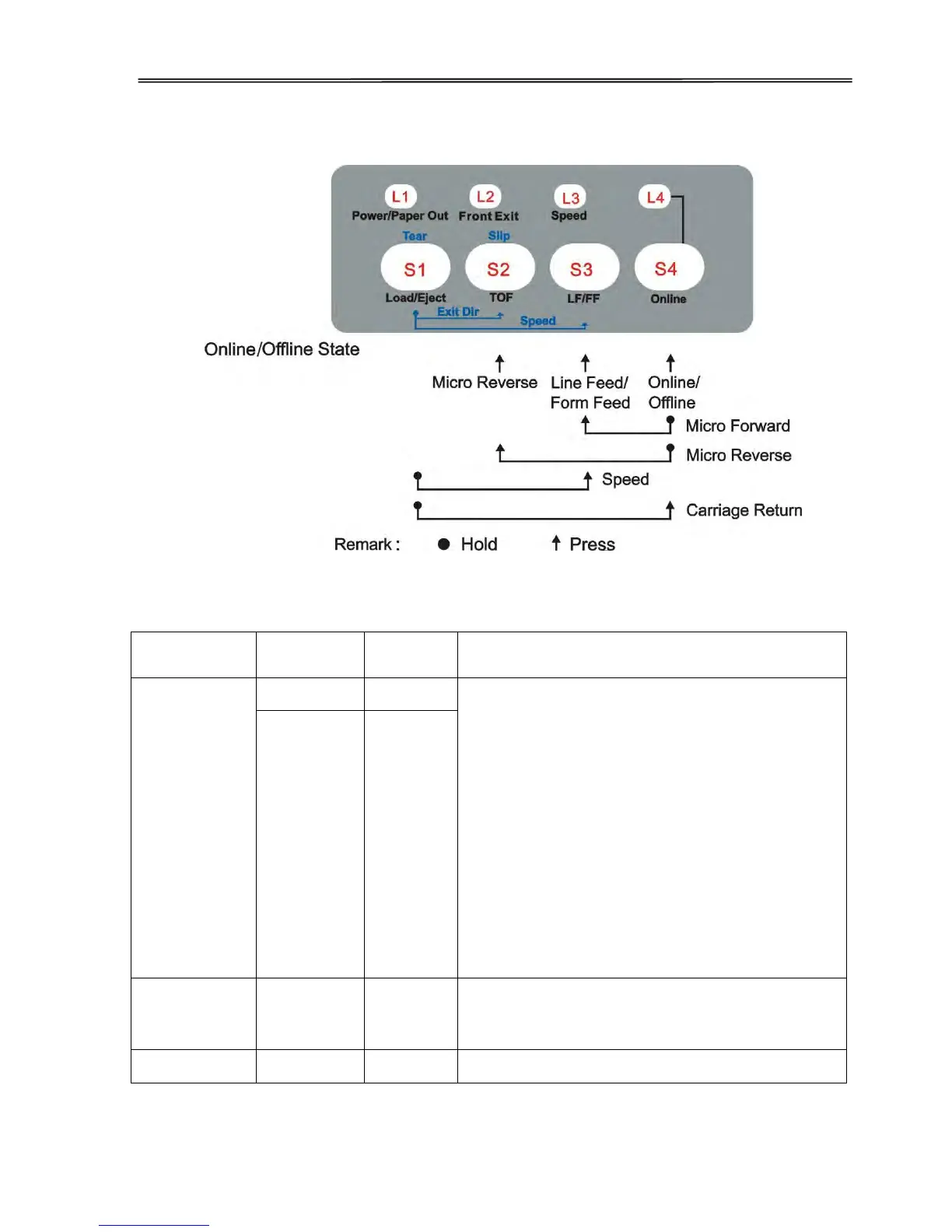
This table lists out the panel operations valid in both the Online and Offline states.
In combination with the【LF】key, this function
can fine-tune the top margin on the current page
without affecting theTOF position on
subsequent pages.
Press the【TOF】key while holding down the
【Online】key.
The printer feeds the paper in the reverse
direction with tiny steps to allow fine tuning of
the top margin. Release the key(s) to terminate
the adjustment.
NOTE: For fanfold, avoid reversing the paper
over the previous page. Over-reversing may
cause paper jam.
While holding down the【Online】key, press the
【LF】key to micro feed paper in the forward
direction.
Feeds a line with every press on the【LF】key.



 To Next Page