Tally Dascom 1330
5
4. Carefully move the Print Head to the center.
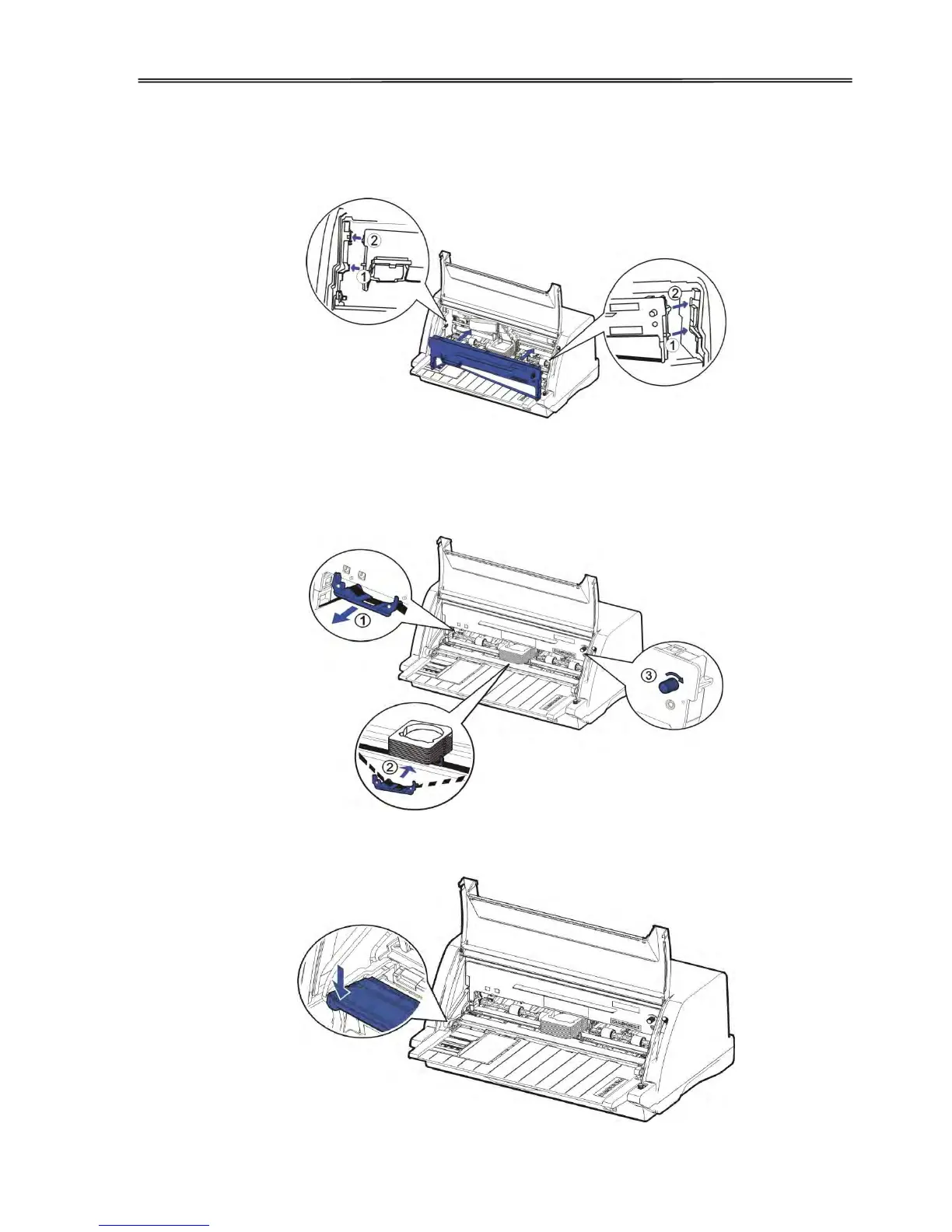
5. Tilt the Ribbon Cartridge a bit and match it to the positions ① and ② on both ends.
6. Then slightly press it down to hold it in place to the mentioned positions.
7. Hold the Ribbon Guide ① on the Ribbon Cartridge. Guide ② it onto the Print Head.
Then turn the Ribbon Knob in clockwise direction until the ribbon fabric is taut. Move the
carriage left and right to make sure the ribbon fabric is taut.
8. Release the front of Upper Friction Frame to its original position.



 To Next Page