Tally Dascom 1330
59
3. You may skip to other customized settings by pressing “Next” or “Back”. Once you
press “OK” to continue with form length measurement, the printer prompts:
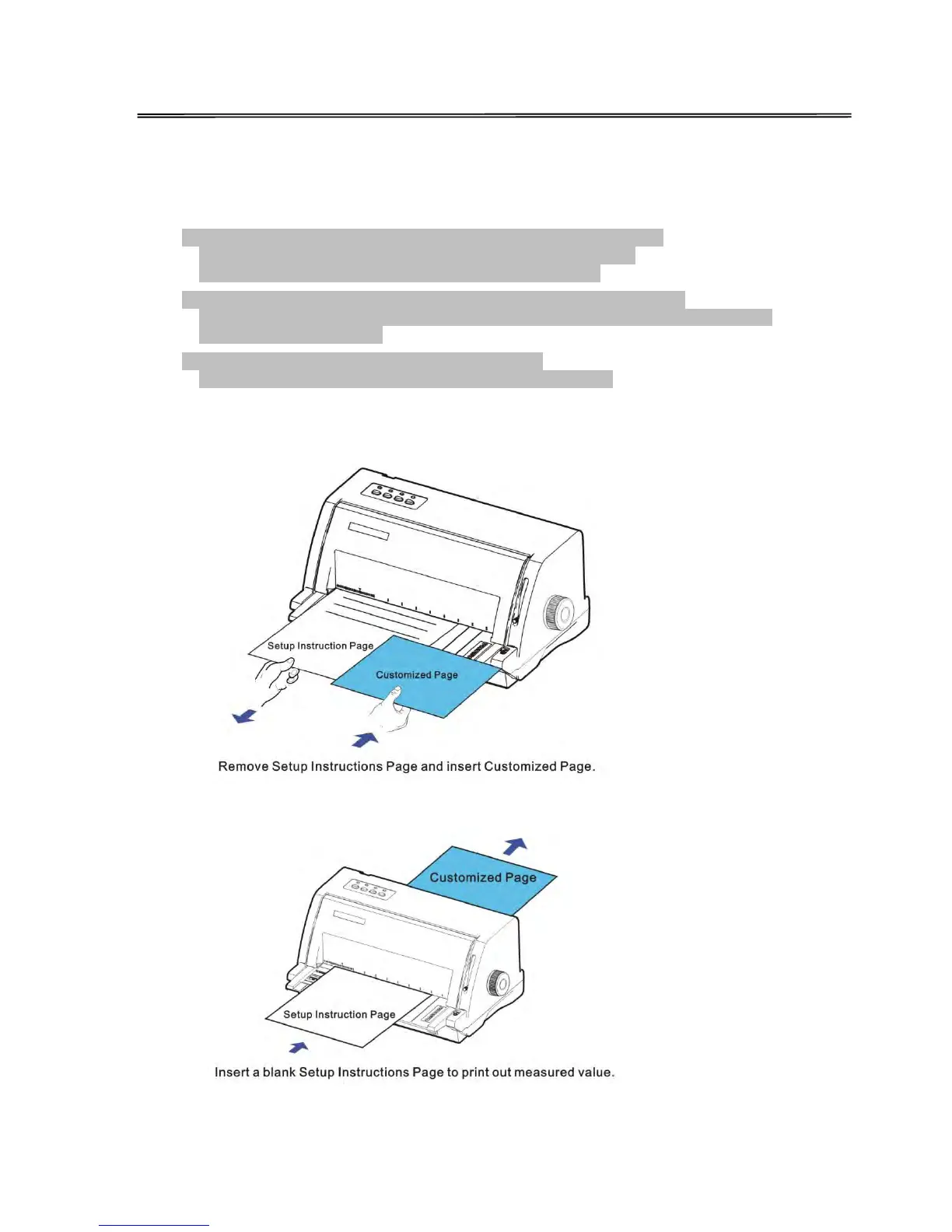
1. Press any key to clear the Setup Instructions Page from the printer.
Insert the Customized Page into the corresponding paper path.
Press [LOAD/EJECT] to load and measure the page length
2. The printer rolls over the entire Customized Page to measure its length.
After measurement, press [LOAD/EJECT] to load a blank Setup Instructions Page to
report the measured value.
3. Press [LOAD/EJECT] to save the measured value.
Repeat the above steps if the printed value is dissatisfactory.
illustrations for above step 1 and step 2.



 To Next Page