Tally Dascom 1330
68
Note: Firmware update should only be performed by an authorized service person. We
disclaim any responsibility for any damage caused if it is performed by any other person.
To load new firmware, proceed as follows:
1. Switch off the printer. Connect your PC to the USB port on the printer.
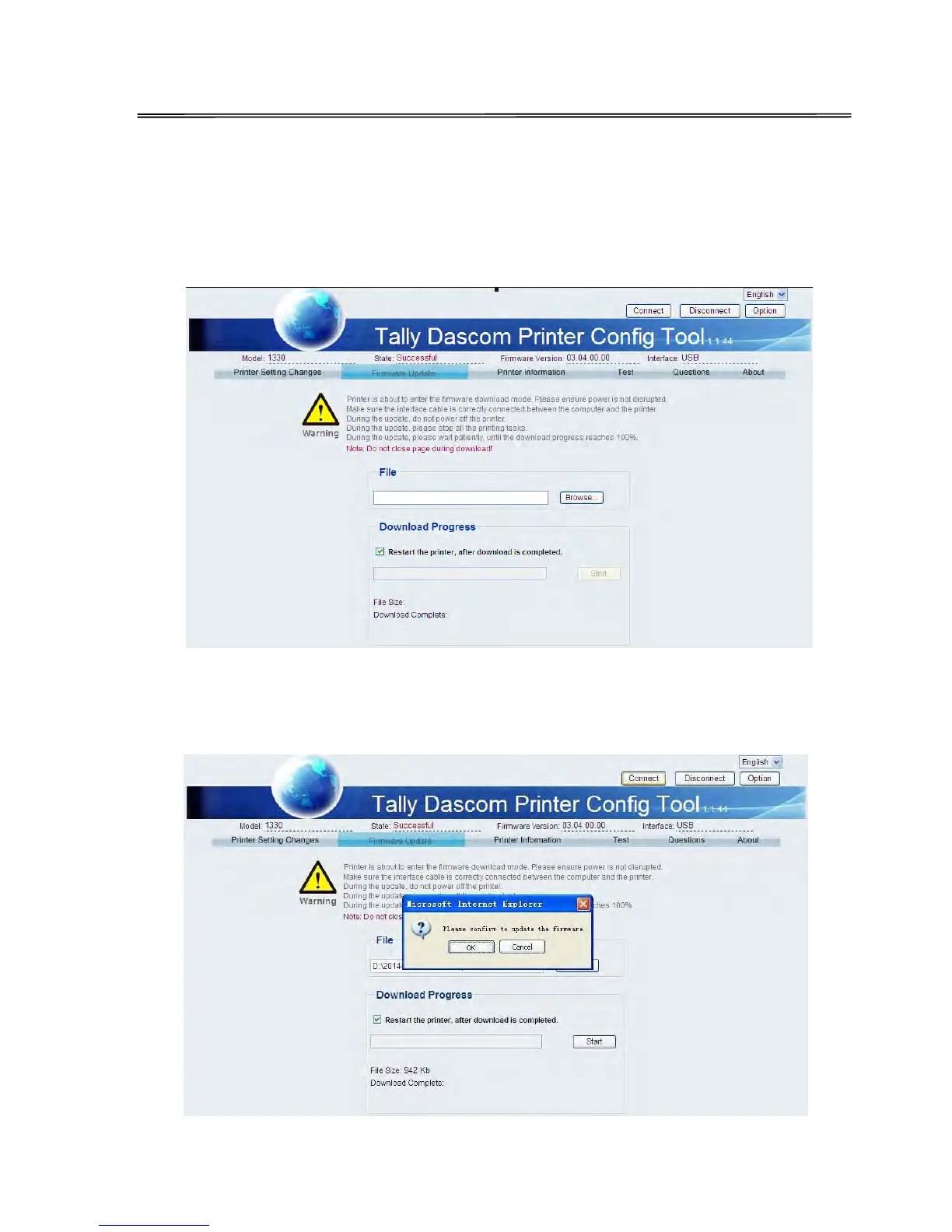
2. Link Configuration Tool and then click “Firmware Update” as shown in below picture:
3. Click “Browse” to choose program file and character set. Then Click “Start” and
following message is prompted. Click “OK”.



 To Next Page