Tally Dascom 5130P
8
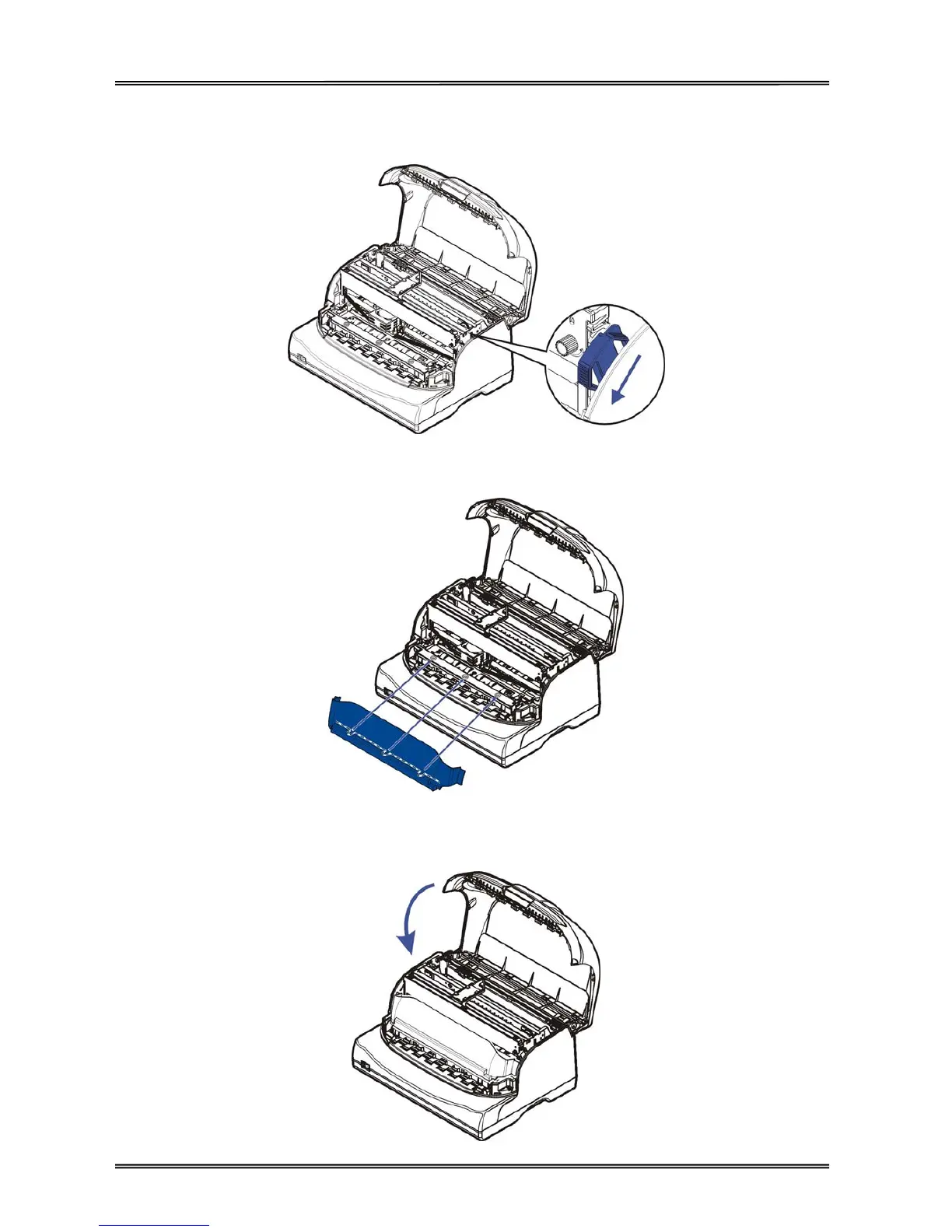
8. Pull down the control lever to set the top of mechanism to the original position, and make sure the
control lever is fully latched.
9. Install back the transparent cover to reduce noise.
10. Close the cover carefully. When the printer is in operation, ensure the cover is closed to keep the dust
away and minimize the noise level. Open the cover only for cleaning and ribbon cartridge replacement.



 To Next Page