Enter/Exit Programming Mode
94
Gryphon™ I GD44XX/GBT4400/GM440X
Label ID Symbology Selection − 1D Symbologies
This option selects the symbology for which a Label ID is to be configured. See
"Label ID" on
page 92 or page 290 in “References” for more detailed instruc-
tions.
If less than the expected string of 3 characters are selected, scan the
ENTER/EXIT bar code twice to accept the selection and exit Program-
ming Mode.
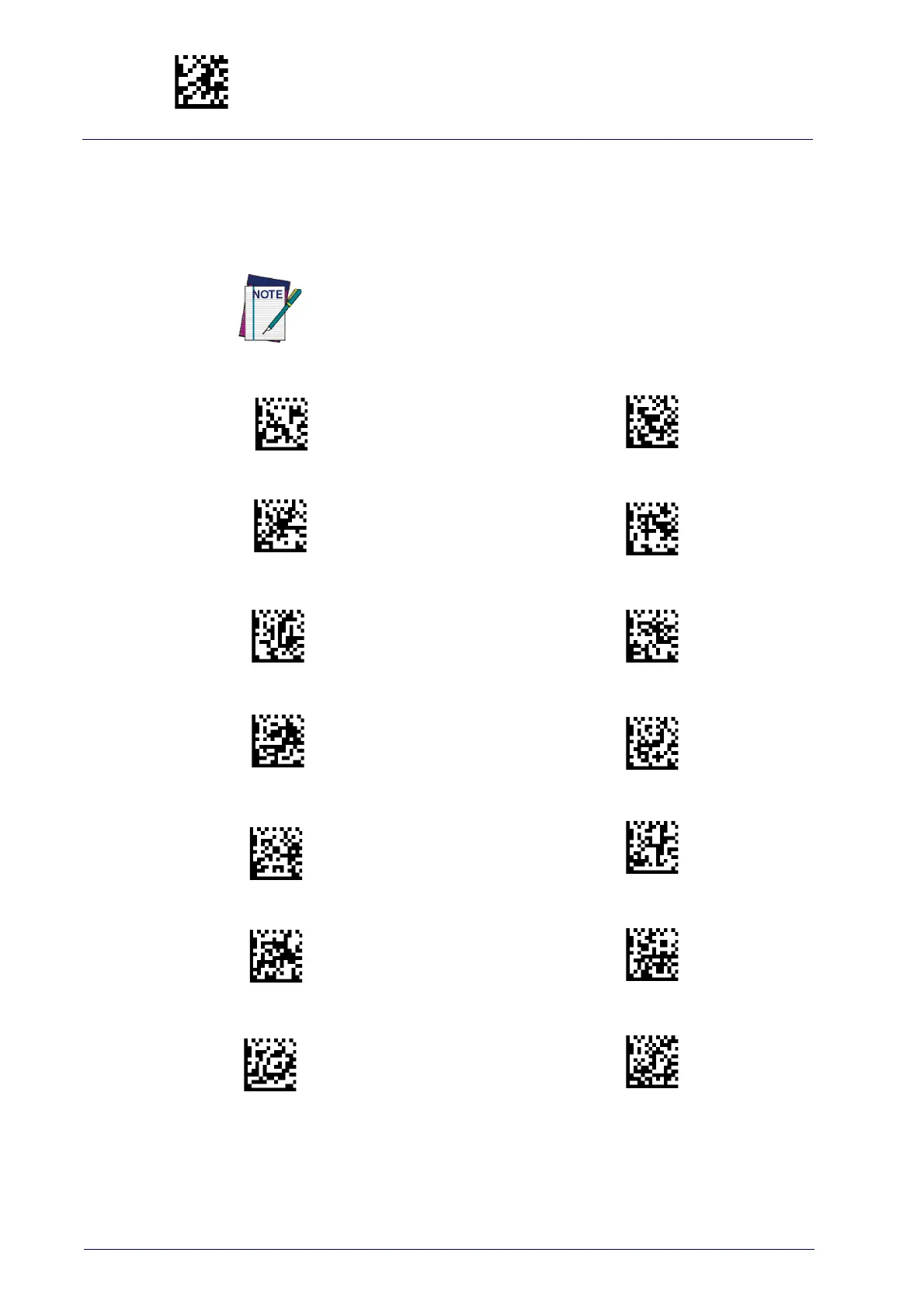
Set ABC Codabar Label ID Character(s)
Set Code 32 Pharmacode Label ID Character(s)
Set Anker Plessey Label ID Character(s)
Set Code 93 Label ID Character(s)
Set Australian Postal Code Label ID Character(s)
Set Concatenated ISBT 128 Label ID Character(s)
Set Codabar Label ID Character(s)
Set Danish PPT Label ID Character(s)
Set Code 11 Label ID Character(s)
Set EAN 13 Label ID Character(s)
Set Code 128 Label ID Character(s)
Set EAN 13 Composite Label ID Character(s)
Set Code 39 Label ID Character(s)
Set EAN 13 P2 Label ID Character(s)



 To Next Page
 Loading...