6. The selection will be remembered once the Motherboard Audio Output has been
configured. In this way, after the audio cable is disconnected from the TVS system, the
connection will be automatically re-established after the audio cable is plugged back in
again.
Two other additional things can be configured in the Motherboard Audio Output section:
• Gain: The Gain sliding bar is used for audio volume adjustment, which is set to the
maximum level by default.
• Delay: By sliding the Delay bar to the right you are adding delay to the audio line which
synchronizes the audio to the video if the video display device (typical LCD TV)
generates delay.
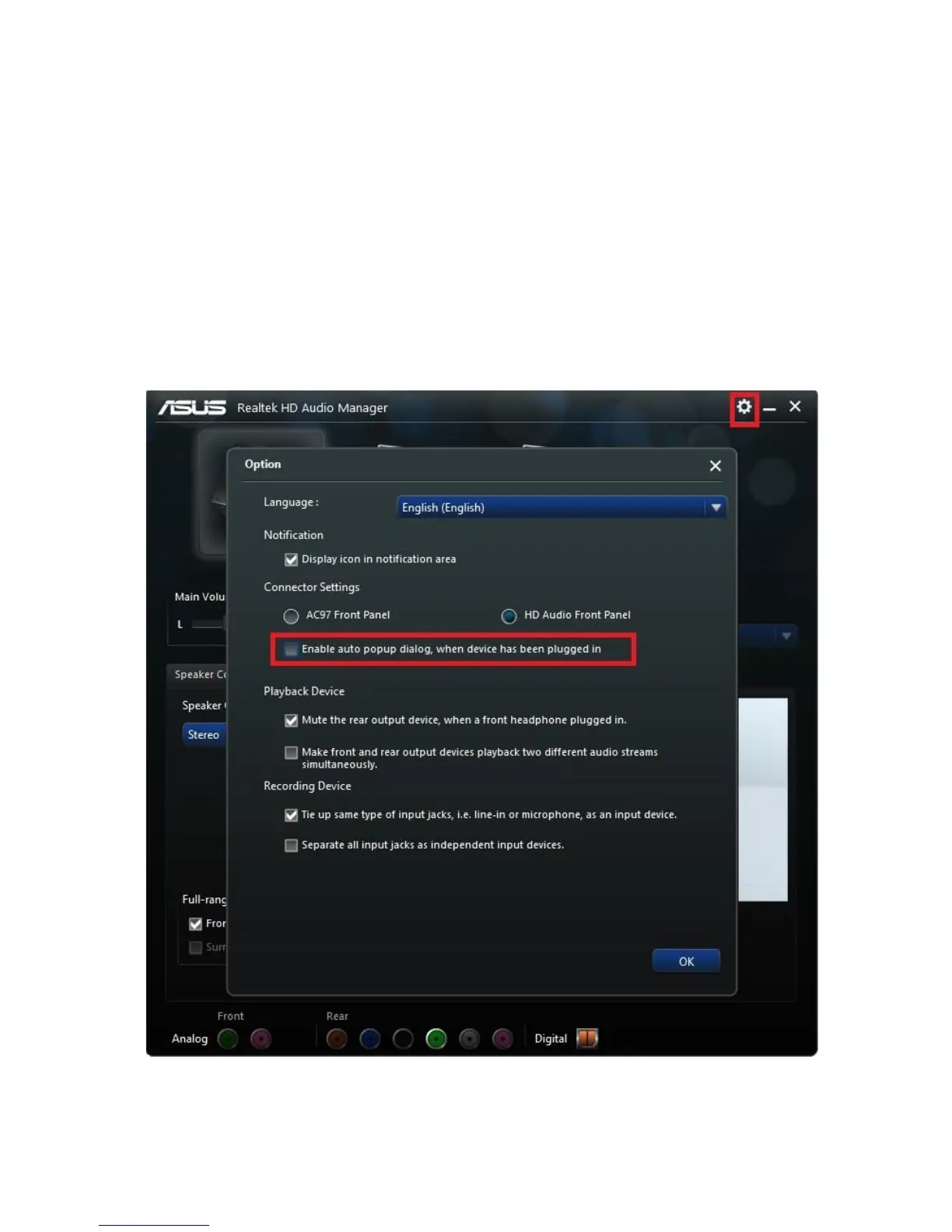
Note: A prompt window will be popped up upon connecting the audio cable to the
motherboard’s audio jack. We recommend disabling this prompt window. The screenshot
below shows you where this auto popup dialog can be disabled.



 To Next Page