Maintenance M7/M7L/M7LT Modular Satellite Modem
4-12 M7/M7L/M7LT - Rev. 0.05
4.6. Upgrading the Modem Feature Set
Each of the modems in the M7 series is available currently with many different “Feature Sets”,
representing basic capabilities that suit it to certain tasks. They are currently given a feature set code
representing the elements of those features. Refer to section 1.7 which shows the capabilities of each
standard feature set.
Upgrading from one feature set to another is accomplished in the following manner.
Contact your local reseller or Datum Systems directly requesting an upgrade and noting the Unit
Serial Number, current version and the version to which you would like to upgrade to. Upon
purchasing an upgrade you will be provided with a special 20 digit code which is used to enable the
upgraded features. The code is unique to this unit’s serial number and will not work in any other
modem.
There are a couple of ways to insert the feature code into the M7.
4.6.1. Using the front panel menu
To insert the code go to the <Unit: Status - Feature> parameter using the front panel keypad. Then
enter the 20 digits of the given code directly using the digits on the keypad, then press the “Enter”
key. If correctly entered the modem will now display the new feature set and list the available
modulation modes above the standard set in the M705. For example when the M708 feature set is
enabled the <Unit: Status - Feature> parameter will display “M708-8PSK-16QAM”.
4.6.2. Using the web browser
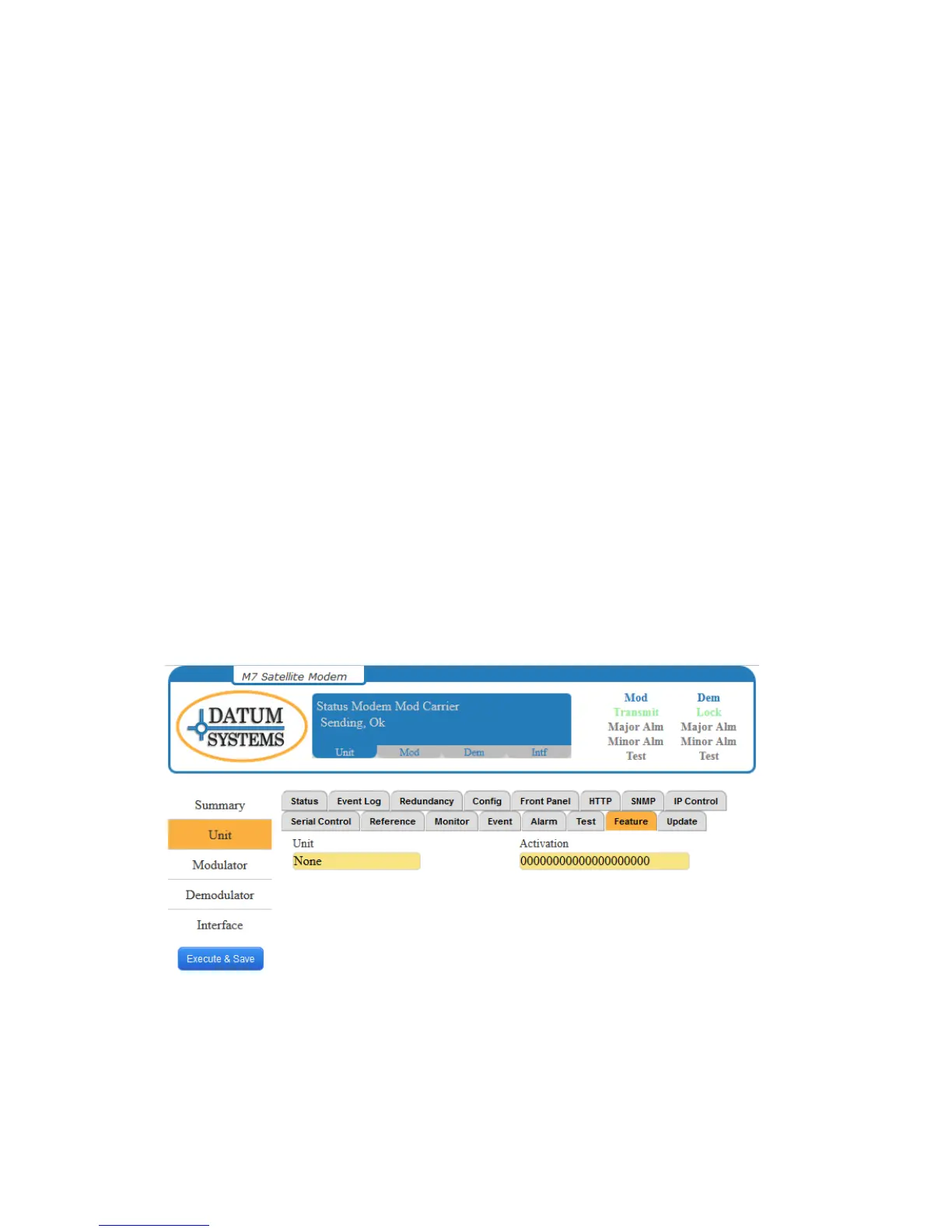
To insert the code go to the “Feature” tab in the “Unit” page and enter the 20 digits of the given code
directly designated box, press the “Execute & Save” button. If correctly entered the modem will now
display the new feature set and list the available modulation modes above the standard set in the
M705. For example when the M708 feature set is enabled the <Unit: Status - Feature> parameter
will display “M708-8PSK-16QAM”.
Figure 4-2 – Unit Feature Page
Feature sets can only be upgraded. There is no code to downgrade a feature set to a lower one.



 To Next Page