Maintenance M7/M7L/M7LT Modular Satellite Modem
3-8 M7/M7L/M7LT - Rev. 0.05
3.4.2. M7 Web Browser Page Screen Shots
3.4.2.1. Summary Page
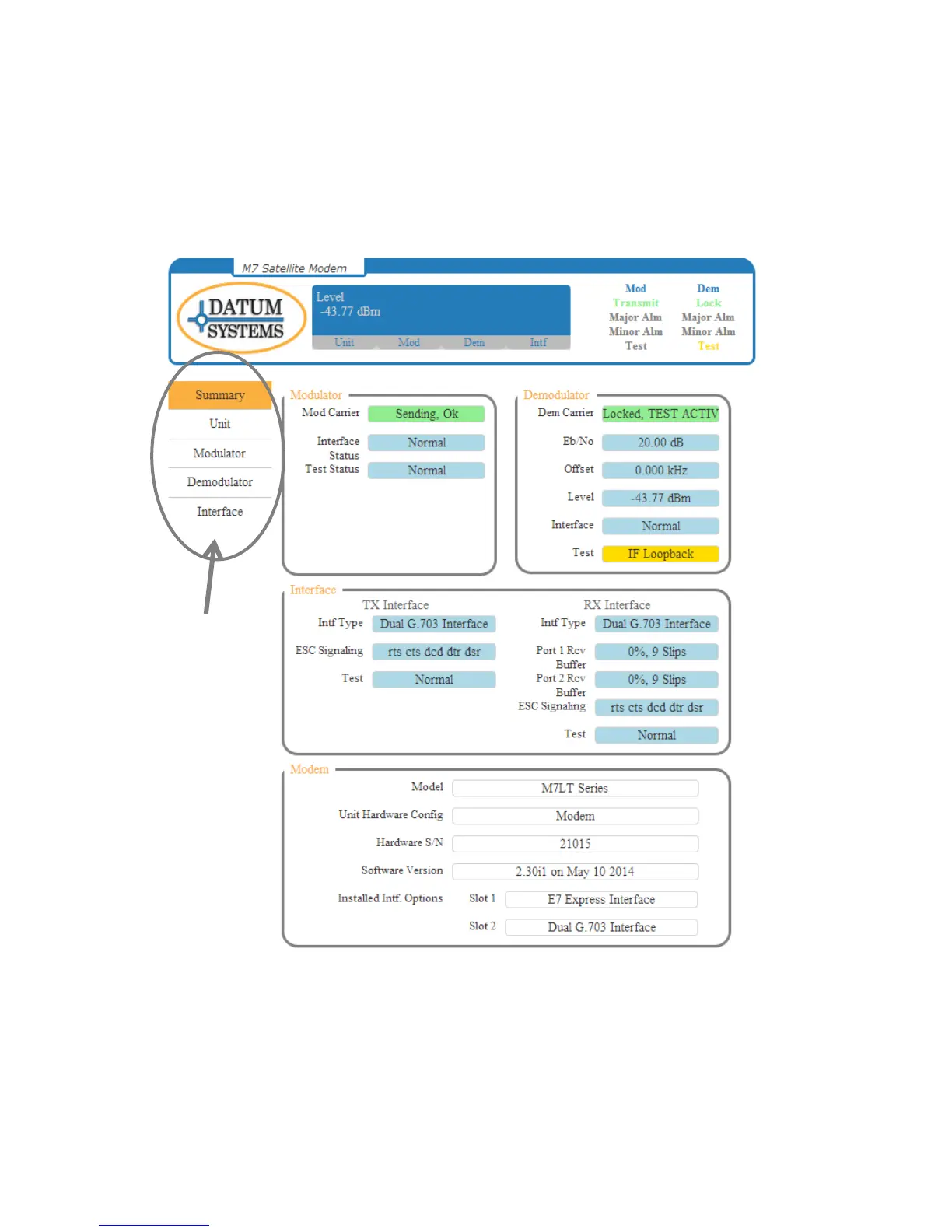
The Summary Status (Figure 3-5) will be the first page that is displayed when the computer connects
to the M7 Web Browser. The summary page provides the user a snapshot of the current M7 status
and indicates the available interfaces. The status window cycles through the status of the Mod
Carrier, Dem Carrier, RX Eb/No, and RX Level.
Figure 3-5 - Summary Status Page
From the Summary Status page, the user may navigate to the other modem card set pages by
selecting the desired parameter page on the “Page Menu”. The available pages are “Unit”,
“Modulator”, “Demodulator”, and “Interface”. Within each page are tabs that relate to specific
parameter matrixes shown in Section 3.4.2.5.4.



 To Next Page