42
Section 7
DriveRack
™
This Application guide section is provided to offer suggested installation applications of the
DriveRack™ units that will allow you to optimize peak performance of the units. Note that the
six included applications represent the extensive flexibility of the DriveRack™ units. These
applications can be used verbatim, or as sample reference guide templates for designing count-
less audio applications.
Hardware
Note Make sure that all outputs are muted on the DriveRack™ prior to adding power to any
devices in the signal path (pre and post DriveRack™).
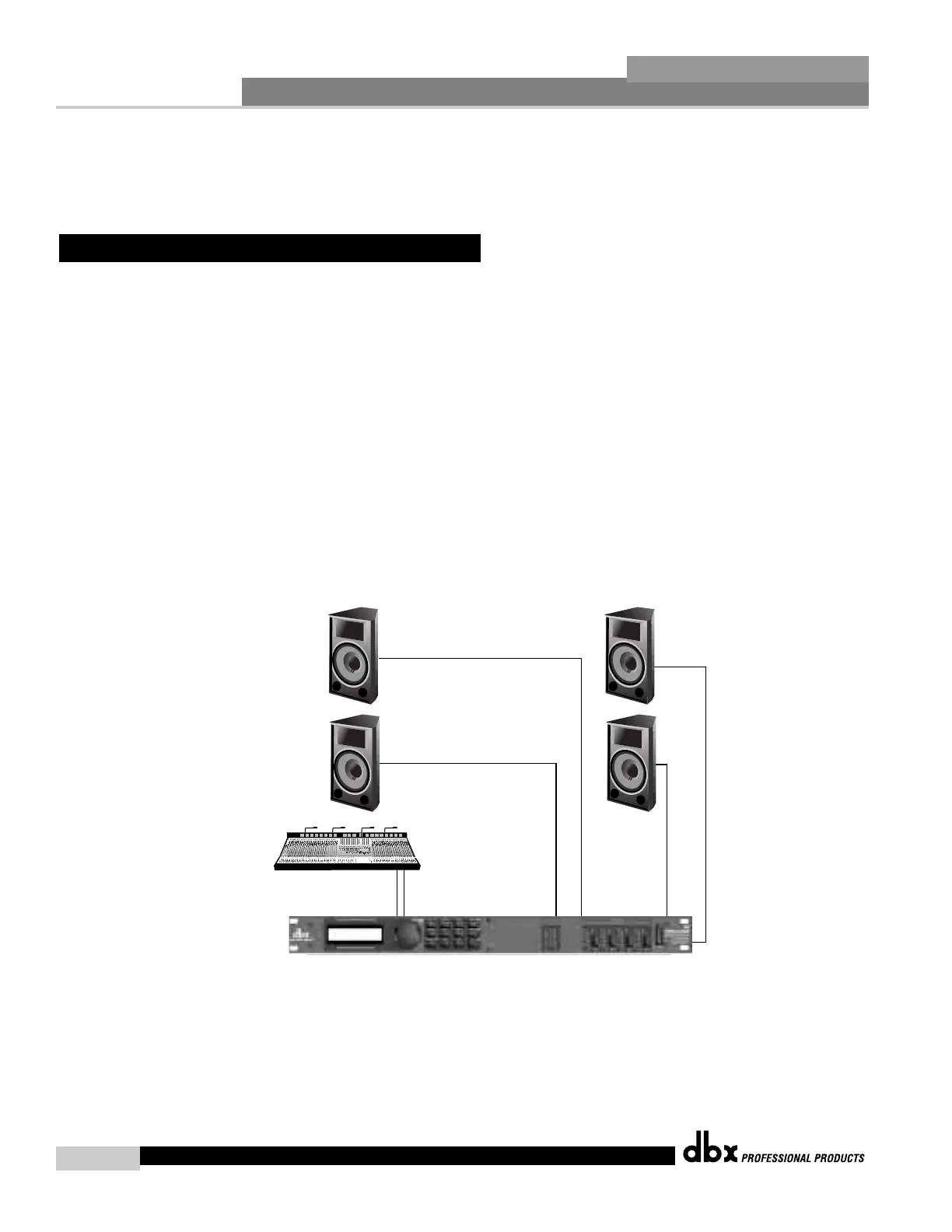
1. Connect the outputs from the mixer to the inputs of the DriveRack™.
2. Connect the outputs of the DriveRack™ and run to the selected speaker amplifier.
3. Making sure that all outputs are muted, apply power to the mixer and amplifiers.
Software
1. From Program mode, select factory program #21 (2Way w/GEQ) as a template.
2. Once the program has been chosen, press the PROGRAM/CONFIG button to load the pro-
gram.
7.1 2-Way Front of House
DriveRack™ User Manual



 To Next Page