46
Section 7
DriveRack
™
Note Make sure that all outputs are muted on the DriveRack™ prior to adding power to any
devices in the signal path (pre and post DriveRack™).
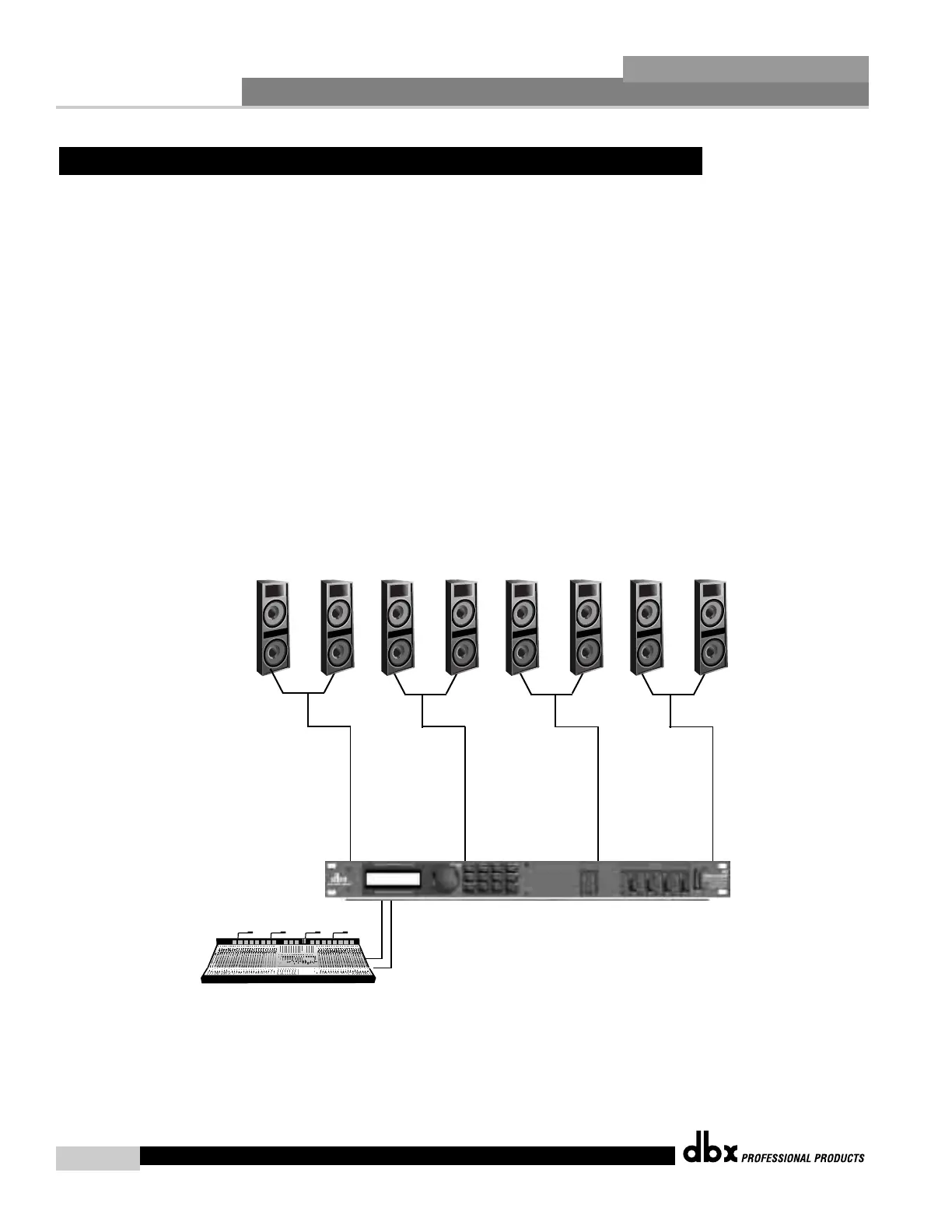
1. Connect the outputs from the mixer to the inputs of the DriveRack™.
2. Connect the outputs of the DriveRack™ and run to the selected speaker amplifier.
3. Making sure that all outputs are muted, apply power to the mixer and amplifiers.
Software
1. From Program mode, select factory program #27 (Delay Speakers) as a template.
2. From program mode, calculate and edit each time delay through all four outputs of the unit.
FOH= Input 1 pre-delay time Stack 1= Input 1 pre-delay time + Output 1 post delay time Stack
2= Input 2 pre-delay time and Stack 3= Input 2 pre-delay time + Output 4 post delay time
7.5 Time Delay (Delay Stacks)
DriveRack™ User Manual
FOH
Speakers
Delay
Stack 1
Delay
Stack 2
Delay
Stack 3
240
or
241



 To Next Page