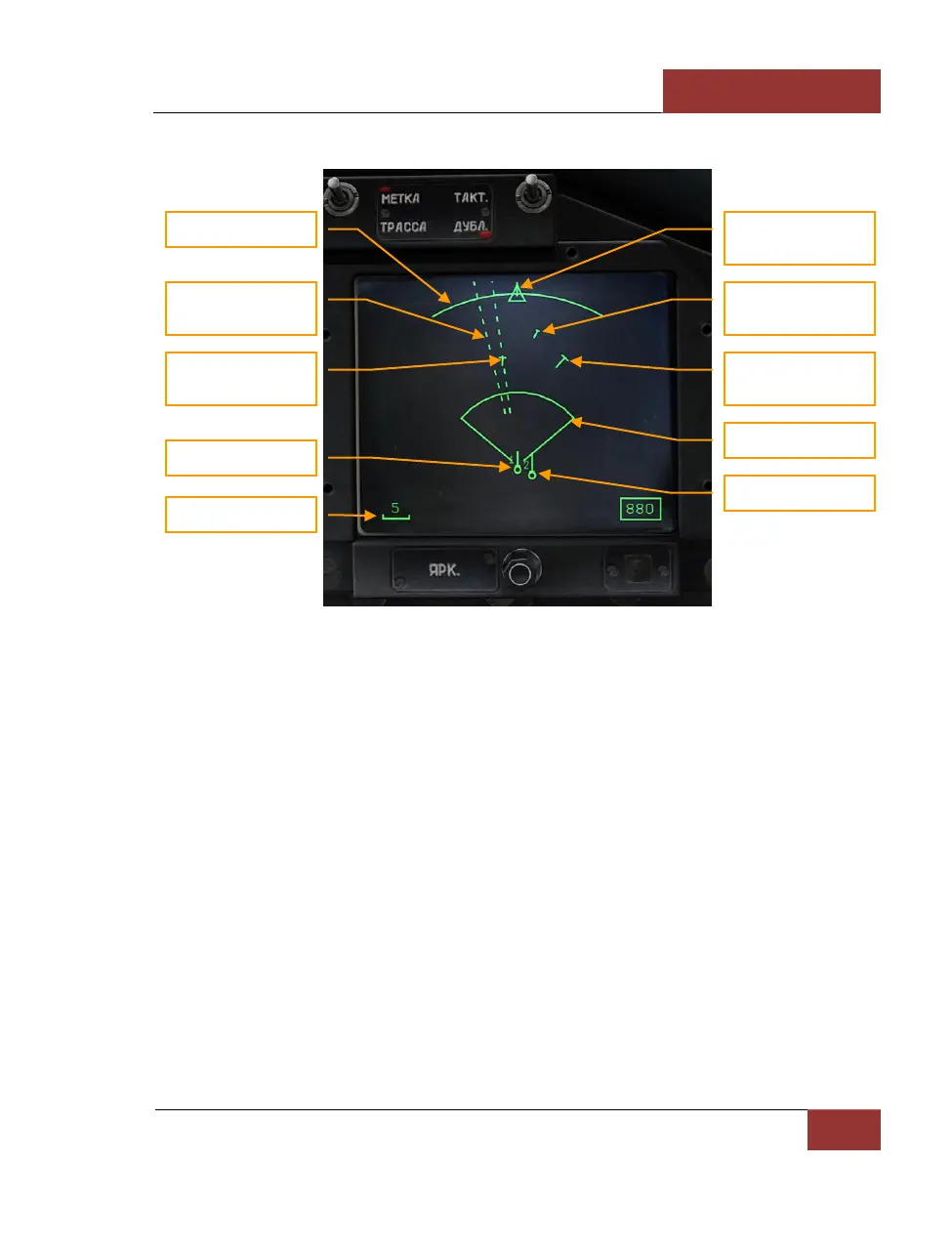
The following information is displayed on the HDD in BVR modes:
Figure 49: HDD in BVR modes
• Scan arc (60 degrees) has 3 positions: center, left and right. The scan arc position is
corresponding with the azimuth coverage bar on the HUD.
• A target with jammer and unknown range is displayed with dash line
• Target using jamming but acquired range is displayed with mark and within a dashed line
• A target has a velocity vector and cross stroke. The length of velocity vector depends on
target's speed. Length of cross stroke depends on target's altitude.
• Circles denote friendly aircraft
• Your own symbol is fixed near the bottom, center of the HDD
• The display scale is indicated in the lower left corner
"СНП" (TWS) MODE
Another BVR combat mode is "СНП" (Track-While-Scan or TWS). It is activated from the "ОБЗ"
(SCAN) mode by pressing [RAlt-I]. The radar can correlate tracks for up to 10 targets
simultaneously in "СНП" (TWS). The main distinction from SCAN mode is that the radar retains
target parameters, like elevation and velocity vector, while continuing to search for additional targets.



 To Next Page