The HDD provides a top-down view of the tactical situation including all tracked targets, together
with their direction of travel and position.
TWS mode provides automatic target lock on (transition to STT). This is enabled by moving the
radar cursor over a target. The cursor will "snap" to the target and follow it thereafter. Automatic
lock on occurs at a range equal to 85% of the calculated maximum weapon launch range. The pilot
can force an earlier lock on by pressing the [Enter] key.
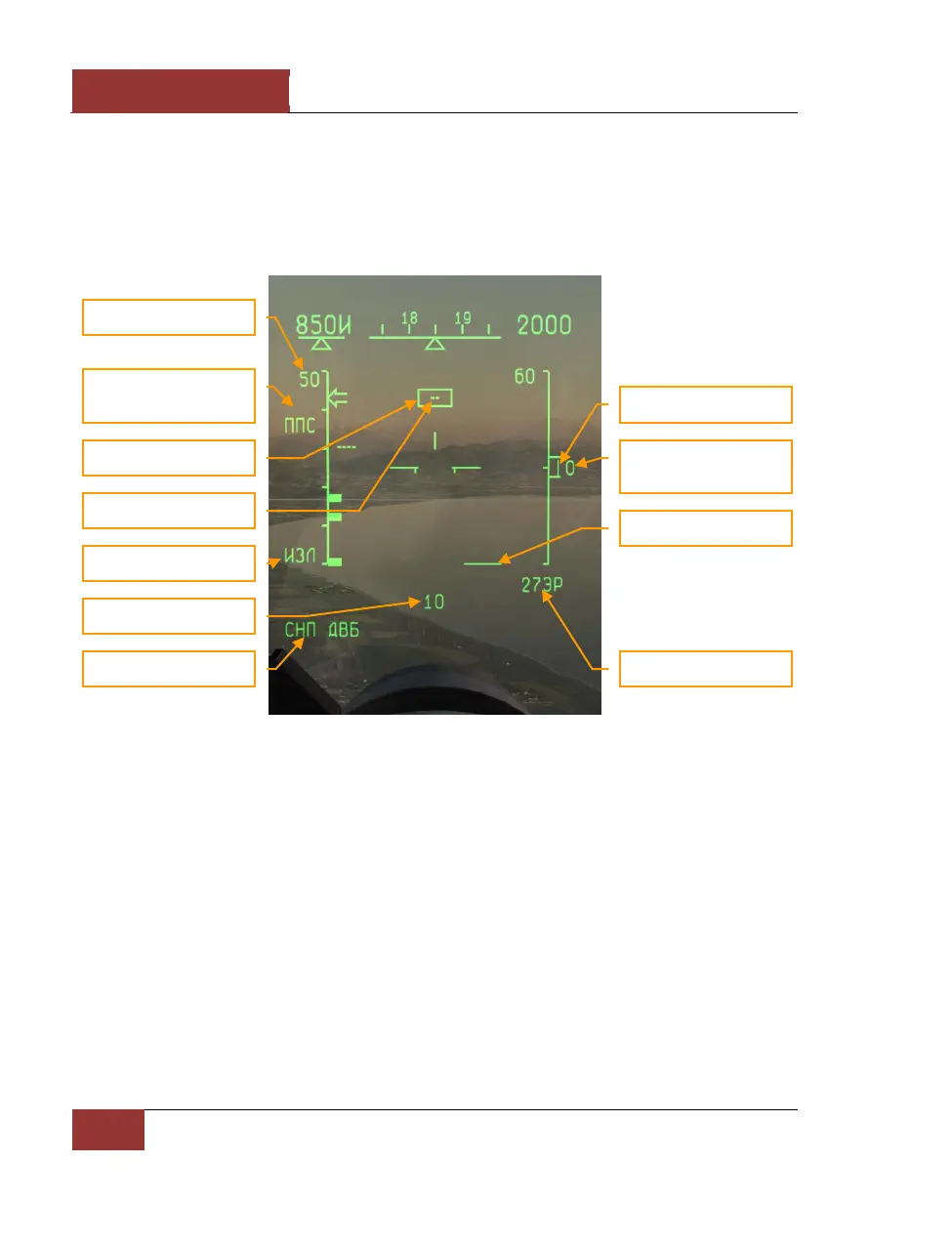
Figure 50: "СНП" (TWS) MODE
The HUD symbology in "СНП" (TWS) mode is similar to that of "ОБЗ" (SCAN) mode.
• "СНП ДВБ" (TWS BVR) in the lower left corner of the HUD indicates the current mode.
• The chosen weapon is indicated in the lower right corner of the HUD, beneath the
elevation angle scale. The 27ЭР above indicates R-27ER missiles.
• The range scale at the left side of the HUD features three thick inwards facing tick marks.
Going from the top downwards, these are: Rmax - maximum permitted launch range vs.
non-maneuvering target, Rtr - maximum permitted launch range vs. maneuvering target
("no-escape zone"), and Rmin - minimum permitted launch range.
"СНП" (TWS) mode is only available together with "ППС" (Hi PRF) or "ЗПС" (Med PRF) selected. The
interleaved PRF "ABT" mode is not compatible. This mode therefore requires head-on or pursuit
target aspect to be known in advance.



 To Next Page