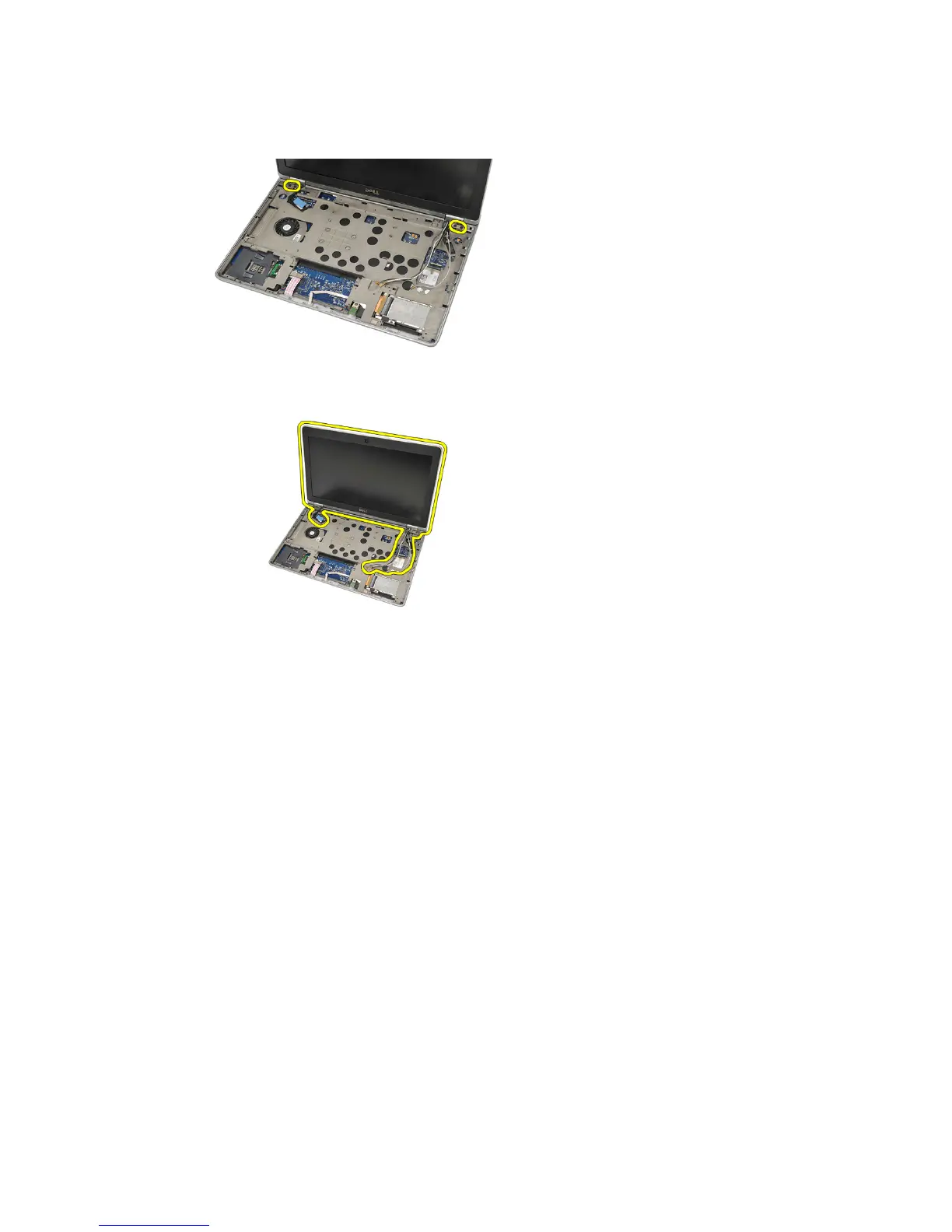
NOTE: Ensure that you hold the display assembly firmly with one hand before
removing the last screw from the hinges. This is to avoid the display panel from
falling over and getting damaged.
13. Remove the display assembly from the computer.
Installing The Display Assembly
1. Align the display hinges on the computer.
2. Replace and tighten the screws on the hinges.
3. Connect the Low Voltage Differential Signaling (LVDS) cable to the
system board.
4. Install the LVDS bracket and replace and tighten the screws to secure it.
5. Insert the wireless antenna cables into the holder. Lift the back of the
computer slightly and insert the wireless antenna cables through the
69















 To Next Page