Low-Voltage Differential Signaling
(LVDS) Camera Cable
29
Removing The Low Voltage Differential Signaling (LVDS) Cable
1. Follow the procedures in Before Working On Your Computer.
2. Remove the battery.
3. Remove the base cover.
4. Remove the palm rest.
5. Remove the keyboard.
6. Remove the display assembly.
7. Remove the display bezel.
8. Remove the display panel.
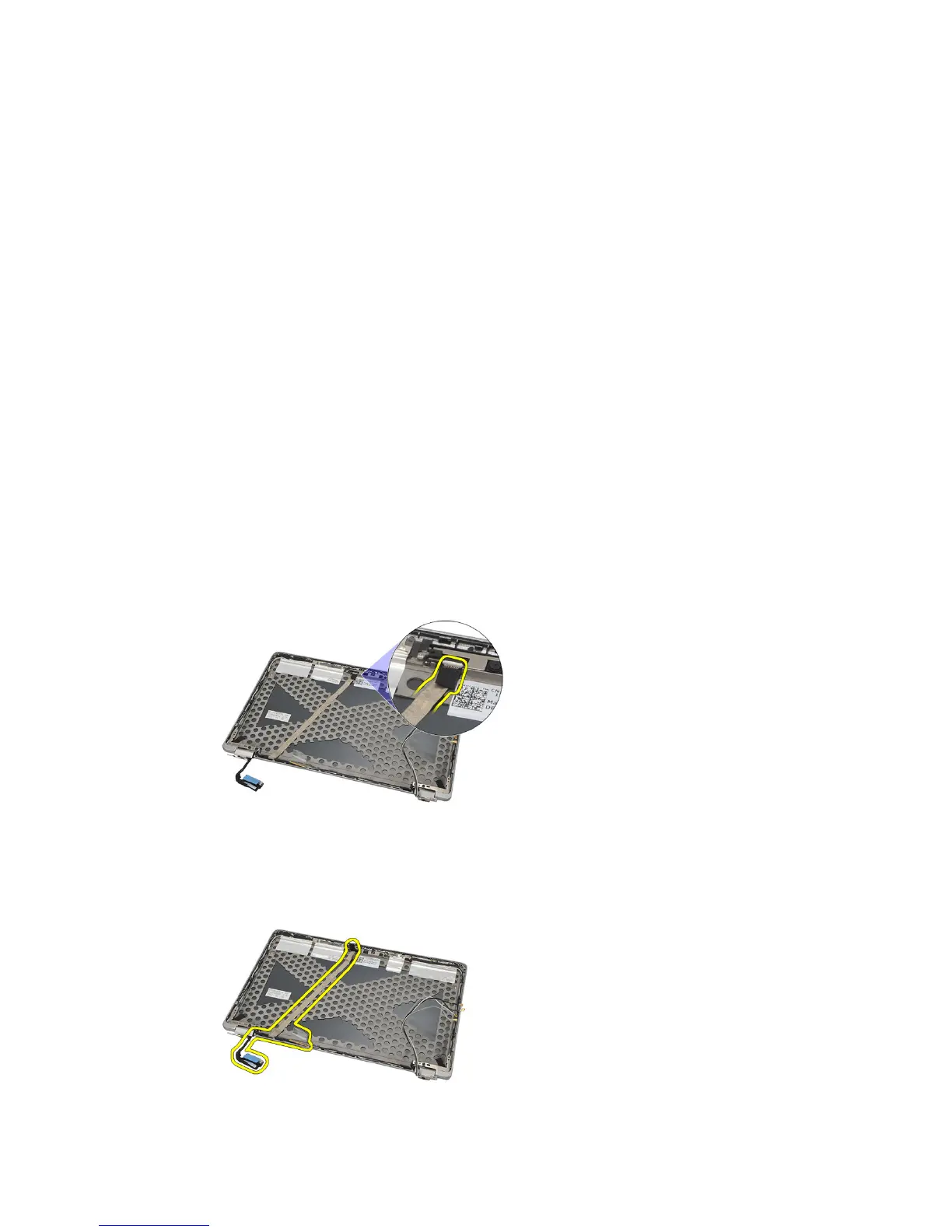
9. Disconnect the LVDS/Camera/Microphone cable assembly from the
camera and/or microphone module.
10. Peel off the LVDS/Camera/Microphone cable assembly from the top
cover and remove it.
77















 To Next Page