18 Battery
Replacing the Battery
CAUTION: To avoid damage to the computer, use only the battery designed for
this particular Dell computer.
1
Follow the instructions in "Before You Begin" on page 9.
2
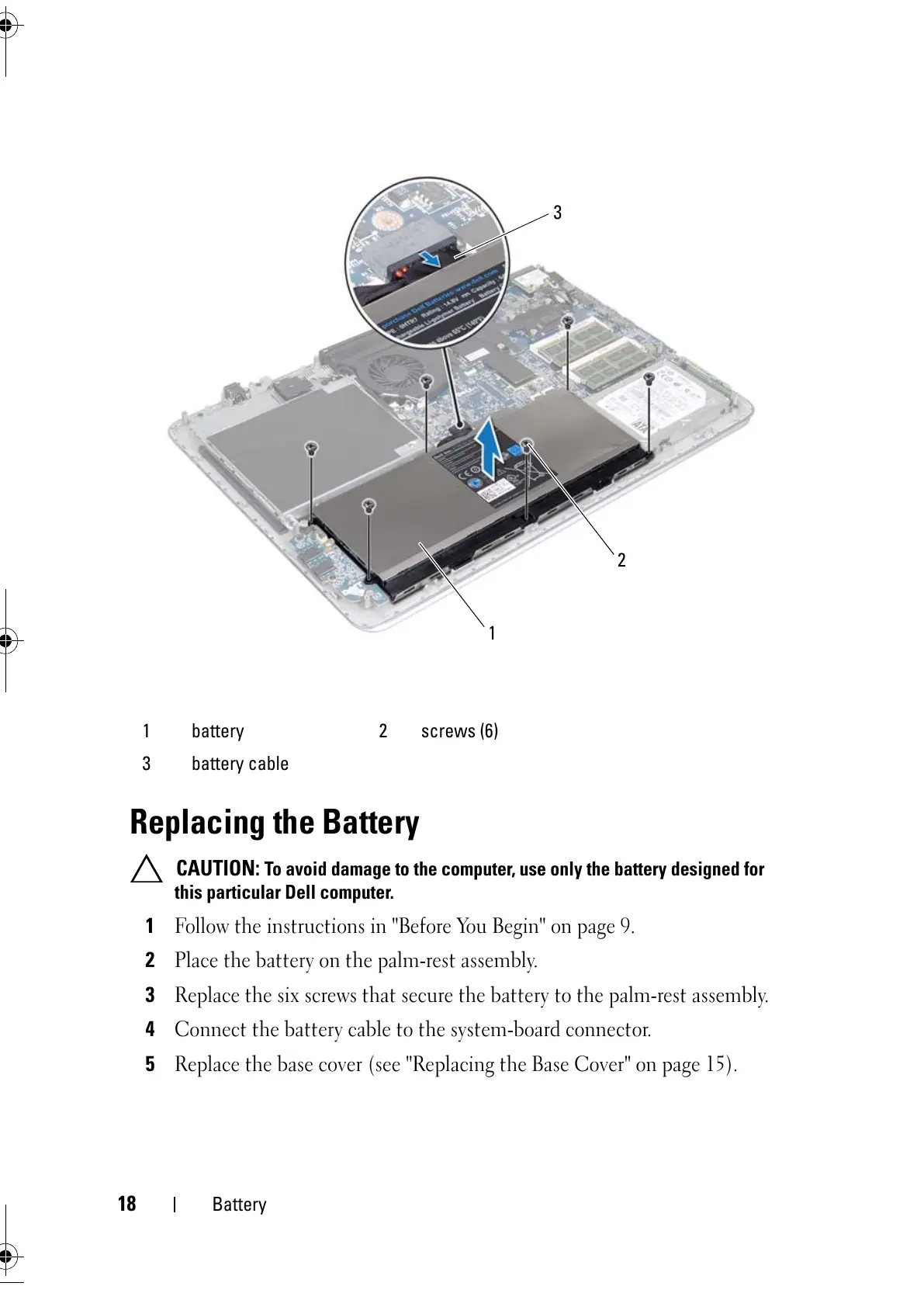
Place the battery on the palm-rest assembly.
3
Replace the six screws that secure the battery to the palm-rest assembly.
4
Connect the battery cable to the system-board connector.
5
Replace the base cover (see "Replacing the Base Cover" on page 15).
1 battery 2 screws (6)
3 battery cable



 To Next Page