Display 87
6
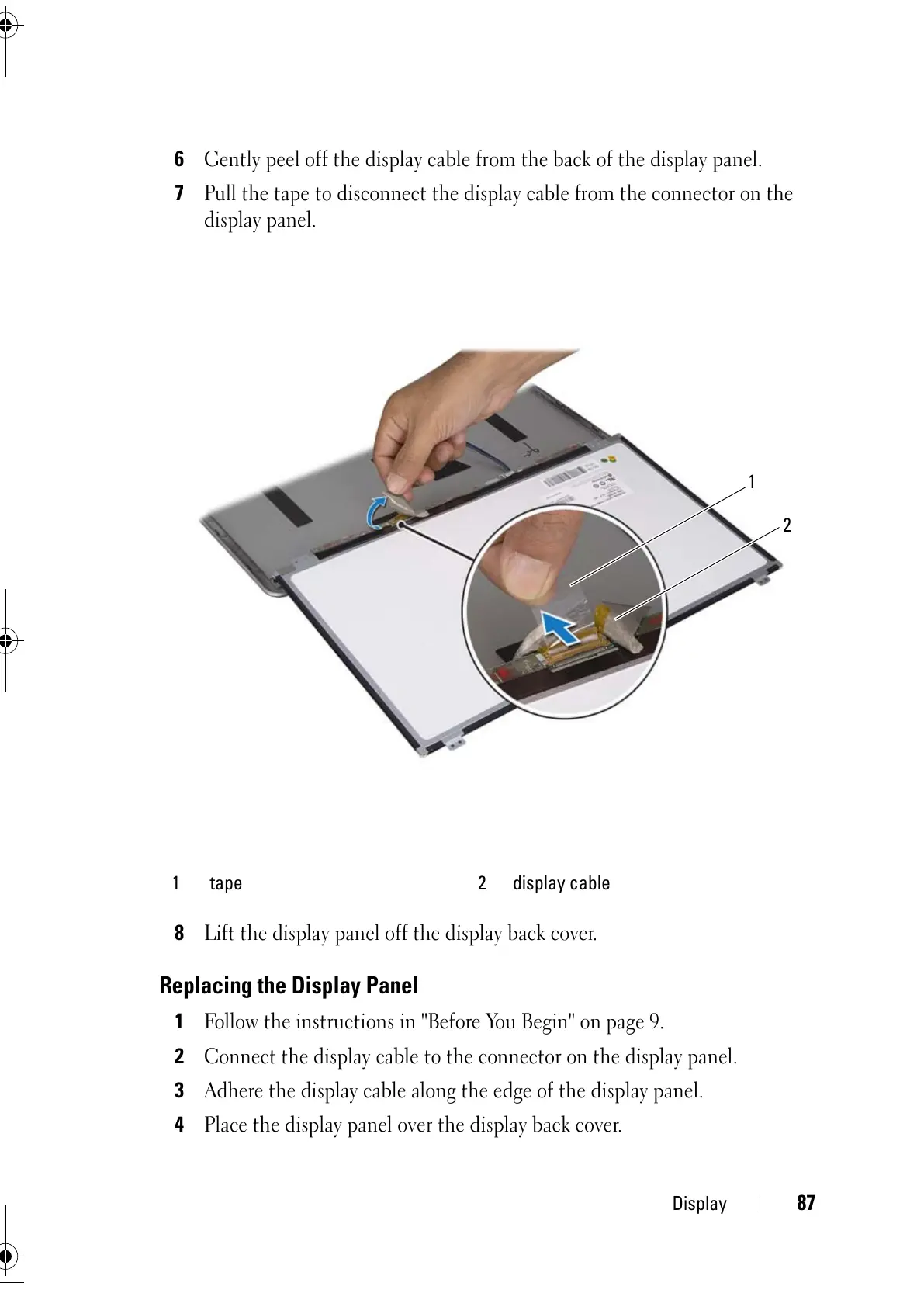
Gently peel off the display cable from the back of the display panel.
7
Pull the tape to disconnect the display cable from the connector on the
display panel.
8
Lift the display panel off the display back cover.
Replacing the Display Panel
1
Follow the instructions in "Before You Begin" on page 9.
2
Connect the display cable to the connector on the display panel.
3
Adhere the display cable along the edge of the display panel.
4
Place the display panel over the display back cover.
1 tape 2 display cable



 To Next Page